

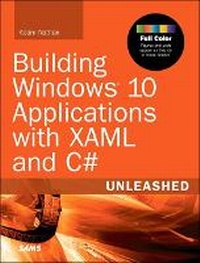
Building Windows 10 Applications with XAML and C# Unleashed
2nd Edition
Will be published approx. on 28. January 2040
Book
Paperback/Softback
850 pages
978-0-672-33758-1 (ISBN)
Description
Full Color: Figures and code appear as they do in Visual Studio.
Universal Windows apps are a total game-changer. You can now write once and deploy your app to any modern PC, tablet, phone, or other Windows device. Suddenly, it's quick and easy to serve new devices and form factors, sharing unified assets ranging from code to styles to user controls. It has never been easier to reach multiple-device markets!
In this book, the world's #1 expert on Microsoft XAML brings together all the knowledge Windows developers need to build universal apps that adapt smoothly for any device running Windows 8.1, Windows Phone 8.1, or their successors. Drawing on his unsurpassed personal experience and direct input from Microsoft's Windows and Visual Studio teams, Adam Nathan illuminates core development concepts, answers your most important questions, and candidly assesses the technology's strengths and limitations.
This full-color guide walks you through every key task involved in building a universal Windows app: layout and input, working with the app model, using advanced controls, leveraging XAML's powerful rich media features, and much more.
Detailed information on how to...
Quickly build universal, localized apps that exploit the vast global scale of the Windows Store
Size, position, and transform elements within layouts that gracefully adapt to different devices
Handle input from touch, mouse, pen, keyboard, and any sensor
Monetize apps with Windows Store sales, in-app purchases, and advertising
Make the most of controls for managing content, items, text, images, media, speech, and more
Create efficient 2D vector graphics and animations
Use styles, templates, and visual states to redesign controls without losing functionality
Bind data sources to simplify data presentation and updates
Easily integrate data from apps, users, and networks
Support Windows app commands: Search, Share, Print, Play, Project, Settings
Use contracts to build apps that cooperate to perform complex tasks
Improve the user experience even when your app isn't running
Universal Windows apps are a total game-changer. You can now write once and deploy your app to any modern PC, tablet, phone, or other Windows device. Suddenly, it's quick and easy to serve new devices and form factors, sharing unified assets ranging from code to styles to user controls. It has never been easier to reach multiple-device markets!
In this book, the world's #1 expert on Microsoft XAML brings together all the knowledge Windows developers need to build universal apps that adapt smoothly for any device running Windows 8.1, Windows Phone 8.1, or their successors. Drawing on his unsurpassed personal experience and direct input from Microsoft's Windows and Visual Studio teams, Adam Nathan illuminates core development concepts, answers your most important questions, and candidly assesses the technology's strengths and limitations.
This full-color guide walks you through every key task involved in building a universal Windows app: layout and input, working with the app model, using advanced controls, leveraging XAML's powerful rich media features, and much more.
Detailed information on how to...
Quickly build universal, localized apps that exploit the vast global scale of the Windows Store
Size, position, and transform elements within layouts that gracefully adapt to different devices
Handle input from touch, mouse, pen, keyboard, and any sensor
Monetize apps with Windows Store sales, in-app purchases, and advertising
Make the most of controls for managing content, items, text, images, media, speech, and more
Create efficient 2D vector graphics and animations
Use styles, templates, and visual states to redesign controls without losing functionality
Bind data sources to simplify data presentation and updates
Easily integrate data from apps, users, and networks
Support Windows app commands: Search, Share, Print, Play, Project, Settings
Use contracts to build apps that cooperate to perform complex tasks
Improve the user experience even when your app isn't running
More details
Edition
2nd edition
Language
English
Place of publication
Indianapolis
United States
Publishing group
Pearson Education (US)
Target group
Professional and scholarly
Dimensions
Height: 232 mm
Width: 178 mm
ISBN-13
978-0-672-33758-1 (9780672337581)
Copyright in bibliographic data and cover images is held by Nielsen Book Services Limited or by the publishers or by their respective licensors: all rights reserved.
Schweitzer Classification
Other editions
Previous edition
Book
02/2015
Sams Publishing
€45.79
Shipment within 10-20 days
Content
Introduction
Part I Getting Started
1. Hello, Real World!
2. Mastering XAML
Part II Building an App
3. Sizing, Positioning, and Transforming Elements
4. Layout
5. Handling Input: Touch, Mouse, Pen, and Keyboard
Part III Working with the App Model
6. App Lifecycle
7. Threading, Windows, and Pages
8. The Many Ways to Earn Money
Part IV Understanding Controls
9. Content Controls
10. Items Controls
11. Text
12. Images
13. Audio, Video, and Speech
14. Other Controls
Part V Leveraging the Richness of XAML
15. Vector Graphics
16. Animation
17. Styles, Templates, and Visual States
18. Data Binding
Part VI Exploiting Windows
19. Working with Data
20. Supporting App Commands
21. Leveraging Contracts
22. Reading from Sensors
23. Controlling Devices
24. Thinking Outside the App: Live Tiles, Notifications, and the Lock Screen
Part VII Advanced Topics
25. Integrating DirectX
26. Custom Controls and Components
27. Layout
Part I Getting Started
1. Hello, Real World!
2. Mastering XAML
Part II Building an App
3. Sizing, Positioning, and Transforming Elements
4. Layout
5. Handling Input: Touch, Mouse, Pen, and Keyboard
Part III Working with the App Model
6. App Lifecycle
7. Threading, Windows, and Pages
8. The Many Ways to Earn Money
Part IV Understanding Controls
9. Content Controls
10. Items Controls
11. Text
12. Images
13. Audio, Video, and Speech
14. Other Controls
Part V Leveraging the Richness of XAML
15. Vector Graphics
16. Animation
17. Styles, Templates, and Visual States
18. Data Binding
Part VI Exploiting Windows
19. Working with Data
20. Supporting App Commands
21. Leveraging Contracts
22. Reading from Sensors
23. Controlling Devices
24. Thinking Outside the App: Live Tiles, Notifications, and the Lock Screen
Part VII Advanced Topics
25. Integrating DirectX
26. Custom Controls and Components
27. Layout