

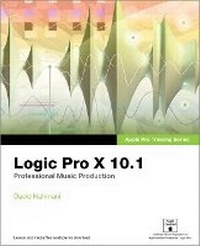
Apple Pro Training Series
Logic Pro X 10.1: Professional Music Production
Published on 18. June 2015
Book
Mixed media product
576 pages
978-0-13-418573-6 (ISBN)
Description
Please note: Updates for Logic Pro v10.2 can be found at www.peachpit.com/apts.logicprox101 on the Updates tab.
Completely revised and updated for Logic Pro v10.1, this Apple-certified guide shows you how to record, produce, and make music files that stand out with the Apple professional audio software. Veteran music producer David Nahmani's step-by-step instructions teach you everything from basic music creation to professional production techniques using Logic's software synthesizers, samplers, and digital signal processors. You'll learn about all of the key features in Logic Pro v10.1 and use the book's online files to begin making music from the very first lesson. Whether you're looking to use your computer as a digital recording studio, create musical compositions, or transfer that song in your head into music you can share, this comprehensive book will show you how.
Completely revised and updated for Logic Pro v10.1, this Apple-certified guide shows you how to record, produce, and make music files that stand out with the Apple professional audio software. Veteran music producer David Nahmani's step-by-step instructions teach you everything from basic music creation to professional production techniques using Logic's software synthesizers, samplers, and digital signal processors. You'll learn about all of the key features in Logic Pro v10.1 and use the book's online files to begin making music from the very first lesson. Whether you're looking to use your computer as a digital recording studio, create musical compositions, or transfer that song in your head into music you can share, this comprehensive book will show you how.
More details
Other editions
New editions
Book
06/2017
Peachpit Press Publications
€50.12
Shipment within 15-20 days
Additional editions
E-Book
05/2015
1st Edition
Peachpit Press Publications
€40.80
Available for download
Person
David Nahmani (Valley Village, CA) co-produced a song on the last Pop Will Eat Itself album, and worked with hit producer Toby Gad (Alicia Keys, Beyonce, Robin Thicke, Fergie). He co-wrote and co-produced songs for the MTV series The Real World and Undressed. He engineered and produced three classical albums on Decca Records/BMG for the Bernard Calmel Orchestra in Paris, France; released tracks and remixes on Cleopatra Records; and, using Logic Pro, has programmed XF MIDI songs for Yamaha. David is the director of the Los Angeles Logic Pro User Group and publisher of LogicProHelp.com. As an Apple-certified trainer, he conducts Logic workshops out of his Los Angeles training center. His teaching experience also includes Logic training for the Grammy Foundation, and at Apple public events, such as the Winter Music Conference in Miami Beach, Remix Hotel, Taxi Road Rally, and ASCAP Music Expo.
Content
Getting Started
Exploring the Interface and Working with Real Instruments
Lesson 1. Make Music with Logic Now!
Lesson 2. Recording Audio
Lesson 3. Editing Audio
Working with Virtual Instruments
Lesson 4. Produce a Virtual Drum Track
Lesson 5. Recording MIDI and Using Controllers
Lesson 6. Creating and Editing MIDI
Building a Song
Lesson 7. Editing Pitch and Time
Lesson 8. Editing an Arrangement
Mixing and Automating a Song
Lesson 9. Mixing
Lesson 10. Automating the Mix
Appendix A. Using External MIDI Devices
Appendix B. Keyboard Shortcuts
Glossary
Index
Exploring the Interface and Working with Real Instruments
Lesson 1. Make Music with Logic Now!
Lesson 2. Recording Audio
Lesson 3. Editing Audio
Working with Virtual Instruments
Lesson 4. Produce a Virtual Drum Track
Lesson 5. Recording MIDI and Using Controllers
Lesson 6. Creating and Editing MIDI
Building a Song
Lesson 7. Editing Pitch and Time
Lesson 8. Editing an Arrangement
Mixing and Automating a Song
Lesson 9. Mixing
Lesson 10. Automating the Mix
Appendix A. Using External MIDI Devices
Appendix B. Keyboard Shortcuts
Glossary
Index