

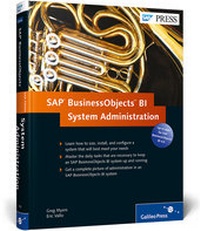
SAP BusinessObjects BI System Administration
1st Edition
Will be published approx. on 31. October 2012
Book
Mixed media product
472 pages
978-1-59229-404-6 (ISBN)
Description
A system administrator's job isn't easy. When stuff works, no one notices. When stuff breaks, suddenly everyone knows your name. Your most important task, then-for your users and for you-is to set up your system right the first time, and to keep it running effectively. With this book, learn how to do just that. Make your job easy: Keep a low profile.
1. Practical Insight
Skip the SAP roadmaps and get down to the nitty-gritty. With step-by-step instructions, detailed screenshots, and unique tips and tricks, this book tells you exactly what you need to know to do your job.
2. Getting it Started
Learn how to get the optimal SAP BusinessObjects BI system in place with practical instruction on sizing, configuration, and installation.
3. Making it Secure
Keep your SAP BusinessObjects BI system safe by learning what you should know about principals, rights, objects, hierarchies, firewalls, and more.
4. Keeping it Running
Make sure you know how to keep your system running smoothly. Monitoring, troubleshooting, and maintenance are the ways to do this, and this book will tell you how.
5. Changes in Release 4.0
Face the facts: the Import Wizard is no more, and neither is Desktop Intelligence. Find out what this means for you, and what other changes you should know about.
Highlights Include:
* Sizing and scalability
* Auditor
* UNIX and Windows installation
* Central Configuration Manager
* Multi-source universes
* User and content management
* UMT and the Lifecycle Manager
* Probes
* Trace logs
* Patches and upgrades
* SAP BusinessObjects Mobile
* Customization and enhancement
1. Practical Insight
Skip the SAP roadmaps and get down to the nitty-gritty. With step-by-step instructions, detailed screenshots, and unique tips and tricks, this book tells you exactly what you need to know to do your job.
2. Getting it Started
Learn how to get the optimal SAP BusinessObjects BI system in place with practical instruction on sizing, configuration, and installation.
3. Making it Secure
Keep your SAP BusinessObjects BI system safe by learning what you should know about principals, rights, objects, hierarchies, firewalls, and more.
4. Keeping it Running
Make sure you know how to keep your system running smoothly. Monitoring, troubleshooting, and maintenance are the ways to do this, and this book will tell you how.
5. Changes in Release 4.0
Face the facts: the Import Wizard is no more, and neither is Desktop Intelligence. Find out what this means for you, and what other changes you should know about.
Highlights Include:
* Sizing and scalability
* Auditor
* UNIX and Windows installation
* Central Configuration Manager
* Multi-source universes
* User and content management
* UMT and the Lifecycle Manager
* Probes
* Trace logs
* Patches and upgrades
* SAP BusinessObjects Mobile
* Customization and enhancement
More details
Other editions
New editions
Greg Myers | Eric Vallo
SAP BusinessObjects BI System Administration
Book
10/2014
2nd Edition
SAP PRESS
€69.95
Shipment within 10-15 days
Content
Preface. 15
Acknowledgments. 17
1. Introduction to the SAP Business Objects BI Platform: What Am I Getting Into?. 19
1.1. The Hitchhiker's Guide to the Universe. 19
1.2. Introduction to the SAP BusinessObjects Reporting Tools. 22
1.3. Architecture Overview. 40
1.4. Planning for a New Solution. 42
1.5. Summary. 47
2. Sizing and Scalability: Better Make It Big Enough. 49
2.1. Sizing Basics. 51
2.2. Tools in Your Sizing Toolbox. 55
2.3. Hardware and Software Requirements. 62
2.4. Using Auditor to Size an Existing System for Migration. 68
2.5. Sizing a System from Scratch. 81
2.6. Complex Sizing Projects: Where Science Meets Art. 83
2.7. Sizing As An Ongoing Activity. 93
2.8. Summary. 98
3. Installation: If You Build it, They Will Come. 101
3.1. UNIX and Linux Installation. 103
3.2. Windows Installation. 110
3.3. Clustering. 129
3.4. Virtualization. 145
3.5. Summary. 149
4. Configuration: Getting the Most for Your Money. 151
4.1. How Sizing and Configuration Go Hand-in-Hand. 151
4.2. Taming the Adaptive Processing Server Beast. 166
4.3. Multi-Source Universe Preparation and the Data Federation Administration Tool. 172
4.4. Configuration Best Practices. 189
4.5. Summary. 192
5. Security: Laying Down the Law. 193
5.1. User and Content Management. 194
5.2. Data and Data Source Security. 218
5.3. Securing Communication Using Cryptography and SSL. 221
5.4. Working with Firewalls and Reverse-Proxies. 238
5.5. General Recommendations for Securing Your SAP BusinessObjects BI 4.0 Deployment. 253
5.6. Summary. 255
6. Migrating Content: Moving Stuff Around and Keeping It Straight.
257
6.1. The Upgrade Management Tool versus Lifecycle Manager. 257
6.2. Overview of Lifecycle Manager. 272
6.3. Migrating Content with Lifecycle Manager. 280
6.4. Content Federation Using the Replication Service. 291
6.5. Summary. 298
7. Monitoring: Keeping an Eye on Things. 299
7.1. Monitoring in the Central Management Console. 299
7.2. The Monitoring Dashboard. 300
7.3. Metrics. 307
7.4. Watch Lists. 310
7.5. Probes. 323
7.6. Alerting. 333
7.7. New Auditor Features. 335
7.8. Monitoring Best Practices. 343
7.9. Summary. 345
8. Troubleshooting and Maintenance: What to Do When Stuff Breaks and How to Prevent It. 347
8.1. Troubleshooting Basics. 348
8.2. Where to Get More Help. 353
8.3. Enabling Trace Logs. 360
8.4. Reading and Analyzing Logs. 373
8.5. Periodic Maintenance. 377
8.6. Managing Patches and Upgrades. 386
8.7. Backup and Recovery. 390
8.8. Troubleshooting and Maintenance Best Practices. 410
8.9. Summary. 413
9. SAP BusinessObjects Mobile: Taking It on the Road. 415
9.1. Supported Mobile Platforms. 415
9.2. Installation and Deployment of SAP BusinessObjects Mobile. 419
9.3. Configuring Mobile Devices. 425
9.4. Troubleshooting SAP BusinessObjects Mobile. 428
9.5. Summary. 430
10. Customization and Enhancement: SAP BusinessObjects Colors Are Boring. 431
10.1. Customizing Client Tools. 432
10.2. Customizing the BI Launch Pad. 445
10.3. When to Use the Software Development Kit. 452
10.4. Summary. 454
Appendices. 455
A. Answer Key. 455
B. The Authors. 465
Index. 467
Acknowledgments. 17
1. Introduction to the SAP Business Objects BI Platform: What Am I Getting Into?. 19
1.1. The Hitchhiker's Guide to the Universe. 19
1.2. Introduction to the SAP BusinessObjects Reporting Tools. 22
1.3. Architecture Overview. 40
1.4. Planning for a New Solution. 42
1.5. Summary. 47
2. Sizing and Scalability: Better Make It Big Enough. 49
2.1. Sizing Basics. 51
2.2. Tools in Your Sizing Toolbox. 55
2.3. Hardware and Software Requirements. 62
2.4. Using Auditor to Size an Existing System for Migration. 68
2.5. Sizing a System from Scratch. 81
2.6. Complex Sizing Projects: Where Science Meets Art. 83
2.7. Sizing As An Ongoing Activity. 93
2.8. Summary. 98
3. Installation: If You Build it, They Will Come. 101
3.1. UNIX and Linux Installation. 103
3.2. Windows Installation. 110
3.3. Clustering. 129
3.4. Virtualization. 145
3.5. Summary. 149
4. Configuration: Getting the Most for Your Money. 151
4.1. How Sizing and Configuration Go Hand-in-Hand. 151
4.2. Taming the Adaptive Processing Server Beast. 166
4.3. Multi-Source Universe Preparation and the Data Federation Administration Tool. 172
4.4. Configuration Best Practices. 189
4.5. Summary. 192
5. Security: Laying Down the Law. 193
5.1. User and Content Management. 194
5.2. Data and Data Source Security. 218
5.3. Securing Communication Using Cryptography and SSL. 221
5.4. Working with Firewalls and Reverse-Proxies. 238
5.5. General Recommendations for Securing Your SAP BusinessObjects BI 4.0 Deployment. 253
5.6. Summary. 255
6. Migrating Content: Moving Stuff Around and Keeping It Straight.
257
6.1. The Upgrade Management Tool versus Lifecycle Manager. 257
6.2. Overview of Lifecycle Manager. 272
6.3. Migrating Content with Lifecycle Manager. 280
6.4. Content Federation Using the Replication Service. 291
6.5. Summary. 298
7. Monitoring: Keeping an Eye on Things. 299
7.1. Monitoring in the Central Management Console. 299
7.2. The Monitoring Dashboard. 300
7.3. Metrics. 307
7.4. Watch Lists. 310
7.5. Probes. 323
7.6. Alerting. 333
7.7. New Auditor Features. 335
7.8. Monitoring Best Practices. 343
7.9. Summary. 345
8. Troubleshooting and Maintenance: What to Do When Stuff Breaks and How to Prevent It. 347
8.1. Troubleshooting Basics. 348
8.2. Where to Get More Help. 353
8.3. Enabling Trace Logs. 360
8.4. Reading and Analyzing Logs. 373
8.5. Periodic Maintenance. 377
8.6. Managing Patches and Upgrades. 386
8.7. Backup and Recovery. 390
8.8. Troubleshooting and Maintenance Best Practices. 410
8.9. Summary. 413
9. SAP BusinessObjects Mobile: Taking It on the Road. 415
9.1. Supported Mobile Platforms. 415
9.2. Installation and Deployment of SAP BusinessObjects Mobile. 419
9.3. Configuring Mobile Devices. 425
9.4. Troubleshooting SAP BusinessObjects Mobile. 428
9.5. Summary. 430
10. Customization and Enhancement: SAP BusinessObjects Colors Are Boring. 431
10.1. Customizing Client Tools. 432
10.2. Customizing the BI Launch Pad. 445
10.3. When to Use the Software Development Kit. 452
10.4. Summary. 454
Appendices. 455
A. Answer Key. 455
B. The Authors. 465
Index. 467