

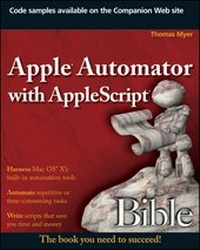
Apple Automator with AppleScript Bible
1st Edition
Published on 13. November 2009
Book
Paperback/Softback
576 pages
978-0-470-52586-9 (ISBN)
Description
One-stop reference helps you get the most out of AppleScript and Automator
One of the handiest ways to streamline your workload is to automate some of your most routine computer tasks. Mac users are lucky in that they have AppleScript and Automator automation tools built right in. This comprehensive guide shows you how to tap both these useful Mac features for Mac OS X and regularly perform such tasks as extracting unread e-mails from your Mail, scheduling workflows, and manually recording actions to create new automated routines.
* Brings you up to speed on Apple's built-in automation tools for Mac OS X, including a more thorough look at Automator than in many books, and shows you how you can automate many of your most repetitive or error-prone tasks
* Explains how to automate aspects of some of your favorite Mac features, such as iCal, Mail, iPhoto, iTunes, and iDVD
* Covers how to manipulate files and folders; work with PDFs, emails, and Web pages; schedule workflows; set up watch folders; create and use variables; manually record actions; and create AppleScripts that further automate functions
The instruction in this detailed guide will help you increase your productivity using Automator and AppleScript.
One of the handiest ways to streamline your workload is to automate some of your most routine computer tasks. Mac users are lucky in that they have AppleScript and Automator automation tools built right in. This comprehensive guide shows you how to tap both these useful Mac features for Mac OS X and regularly perform such tasks as extracting unread e-mails from your Mail, scheduling workflows, and manually recording actions to create new automated routines.
* Brings you up to speed on Apple's built-in automation tools for Mac OS X, including a more thorough look at Automator than in many books, and shows you how you can automate many of your most repetitive or error-prone tasks
* Explains how to automate aspects of some of your favorite Mac features, such as iCal, Mail, iPhoto, iTunes, and iDVD
* Covers how to manipulate files and folders; work with PDFs, emails, and Web pages; schedule workflows; set up watch folders; create and use variables; manually record actions; and create AppleScripts that further automate functions
The instruction in this detailed guide will help you increase your productivity using Automator and AppleScript.
More details
Series
Edition
1., Auflage
Language
English
Place of publication
Chichester
United Kingdom
Publishing group
John Wiley and Sons Ltd
Target group
Professional and scholarly
Illustrations
Illustrations
Dimensions
Height: 23.6 cm
Width: 18.8 cm
Thickness: 31 mm
Weight
838 gr
ISBN-13
978-0-470-52586-9 (9780470525869)
Schweitzer Classification
Other editions
Additional editions
Thomas Myer
Apple Automator with AppleScript Bible
E-Book
11/2009
Wiley
from
€27.99
Available for download
Person
Thomas Myer is a consultant, technical author, and speaker. He owns Triple Dog Dare Media and specializes in many aspects of Linux- and Mac-based development, including Web content management systems, blogs, wikis, dashboard widgets, iPhone applications, UNIX systems programming, and Applescripting. He is the author of five books, including Professional CodeIgniter and Mac OS X UNIX Toolbox.
Content
Preface. Acknowledgments. Introduction. Quick Start: Dive into Automator and AppleScript. Part I: The Fundamentals of Automation. Chapter 1: What Is Automation? Chapter 2: Automation from a User's Perspective. Chapter 3: Automator Basics. Chapter 4: Advanced Automator Topics. Part II: A Detailed Look at AppleScript. Chapter 5: AppleScript Basics. Chapter 6: AppleScript Objects and Dictionaries. Chapter 7: Working with Variables and Properties. Chapter 8: Operators, Expressions, and Statements. Chapter 9: Conditionals and Loops. Chapter 10: Handling User Input. Chapter 11: AppleScript Subroutines. Chapter 12: Applets and Droplets. Chapter 13: Folder Actions. Chapter 14: AppleScript Studio. Part III: Automation Projects. Chapter 15: Ten Automation Projects for Files and Folders. Chapter 16: Ten Automation Projects for Music and Audio Files. Chapter 17: Ten Automation Projects for Photos and Images. Chapter 18: Ten Automation Projects for Text Files. Chapter 19: Ten Custom Automation Projects. Part IV: Appendixes. Appendix A: Automator Resources. Appendix B: AppleScript Resources. Appendix C: AppleScript Reference. Appendix D: Automator Actions and Variables.