

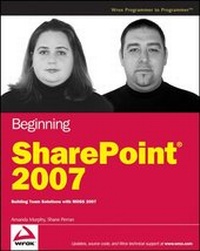
Beginning SharePoint 2007
Building Team Solutions with MOSS 2007
Published on 1. May 2007
Book
Paperback/Softback
576 pages
978-0-470-12449-9 (ISBN)
Description
Get ready to harness the power of SharePoint 2007 to build and customize your own collaborative sites. This informative guide uncovers all of SharePoint's technical components and shows you how to effectively utilize them to meet specific business requirements. You'll learn how to address critical information management problems as you gain the skills to become a SharePoint application champion.
Inside you'll find detailed descriptions and illustrations that highlight SharePoint's functionality along with realistic scenarios that demonstrate how to apply the information. You'll first discover the latest features of SharePoint and its various technologies. You'll then explore everything from commonly used items all the way to the most complex capabilities of the platform. This approach will give you the tools so you can quickly create and modify your own SharePoint site that drives more efficient business processes.
What you will learn from this book
* How to use templates, themes, and master pages to design sites and workspaces
*
Steps for utilizing the new features of MOSS 2007
*
How to use workflows to efficiently manage a project
*
Tips for adding, modifying, importing and exporting Web Parts
*
Techniques for enhancing security by managing users with profiles and audiences
*
How to create business applications using forms
*
All about building and publishing web content from a single environment
Who this book is for
This book is for information workers, business users, and site managers who are responsible for building and customizing SharePoint sites and workspaces.
Wrox Beginning guides are crafted to make learning programming languages and technologies easier than you think, providing a structured, tutorial format that will guide you through all the techniques involved.
Enhance Your Knowledge
Advance Your Career
Inside you'll find detailed descriptions and illustrations that highlight SharePoint's functionality along with realistic scenarios that demonstrate how to apply the information. You'll first discover the latest features of SharePoint and its various technologies. You'll then explore everything from commonly used items all the way to the most complex capabilities of the platform. This approach will give you the tools so you can quickly create and modify your own SharePoint site that drives more efficient business processes.
What you will learn from this book
* How to use templates, themes, and master pages to design sites and workspaces
*
Steps for utilizing the new features of MOSS 2007
*
How to use workflows to efficiently manage a project
*
Tips for adding, modifying, importing and exporting Web Parts
*
Techniques for enhancing security by managing users with profiles and audiences
*
How to create business applications using forms
*
All about building and publishing web content from a single environment
Who this book is for
This book is for information workers, business users, and site managers who are responsible for building and customizing SharePoint sites and workspaces.
Wrox Beginning guides are crafted to make learning programming languages and technologies easier than you think, providing a structured, tutorial format that will guide you through all the techniques involved.
Enhance Your Knowledge
Advance Your Career
More details
Edition
1. Auflage
Language
English
Place of publication
United States
Publishing group
John Wiley & Sons Inc
Target group
Professional and scholarly
Illustrations
Illustrations
Dimensions
Height: 23.3 cm
Width: 18.7 cm
Thickness: 3 cm
Weight
793 gr
ISBN-13
978-0-470-12449-9 (9780470124499)
Schweitzer Classification
Persons
Amanda Murphy is a Microsoft Most Valuable Professional for Microsoft Office SharePoint Server located in St. John's, Newfoundland and Labrador. She has been working as a consultant and trainer with SharePoint since the release of the first version of the product in 2001. Amanda is a regular speaker and presenter at user group meetings, webcasts, and Microsoft Events on topics such as Microsoft SharePoint, InfoPath, and Project Server. She has maintained a SharePoint focused weblog at blog.funknstyle.com since 2003. In her spare time, Amanda is a member of the Board of Directors for INETA NorAm and manages the St. John's.NET User Group.
Shane Perran is a Microsoft Most Valuable Professional for Windows SharePoint Services living in St. John's, Newfoundland and Labrador. He has been designing online user experiences for more than a decade. His strong passion for visual presentation, web standards, and usability has paved the way for a successful transition into the SharePoint Products and Technologies space where Shane has become well known in the SharePoint customization space over the past five years. Shane's SharePoint Customization Blog, graphicalwonder.com, is a popular stop for customization experts across the glo
Shane Perran is a Microsoft Most Valuable Professional for Windows SharePoint Services living in St. John's, Newfoundland and Labrador. He has been designing online user experiences for more than a decade. His strong passion for visual presentation, web standards, and usability has paved the way for a successful transition into the SharePoint Products and Technologies space where Shane has become well known in the SharePoint customization space over the past five years. Shane's SharePoint Customization Blog, graphicalwonder.com, is a popular stop for customization experts across the glo
Content
Introduction.
Chapter 1: Getting Started with Microsoft Office SharePoint Server.
Introducing Portal Technologies and SharePoint.
Comparing WSS and SharePoint.
SharePoint Components Overview.
Chapter 2: Working with SharePoint Lists.
What Is a List?
Understanding the Standard List Templates.
Working with Lists.
Chapter 3: Working with SharePoint Libraries.
Understanding Libraries and Documents.
Understanding SharePoint Library Templates.
Chapter 4: Managing and Customizing Lists and Libraries.
Creating an Environment that Reflects Your Business.
Best Practices for Building a Dynamic System for Managing Content.
Working with Columns.
Creating and Customizing Views.
Working with Custom Lists and Libraries.
Chapter 5: Working with Workflow.
Types of Workflow Solutions.
Using Workflow Templates.
Custom Workflows with SharePoint Designer.
Chapter 6: Working with Content Types.
Content Types Overview.
Base Content Types.
The Anatomy of a Content Type.
Managing Content Types.
Chapter 7: Working with Web Parts.
The Anatomy of a Web Part Page.
Web Parts Basics.
Using the Various SharePoint Web Parts.
Chapter 8: Working with Sites and Workspaces.
Understanding Sites and Site Collections.
Site Management Overview.
Understanding and Working with the SharePoint Site Templates.
Modifying the Look and Feel of a Site.
Chapter 9: User Management, Audiences, and Profiles.
Understanding User Access Management and Personalization.
Managing Access in SharePoint.
Understanding User Profiles.
Working with Audiences.
Chapter 10: Working with Forms Services.
What Is InfoPath?
Creating and Customizing an InfoPath Form.
Using the Design Tasks Pane.
Working with Form Templates.
Chapter 11: Working with Excel Services.
Excel Services Overview.
Data Connections.
Business Scorecards.
Chapter 12: Working with the Business Data Catalog.
Business Data Catalog Overview.
Configuring a BDC Application.
Working with Web Parts and Lists in the BDC.
SharePoint List Integration.
Chapter 13: Getting Started with Web Content Management.
Web Content Management.
Publishing Features Overview.
Working with Variations.
Customizing the Look and Feel of a WCM Site.
Enabling Publishing on a Team Site.
Chapter 14: Working with Search.
Understanding SharePoint Search.
Working with the Search Feature.
Customizing and Managing Search.
Appendix A: Answers to Exercises.
Index.
Chapter 1: Getting Started with Microsoft Office SharePoint Server.
Introducing Portal Technologies and SharePoint.
Comparing WSS and SharePoint.
SharePoint Components Overview.
Chapter 2: Working with SharePoint Lists.
What Is a List?
Understanding the Standard List Templates.
Working with Lists.
Chapter 3: Working with SharePoint Libraries.
Understanding Libraries and Documents.
Understanding SharePoint Library Templates.
Chapter 4: Managing and Customizing Lists and Libraries.
Creating an Environment that Reflects Your Business.
Best Practices for Building a Dynamic System for Managing Content.
Working with Columns.
Creating and Customizing Views.
Working with Custom Lists and Libraries.
Chapter 5: Working with Workflow.
Types of Workflow Solutions.
Using Workflow Templates.
Custom Workflows with SharePoint Designer.
Chapter 6: Working with Content Types.
Content Types Overview.
Base Content Types.
The Anatomy of a Content Type.
Managing Content Types.
Chapter 7: Working with Web Parts.
The Anatomy of a Web Part Page.
Web Parts Basics.
Using the Various SharePoint Web Parts.
Chapter 8: Working with Sites and Workspaces.
Understanding Sites and Site Collections.
Site Management Overview.
Understanding and Working with the SharePoint Site Templates.
Modifying the Look and Feel of a Site.
Chapter 9: User Management, Audiences, and Profiles.
Understanding User Access Management and Personalization.
Managing Access in SharePoint.
Understanding User Profiles.
Working with Audiences.
Chapter 10: Working with Forms Services.
What Is InfoPath?
Creating and Customizing an InfoPath Form.
Using the Design Tasks Pane.
Working with Form Templates.
Chapter 11: Working with Excel Services.
Excel Services Overview.
Data Connections.
Business Scorecards.
Chapter 12: Working with the Business Data Catalog.
Business Data Catalog Overview.
Configuring a BDC Application.
Working with Web Parts and Lists in the BDC.
SharePoint List Integration.
Chapter 13: Getting Started with Web Content Management.
Web Content Management.
Publishing Features Overview.
Working with Variations.
Customizing the Look and Feel of a WCM Site.
Enabling Publishing on a Team Site.
Chapter 14: Working with Search.
Understanding SharePoint Search.
Working with the Search Feature.
Customizing and Managing Search.
Appendix A: Answers to Exercises.
Index.