

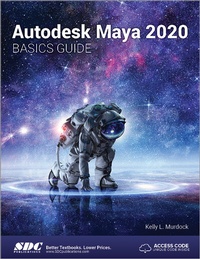
Autodesk Maya 2020 Basics Guide
1st Edition
Published on 2. June 2020
Book
Paperback/Softback
576 pages
978-1-63057-255-6 (ISBN)
Description
Written by a renowned author and 3D artist Autodesk Maya 2020 Basics Guide is designed to give new users a solid understanding of the fundamental skills needed to create beautiful 3D models and stunning animations with Autodesk Maya. Using clear and easy to follow instructions this book will guide you through learning all the major features of Maya. The text is complemented by video instruction. Each chapter has a corresponding video tutorial that introduces you to the topics and allows you to watch and learn how functions are performed in a way that a text alone cannot do.
Autodesk Maya 2020 Basics Guide makes no assumptions about your previous experience with Autodesk Maya. It begins by helping you get comfortable with the user interface and navigating scenes before moving into modeling, texturing, lighting, animating, rendering and more. Additionally, more advanced features such as character rigging, skinning, animating with dynamics and MEL scripting are also introduced.aya.
Autodesk Maya 2020 Basics Guide makes no assumptions about your previous experience with Autodesk Maya. It begins by helping you get comfortable with the user interface and navigating scenes before moving into modeling, texturing, lighting, animating, rendering and more. Additionally, more advanced features such as character rigging, skinning, animating with dynamics and MEL scripting are also introduced.aya.
More details
Language
English
Place of publication
Mission, KS
United States
Target group
College/higher education
Professional and scholarly
Professional Training and Undergraduate Advanced
Dimensions
Height: 280 mm
Width: 210 mm
Weight
453 gr
ISBN-13
978-1-63057-255-6 (9781630572556)
Copyright in bibliographic data and cover images is held by Nielsen Book Services Limited or by the publishers or by their respective licensors: all rights reserved.
Schweitzer Classification
Person
Content
1. Learning the Maya Interface 2. Controlling the View Panel 3. Working with Objects 4. Drawing and Editing Curves 5. Working with NURBS Surfaces 6. Creating and Editing Polygon Objects 7. Assigning Materials and Textures 8. Adding Paint Effects 9. Using Cameras and Lights 10. Animating with Keyframes 11. Working with Characters 12. Animating with Dynamics 13. Rendering a Scene 14. Using MEL Scripting