

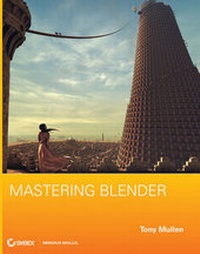
Mastering Blender
1st Edition
Published on 2. April 2009
Book
Paperback/Softback
448 pages
978-0-470-40741-7 (ISBN)
Description
Blender, the free alternative for professional-quality 3D animation is a complex program to learn, but once users become familiar with its power, they begin to seek more from it. This book is the first of its kind to explore the more advanced features of Blender so that you can get the most out of the software. You'll take your Blender skills to a whole new level with the featured in-depth coverage of intricate uses for Blender's modeling, texturing, animation, and visual effects tools in a professional environment.
More details
Edition
1., Auflage
Language
English
Place of publication
Chichester
United Kingdom
Publishing group
John Wiley and Sons Ltd
Target group
Professional and scholarly
Illustrations
Illustrations (some col.)
Dimensions
Height: 23.3 cm
Width: 18.7 cm
Thickness: 21 mm
Weight
943 gr
ISBN-13
978-0-470-40741-7 (9780470407417)
Schweitzer Classification
Other editions
New editions
Tony Mullen
Mastering Blender
Book
11/2012
2nd Edition
Wiley
€53.90
Article is exhausted, reprint undefined
Person
Tony Mullen, PhD, has a broad background in CG-related work. He teaches at Tsuda College, where his courses include modeling and animation with Blender as well as the Python programming language (used for scripting in Blender). Mullen has been a cartoonist and an illustrator; his screen credits include writer, codirector, or lead animator on several short films, including the award-winning short The Devices of Gustav Braüstache, Bachelor of Science, and the recent live-action/stop-motion film Gustav Braüstache and the Auto Debilitator, appearing at several international film festivals. He is the author of Introducing Character Animation with Blender and Bounce, Tumble, and Splash!: Simulating the Physical World with Blender 3D, both from Sybex.
Content
Part I: Mastering Blender 3D.
1. Controlling Your Environment.
2. Sculpting and Retopo Workflow.
3. Creating Realistic Images with UV Textures and Node-Based Materials.
4. Video Compositing with Nodes.
5. Working with the Video Sequence Editor.
Part II: Mastering Blender Python.
6. Python for the Impatient.
7. Python Scripting for Blender.
8. The Many-Headed Snake: Other Uses of Python in Blender.
Part III: Mastering the Blender Game Engine.
9. Creating Assets for the Blender Game Engine.
10. Making Things Happen in the Game Engine.
11. Python Power in the Blender Game Engine.
1. Controlling Your Environment.
2. Sculpting and Retopo Workflow.
3. Creating Realistic Images with UV Textures and Node-Based Materials.
4. Video Compositing with Nodes.
5. Working with the Video Sequence Editor.
Part II: Mastering Blender Python.
6. Python for the Impatient.
7. Python Scripting for Blender.
8. The Many-Headed Snake: Other Uses of Python in Blender.
Part III: Mastering the Blender Game Engine.
9. Creating Assets for the Blender Game Engine.
10. Making Things Happen in the Game Engine.
11. Python Power in the Blender Game Engine.