

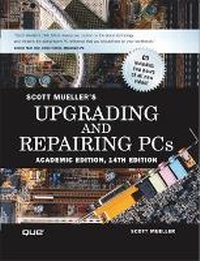
Upgrading and Repairing PCs, Academic Edition
14th Edition
Published on 29. January 2003
Book
Mixed media product
1128 pages
978-0-7897-2927-9 (ISBN)
Description
Appropriate for all courses in computer hardware, PC troubleshooting, maintenance, and repair.
In Upgrading & Repairing PCS, 14th Academic Edition, leading PC hardware expert Scott Mueller offers a complete and authoritative guide to the core topics at the heart of virtually every course in PC hardware, maintenance, and repair. Condensed and distilled from Mueller's renowned Upgrading & Repairing PCS, 14th Retail Edition, this book contains focused coverage of every significant PC component: processors, motherboards, memory, the BIOS, interfaces, drives, removable and optical storage, video and audio hardware, and much more. Its accompanying CD-ROM contains 90 minutes of Windows Media Player videos featuring Scott Mueller demonstrating PC repair and upgrades, as well as PDFs of the complete student workbook, the entire 14th Retail Edition, vendor contacts, help files, and hundreds of pages of additional technical reference material. The student workbook provided on CD-ROM includes updated chapter summaries, practice exercises, and study questions designed to help students ensure they fully understand the material. Also available: an updated Instructor's Manual CD-ROM with thoroughly revised sample syllabus, improved PowerPoint slides, complete lesson plans, and student workbook answers.
In Upgrading & Repairing PCS, 14th Academic Edition, leading PC hardware expert Scott Mueller offers a complete and authoritative guide to the core topics at the heart of virtually every course in PC hardware, maintenance, and repair. Condensed and distilled from Mueller's renowned Upgrading & Repairing PCS, 14th Retail Edition, this book contains focused coverage of every significant PC component: processors, motherboards, memory, the BIOS, interfaces, drives, removable and optical storage, video and audio hardware, and much more. Its accompanying CD-ROM contains 90 minutes of Windows Media Player videos featuring Scott Mueller demonstrating PC repair and upgrades, as well as PDFs of the complete student workbook, the entire 14th Retail Edition, vendor contacts, help files, and hundreds of pages of additional technical reference material. The student workbook provided on CD-ROM includes updated chapter summaries, practice exercises, and study questions designed to help students ensure they fully understand the material. Also available: an updated Instructor's Manual CD-ROM with thoroughly revised sample syllabus, improved PowerPoint slides, complete lesson plans, and student workbook answers.
More details
Edition
14th edition
Language
English
Place of publication
United States
Publishing group
Pearson Education (US)
Target group
College/higher education
Dimensions
Width: 240 mm
Thickness: 52 mm
Weight
1991 gr
ISBN-13
978-0-7897-2927-9 (9780789729279)
Copyright in bibliographic data and cover images is held by Nielsen Book Services Limited or by the publishers or by their respective licensors: all rights reserved.
Schweitzer Classification
Other editions
Previous edition
Scott Mueller
Upgrading and Repairing PCs, Academic Edition
Book
01/2002
13th Edition
Que Corporation,U.S.
€74.59
Article exhausted; check for reprint
Content
Introduction.
WEEK 1: BACKGROUND AND CORE COMPONENTS.
1. Personal Computer Background.
2. PC Components, Features, and System Design.
3. Power Supplies and Chassis/Case.
WEEKS 2 AND 3: MOTHERBOARDS.
4. Motherboards and Buses.
WEEKS 4 AND 5: PROCESSORS.
5. Microprocessor Types, Specifications, and Heat Sinks.
WEEK 6: MEMORY AND BIOS.
6. Memory.
7. BIOS.
WEEK 7: VIDEO AND AUDIO.
8. Video Hardware.
9. Audio Hardware.
WEEKS 8 AND 9: AUXILIARY STORAGE.
10. Floppy Disk Storage.
11. Hard Disk Storage.
12. Optical Storage.
WEEK 10: INTERFACES.
13. IDE Interface.
14. The SCSI Interface.
15. I/O Interface and Input Devices.
WEEK 11: PUTTING IT ALL TOGETHER.
16. Building and Upgrading Systems.
17. Physical Drive Installation and Configuration.
18. PC Diagnostics, Testing, and Maintenance.
WEEK 12: REVIEW.
19. Course Review.
APPENDICES.
Appendix A. Glossary.
Appendix B. Key Vendor Contact Information.
Appendix C. Student Workbook.
List of Acronyms.
Index.
WEEK 1: BACKGROUND AND CORE COMPONENTS.
1. Personal Computer Background.
2. PC Components, Features, and System Design.
3. Power Supplies and Chassis/Case.
WEEKS 2 AND 3: MOTHERBOARDS.
4. Motherboards and Buses.
WEEKS 4 AND 5: PROCESSORS.
5. Microprocessor Types, Specifications, and Heat Sinks.
WEEK 6: MEMORY AND BIOS.
6. Memory.
7. BIOS.
WEEK 7: VIDEO AND AUDIO.
8. Video Hardware.
9. Audio Hardware.
WEEKS 8 AND 9: AUXILIARY STORAGE.
10. Floppy Disk Storage.
11. Hard Disk Storage.
12. Optical Storage.
WEEK 10: INTERFACES.
13. IDE Interface.
14. The SCSI Interface.
15. I/O Interface and Input Devices.
WEEK 11: PUTTING IT ALL TOGETHER.
16. Building and Upgrading Systems.
17. Physical Drive Installation and Configuration.
18. PC Diagnostics, Testing, and Maintenance.
WEEK 12: REVIEW.
19. Course Review.
APPENDICES.
Appendix A. Glossary.
Appendix B. Key Vendor Contact Information.
Appendix C. Student Workbook.
List of Acronyms.
Index.