

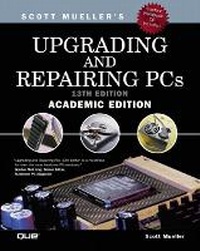
Upgrading and Repairing PCs, Academic Edition
13th Edition
Published on 3. January 2002
Book
Mixed media product
1104 pages
978-0-7897-2715-2 (ISBN)
Description
Appropriate for courses in hardware, PC troubleshooting and repair.
Upgrading & Repairing PC's, 13th Academic Edition is a comprehensive reference guide that addresses and resolves hardware problems. This book teaches students about what goes on inside the computer. It also covers PC building, upgrading, repairing and troubleshooting. Written by Scott Mueller, the most trusted, authoritative hardware voice in the industry, it is the complete solution for hardware information.
Upgrading & Repairing PC's, 13th Academic Edition is a comprehensive reference guide that addresses and resolves hardware problems. This book teaches students about what goes on inside the computer. It also covers PC building, upgrading, repairing and troubleshooting. Written by Scott Mueller, the most trusted, authoritative hardware voice in the industry, it is the complete solution for hardware information.
More details
Edition
13th edition
Language
English
Place of publication
United States
Publishing group
Pearson Education (US)
Target group
College/higher education
Dimensions
Height: 238 mm
Width: 191 mm
Thickness: 47 mm
Weight
1813 gr
ISBN-13
978-0-7897-2715-2 (9780789727152)
Copyright in bibliographic data and cover images is held by Nielsen Book Services Limited or by the publishers or by their respective licensors: all rights reserved.
Schweitzer Classification
Other editions
New editions
Scott Mueller
Upgrading and Repairing PCs, Academic Edition
Book
01/2003
14th Edition
Que Corporation,U.S.
€74.59
Article is exhausted; no reprint
Person
Scott Mueller is president of Mueller Technical Research, an international research and corporate training firm. Since 1982, MTR has specialized in the industry's most in-depth, accurate, and effective corporate PC hardware and technical training seminars, maintaining a client list that includes Fortune 500 companies, the U.S. and foreign governments, major software and hardware corporations, as well as PC enthusiasts and entrepreneurs. His seminars have been presented to several thousands of PC support professionals throughout the world.
Scott has developed and presented training courses in all areas of PC hardware and software. He is an expert in PC hardware, operating systems, and data-recovery techniques. He currently spends about 20-25 weeks per year on the road teaching his seminars at several corporate clients. For more information about a custom PC hardware or data-recovery training seminar for your organization, contact Lynn at Mueller Technical Research 21 Spring Lane Barrington Hills, IL 60010-9009 (847) 854-6794 (847) 854-6795 Fax Internet: scottmueller@compuserve.com Web: http://www.upgradingandrepairingpcs.com http://www.m-tr.com
Scott has many popular books, articles, and course materials to his credit, including Upgrading and Repairing PCs, which has sold more than 2 million copies, making it by far the most popular PC hardware book on the market today. If you have suggestions for the next version of the book, or any comments about the book in general, send them to Scott via e-mail at scottmueller@compuserve.com or visit www.upgradingandrepairingpcs.com and click the Ask Scott button.
When he is not working on PC-related books or on the road teaching seminars, Scott can usually be found in the garage working on several projects. This year he continues to work on his customized '99 Harley FLHRCI Road King Classic with a 95ci Twin-Cam motor (see you in Sturgis ), as well as a modified 1998 5.9L Grand Cherokee (imagine a hotrod SUV).
Scott has developed and presented training courses in all areas of PC hardware and software. He is an expert in PC hardware, operating systems, and data-recovery techniques. He currently spends about 20-25 weeks per year on the road teaching his seminars at several corporate clients. For more information about a custom PC hardware or data-recovery training seminar for your organization, contact Lynn at Mueller Technical Research 21 Spring Lane Barrington Hills, IL 60010-9009 (847) 854-6794 (847) 854-6795 Fax Internet: scottmueller@compuserve.com Web: http://www.upgradingandrepairingpcs.com http://www.m-tr.com
Scott has many popular books, articles, and course materials to his credit, including Upgrading and Repairing PCs, which has sold more than 2 million copies, making it by far the most popular PC hardware book on the market today. If you have suggestions for the next version of the book, or any comments about the book in general, send them to Scott via e-mail at scottmueller@compuserve.com or visit www.upgradingandrepairingpcs.com and click the Ask Scott button.
When he is not working on PC-related books or on the road teaching seminars, Scott can usually be found in the garage working on several projects. This year he continues to work on his customized '99 Harley FLHRCI Road King Classic with a 95ci Twin-Cam motor (see you in Sturgis ), as well as a modified 1998 5.9L Grand Cherokee (imagine a hotrod SUV).
Content
Introduction.
WEEK 1. A PC PRIMER.
1. Personal Computer Background.
WEEK 2. HARD DRIVE TECHNOLOGIES.
2. The IDE Interface.
3. The SCSI Interface.
4. Hard Disk Storage.
WEEK 3. FLOPPY DRIVES AND CD DRIVES.
5. Floppy Disk Storage.
6. Optical Storage.
7. Physical Drive Installation and Configuration.
WEEK 4. CPU TECHNOLOGY.
8. Microprocessor Types and Specifications.
WEEK 5. MOTHERBOARDS AND MEMORY.
9. Motherboards and Buses.
10. Memory.
WEEK 6. VIDEO AND AUDIO.
11. Video Hardware.
12. Audio Hardware.
WEEK 7. INPUT/OUTPUT.
13. I/O Interfaces from Serial and Parallel to IEEE-1394 and USB.
14. Input Devices.
WEEK 8. POWER SUPPLIES.
15. Power Supply and Chassis/Case.
WEEK 9. BIOS.
16. BIOS.
WEEK 10. PUTTING IT ALL TOGETHER.
17. Building or Upgrading Systems.
WEEK 11. CARING FOR YOUR PC.
18. PC Diagnostics, Testing, and Maintenance.
WEEK 12. CRAM SESSION.
19. Course Review.
APPENDIXES.
A. Glossary.
B. Key Vendor Contacts.
C. Troubleshooting Index.
D. Student Workbook.
List of Acronyms.
Index.
ON THE CD.
Printers and Scanners.
BIOS-Bonus Coverage.
Optical Drives-Bonus Coverage.
Local Area Networks.
Internet Connectivity.
File Systems and Data Recovery.
High-Capacity Removable Storage.
WEEK 1. A PC PRIMER.
1. Personal Computer Background.
WEEK 2. HARD DRIVE TECHNOLOGIES.
2. The IDE Interface.
3. The SCSI Interface.
4. Hard Disk Storage.
WEEK 3. FLOPPY DRIVES AND CD DRIVES.
5. Floppy Disk Storage.
6. Optical Storage.
7. Physical Drive Installation and Configuration.
WEEK 4. CPU TECHNOLOGY.
8. Microprocessor Types and Specifications.
WEEK 5. MOTHERBOARDS AND MEMORY.
9. Motherboards and Buses.
10. Memory.
WEEK 6. VIDEO AND AUDIO.
11. Video Hardware.
12. Audio Hardware.
WEEK 7. INPUT/OUTPUT.
13. I/O Interfaces from Serial and Parallel to IEEE-1394 and USB.
14. Input Devices.
WEEK 8. POWER SUPPLIES.
15. Power Supply and Chassis/Case.
WEEK 9. BIOS.
16. BIOS.
WEEK 10. PUTTING IT ALL TOGETHER.
17. Building or Upgrading Systems.
WEEK 11. CARING FOR YOUR PC.
18. PC Diagnostics, Testing, and Maintenance.
WEEK 12. CRAM SESSION.
19. Course Review.
APPENDIXES.
A. Glossary.
B. Key Vendor Contacts.
C. Troubleshooting Index.
D. Student Workbook.
List of Acronyms.
Index.
ON THE CD.
Printers and Scanners.
BIOS-Bonus Coverage.
Optical Drives-Bonus Coverage.
Local Area Networks.
Internet Connectivity.
File Systems and Data Recovery.
High-Capacity Removable Storage.