

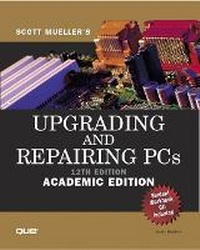
Upgrading and Repairing PCs, Academic Edition
12th Edition
Published on 9. January 2001
Book
Paperback/Softback
1656 pages
978-0-7897-2536-3 (ISBN)
Description
For courses in hardware, PC troubleshooting and repair. Upgrading & Repairing PC's, 12th Academic Edition is a comprehensive reference guide that addresses and resolves hardware problems. This book teaches students about what goes on inside the computer. It also covers PC building, upgrading, repairing and troubleshooting. Written by Scott Mueller, the most trusted, authoritative hardware voice in the industry, it is the complete solution for hardware information.
More details
Edition
12th edition
Language
English
Place of publication
United States
Publishing group
Pearson Education (US)
Target group
College/higher education
Dimensions
Height: 240 mm
Width: 190 mm
Thickness: 63 mm
Weight
2574 gr
ISBN-13
978-0-7897-2536-3 (9780789725363)
Copyright in bibliographic data and cover images is held by Nielsen Book Services Limited or by the publishers or by their respective licensors: all rights reserved.
Schweitzer Classification
Other editions
New editions
Scott Mueller
Upgrading and Repairing PCs, Academic Edition
Book
01/2003
14th Edition
Que Corporation,U.S.
€74.59
Article is exhausted; no reprint
Person
Founded in 1996, Sleepycat Software, Inc. develops, distributes, and supports the Berkeley DB embedded database. This privately held company is well known for being the first to create and currently the oldest to distribute the most popular open source embedded database in existence. Keith Bostik, Sleepycat founder, is a co-author on The Design and Implementation of the 4.4 BSD System, Addison Wesley, April 1996, ISBN 0-201-54979-4.
Content
Introduction. 1. Personal Computer Background. 2. PC Components, Features, and System Design. 3. Microprocessor Types and Specifications. 4. Motherboards and Buses. 5. BIOS. 6. Memory. 7. The IDE Interface. 8. The SCSI Interface. 9. Magnetic Storage Principles. 10. Hard Disk Storage. 11. Floppy Disk Storage. 12. High-Capacity Removable Storage. 13. Optical Storage. 14. Physical Drive Installation and Configuration. 15. Video Hardware. 16. Serial, Parallel, and Other I/O Interfaces. 17. Input Devices. 18. Internet Connectivity. 19. Local Area Networking. 20. Audio Hardware. 21. Power Supply and Chassis/Case. 22. Printers and Scanners. 23. Portable PCs. 24. Building or Upgrading Systems. 25. PC Diagnostics, Testing, and Maintenance. 26. File Systems and Data Recovery. Glossary. List of Acronyms. Index.