

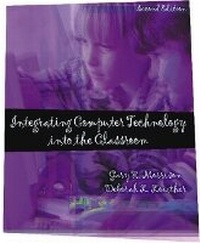
Integrating Computer Technology into the Classroom
2nd Edition
Published on 21. June 2001
Book
Hardback
367 pages
978-0-13-032396-5 (ISBN)
Description
For the Computers in Education course.
This text focuses on integrating computers into teaching through the use of an inquiry-based, easy-to-use model for creating lesson plans. Teachers can use this 10-step process to design student-centered learning environments in which computer technology is integrated as a tool for learning rather than as a delivery mechanism. In addition, this text provides many practical examples and tips throughout to facilitate student understanding of chapter content.
This text focuses on integrating computers into teaching through the use of an inquiry-based, easy-to-use model for creating lesson plans. Teachers can use this 10-step process to design student-centered learning environments in which computer technology is integrated as a tool for learning rather than as a delivery mechanism. In addition, this text provides many practical examples and tips throughout to facilitate student understanding of chapter content.
More details
Edition
2nd edition
Language
English
Place of publication
United States
Publishing group
Pearson Education (US)
Target group
Professional and scholarly
Dimensions
Height: 235 mm
Width: 191 mm
Weight
1000 gr
ISBN-13
978-0-13-032396-5 (9780130323965)
Copyright in bibliographic data and cover images is held by Nielsen Book Services Limited or by the publishers or by their respective licensors: all rights reserved.
Schweitzer Classification
Other editions
New editions
Gary R. Morrison | Deborah L. Lowther
Integrating Computer Technology into the Classroom
Book
07/2004
3rd Edition
Pearson
€73.03
Article exhausted; check for reprint
Content
1. Rethinking Computers and Instruction.
Introduction. Key Topics. Starting the Revolution. Conceptions of Technology. Educational Reform and Technology. Teacher's Diary. Starting the Revolution. Teacher's Diary. At the Classroom's Doorstep. References.
2. iNtegrating Technology for inQuiry: The NTeQ Model.
Introduction. NTeQ in the Classroom. NTeQ Philosophy. Teacher's Diary. At the Classroom's Doorstep. References.
3. Teacher as Designer I: Teacher's Toolbox.
Introduction. Key Topics. Why Planning? Learner Analysis. Writing Instructional Objectives. Analyzing Topics and Tasks. Instructional Strategies. At the Classroom's Doorstep. References.
4. Teacher as Designer II: Teacher's Lesson Planning.
Introduction. Key Topics. Designing an Integrated Lesson. Teacher's Diary. At the Classroom's Doorstep. NTeQ Model. References.
5. Implementation: From Plan to Action.
Introduction. Key Topics. Prior to Classroom Implementation. Resources Available. At the Classroom's Doorstep. References. Culminating Activity. References.
6. Teacher as Facilitator.
Introduction. Key Topics. Teacher vs. Facilitator. What Does it Take to be a Facilitator? Teacher's Diary. At the Classroom's Doorstep. References.
7. Managing the Classroom.
Introduction. Key Topics. Classroom Management. Teacher's Diary. Managing the Multidimensional Environment. Power Tip 1. Managing the Resources. Teacher's Diary. Power Tip 2. At the Classroom's Doorstep. References.
8. The Role of Assessment.
Introduction. Key Topics. The Role of Assessment. Assessment Tools. Teacher's Diary. At the Classroom's Doorstep. References. Resources.
9. Word Processing.
Introduction. Key Topics. Using Word Processing in the Classroom. Teacher's Diary. Examining Word Processing. Power Tip. Designing an Integrated Lesson. At the Classroom's Doorstep. NTeQ Lesson Plan. Lesson Bytes for Word Processing. Resources. References.
10. Spreadsheets.
Introduction. Key Topics. Spreadsheets in the Classroom. Teacher's Diary. Examining the Spreadsheet. Designing an Integrated Lesson with a Spreadsheet. At the Classroom's Doorstep. NTeQ Lesson Plan. Lesson Bytes for Spreadsheets. References.
11. Databases.
Introduction. Key Topics. Databases in the Classroom. Teacher's Diary. Examining Databases. Power Tip. Designing an Integrated Lesson Using Databases. At the Classroom's Doorstep. NTeQ Lesson Plan. Lesson Bytes for Databases. Resources. References.
12. Presentation of Results.
Introduction. Key Topics. Why Present the Results? Tools for Publishing. Paper Reports. Electronic Reports. At the Classroom's Doorstep. NTeQ Model. Resources. References.
13. The Internet in the Classroom.
Introduction. Key Topics. Internet Components. Internet Policies. Using the Internet as a Tool. Teacher's Diary. Using the Internet with an Integrated Lesson. At the Classroom's Doorstep. References.
14. Educational Software.
Introduction. Key Topics. Choosing the Right Software. Software Evaluation. Educational Software and NTeQ. Teacher's Diary. Teacher's Diary. At the Classroom's Doorstep. References.
15. Computers as a Tool for Teachers.
Introduction. Key Topics. Computers for Classroom Management. Power Tip. Teacher's Diary. Communicating with Parents. Teacher's Diary. Classroom Materials. At the Classroom's Doorstep.
Appendix.
Introduction. Key Topics. Starting the Revolution. Conceptions of Technology. Educational Reform and Technology. Teacher's Diary. Starting the Revolution. Teacher's Diary. At the Classroom's Doorstep. References.
2. iNtegrating Technology for inQuiry: The NTeQ Model.
Introduction. NTeQ in the Classroom. NTeQ Philosophy. Teacher's Diary. At the Classroom's Doorstep. References.
3. Teacher as Designer I: Teacher's Toolbox.
Introduction. Key Topics. Why Planning? Learner Analysis. Writing Instructional Objectives. Analyzing Topics and Tasks. Instructional Strategies. At the Classroom's Doorstep. References.
4. Teacher as Designer II: Teacher's Lesson Planning.
Introduction. Key Topics. Designing an Integrated Lesson. Teacher's Diary. At the Classroom's Doorstep. NTeQ Model. References.
5. Implementation: From Plan to Action.
Introduction. Key Topics. Prior to Classroom Implementation. Resources Available. At the Classroom's Doorstep. References. Culminating Activity. References.
6. Teacher as Facilitator.
Introduction. Key Topics. Teacher vs. Facilitator. What Does it Take to be a Facilitator? Teacher's Diary. At the Classroom's Doorstep. References.
7. Managing the Classroom.
Introduction. Key Topics. Classroom Management. Teacher's Diary. Managing the Multidimensional Environment. Power Tip 1. Managing the Resources. Teacher's Diary. Power Tip 2. At the Classroom's Doorstep. References.
8. The Role of Assessment.
Introduction. Key Topics. The Role of Assessment. Assessment Tools. Teacher's Diary. At the Classroom's Doorstep. References. Resources.
9. Word Processing.
Introduction. Key Topics. Using Word Processing in the Classroom. Teacher's Diary. Examining Word Processing. Power Tip. Designing an Integrated Lesson. At the Classroom's Doorstep. NTeQ Lesson Plan. Lesson Bytes for Word Processing. Resources. References.
10. Spreadsheets.
Introduction. Key Topics. Spreadsheets in the Classroom. Teacher's Diary. Examining the Spreadsheet. Designing an Integrated Lesson with a Spreadsheet. At the Classroom's Doorstep. NTeQ Lesson Plan. Lesson Bytes for Spreadsheets. References.
11. Databases.
Introduction. Key Topics. Databases in the Classroom. Teacher's Diary. Examining Databases. Power Tip. Designing an Integrated Lesson Using Databases. At the Classroom's Doorstep. NTeQ Lesson Plan. Lesson Bytes for Databases. Resources. References.
12. Presentation of Results.
Introduction. Key Topics. Why Present the Results? Tools for Publishing. Paper Reports. Electronic Reports. At the Classroom's Doorstep. NTeQ Model. Resources. References.
13. The Internet in the Classroom.
Introduction. Key Topics. Internet Components. Internet Policies. Using the Internet as a Tool. Teacher's Diary. Using the Internet with an Integrated Lesson. At the Classroom's Doorstep. References.
14. Educational Software.
Introduction. Key Topics. Choosing the Right Software. Software Evaluation. Educational Software and NTeQ. Teacher's Diary. Teacher's Diary. At the Classroom's Doorstep. References.
15. Computers as a Tool for Teachers.
Introduction. Key Topics. Computers for Classroom Management. Power Tip. Teacher's Diary. Communicating with Parents. Teacher's Diary. Classroom Materials. At the Classroom's Doorstep.
Appendix.