

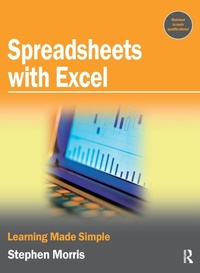
Spreadsheets with Excel
Learning Made Simple
1st Edition
Published on 20. November 2017
Book
Hardback
128 pages
978-1-138-43633-6 (ISBN)
Description
This handy textbook covers all you need to get started with spreadsheets.Learning Made Simple books give you skills without frills. They are matched to the main qualifications, and written by experienced teachers and authors to make often tricky subjects simple to learn. Every book is designed carefully to provide bite-sized lessons matched to your needs.Learning Made Simple titles provide both a new colorful way to study and a useful adjunct to any training course. Using full color throughout, and written by leading teachers and writers, Learning Made Simple books will help you learn new skills and develop your talents. Whether studying at college, training at work, or reading at home, aiming for a qualification or simply getting up to speed, Learning Made Simple books will give you the advantage of easy, well-organised training materials in a handy volume with two or four-page sections for each topic for ease of use.
More details
Language
English
Place of publication
London
United Kingdom
Publishing group
Taylor & Francis Ltd
Target group
College/higher education
Dimensions
Height: 252 mm
Width: 194 mm
Thickness: 12 mm
Weight
467 gr
ISBN-13
978-1-138-43633-6 (9781138436336)
Copyright in bibliographic data and cover images is held by Nielsen Book Services Limited or by the publishers or by their respective licensors: all rights reserved.
Schweitzer Classification
Other editions
Additional editions
Stephen Morris
Spreadsheets with Excel
E-Book
06/2007
1st Edition
Routledge
€20.99
Available for download
Stephen Morris
Spreadsheets with Excel
E-Book
06/2007
1st Edition
Routledge
€20.99
Available for download
Book
08/2006
1st Edition
Butterworth-Heinemann
€19.80
Article not available at the moment
Person
Stephen Morris
Content
Chapter 1 First steps; Chapter 2 Working with cells; Chapter 3 Using formulae; Chapter 4 Sheet formatting; Chapter 5 Formatting cells; Chapter 6 Workbooks; Chapter 7 Charts and graphs; Chapter 8 Printing; Chapter 9 Macros;