

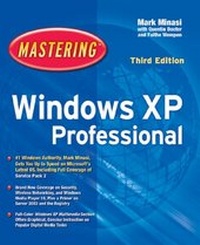
Mastering Windows XP Professional
3rd Edition
Published on 19. November 2004
Book
Paperback/Softback
928 pages
978-0-7821-4382-9 (ISBN)
Description
Complete Coverage of Windows XP Professional
The latest from the world's leading Windows authority, Mark Minasi, Mastering Windows XP Professional is the premier resource for anyone installing, configuring, and administering Windows XP, from corporate networks to small businesses and home. Depend on it for step-by-step instruction in hundreds of key techniques--not to mention a thorough look at all of XP's new features and troubleshooting advice that will save you time, money, and countless headaches.
Coverage Includes
* Using the new Start menu and Control Panel
* Setting up broadband Internet connections
* Configuring a peer-to-peer network
* Securing your PC and network from intruders
* Running programs designed for previous versions of Windows
* Transferring files and settings from one computer to another
* Sharing your desktop with remote users
* Connecting to remote computers using Remote Desktop Connection
* Constructing wireless networks with Wi-Fi Protected Access (WPA)
* Using Windows Media Player 10
* Communicating in real time using the newest version of Windows Messenger
* Using Windows XP on Portable Computers
* Preventing disaster; backing up and recovering data
* Using the Services and MMC administration tools
Bonus Coverage: XP Digital Media Tips and Tricks
Includes full-color visual, step-by-step instruction on the most popular XP digital media skills. In minutes, you'll learn how to burn a CD, buy/download/play audio CDs, listen to radio stations, watch DVD movies, and much more.
The latest from the world's leading Windows authority, Mark Minasi, Mastering Windows XP Professional is the premier resource for anyone installing, configuring, and administering Windows XP, from corporate networks to small businesses and home. Depend on it for step-by-step instruction in hundreds of key techniques--not to mention a thorough look at all of XP's new features and troubleshooting advice that will save you time, money, and countless headaches.
Coverage Includes
* Using the new Start menu and Control Panel
* Setting up broadband Internet connections
* Configuring a peer-to-peer network
* Securing your PC and network from intruders
* Running programs designed for previous versions of Windows
* Transferring files and settings from one computer to another
* Sharing your desktop with remote users
* Connecting to remote computers using Remote Desktop Connection
* Constructing wireless networks with Wi-Fi Protected Access (WPA)
* Using Windows Media Player 10
* Communicating in real time using the newest version of Windows Messenger
* Using Windows XP on Portable Computers
* Preventing disaster; backing up and recovering data
* Using the Services and MMC administration tools
Bonus Coverage: XP Digital Media Tips and Tricks
Includes full-color visual, step-by-step instruction on the most popular XP digital media skills. In minutes, you'll learn how to burn a CD, buy/download/play audio CDs, listen to radio stations, watch DVD movies, and much more.
More details
Edition
3., Auflage
Language
English
Place of publication
New York
United States
Publishing group
John Wiley & Sons Inc
Target group
Professional and scholarly
Edition type
Revised edition
Illustrations
1 colour illustration
Dimensions
Height: 23 cm
Width: 19 cm
Thickness: 51 mm
Weight
1526 gr
ISBN-13
978-0-7821-4382-9 (9780782143829)
Schweitzer Classification
Other editions
Previous edition

Mark Minasi
Mastering Windows XP Professional
Book
05/2002
2nd Edition
Sybex Inc.,U.S.
€57.13
Article exhausted; check for reprint
Persons
Mark Minasi, MCSE, is recognized as one of the world's best teachers of NT/2000. He teaches NT/2000 classes in 15 countries and is a much sought-after speaker at conferences. His firm, MR&D, has taught tens of thousands of people to design and run NT networks. Among his eight other Sybex books are Mastering Windows 2000 Server 3rd Ed., Mastering Windows NT 4 7th Ed., and The Complete PC Upgrade and Maintenance Guide, which has sold a million copies and been translated into 12 languages.
Content
Introduction.
Part 1: Installation and Setup.
Chapter 1: Introducing Windows XP Professional.
Chapter 2: Installing Windows XP Professional.
Chapter 3: Using the Desktop and Getting Help.
Chapter 4: Customizing the Interface.
Chapter 5: Installing, Running, and Managing Applications.
Chapter 6: Using Windows XP Professional on Notebook PCs.
Part 2: Managing Applications, Files, and Folders.
Chapter 7: Managing Files and Folders.
Chapter 8: Installing and Working with Printers and Fonts.
Chapter 9: Installing and Configuring Hardware.
Part 3: XP Digital Media.
Chapter 10: Windows Media Player.
Chapter 11: Digital Media and Movie Maker.
Part 4: The Internet and E-mail.
Chapter 12: Connecting to the Internet.
Chapter 13: Web Browsing with Internet Explorer.
Chapter 14: Using the Communications Programs.
Chapter 15: Using Outlook Express for E-mail and News.
Part 5: Home Networking.
Chapter 16: Windows XP Professional Networking and Network Design Primer.
Chapter 17: Setting Up and Configuring Your Own Small Network.
Chapter 18: Wireless Networking.
Chapter 19: Windows XP Security.
Part 6: Advanced Networking.
Chapter 20: Connecting to Domains.
Chapter 21: Working with Windows Server 2003.
Chapter 22: Connecting to Non-Microsoft Networks.
Part 7: Network Administration.
Chapter 23: Administrative and Diagnostic Tools.
Chapter 24: Active Directory Essentials.
Chapter 25: Understanding and Using the Registry.
Chapter 26: Scripts for Automation.
Chapter 27: Disaster Prevention and Recovery.
Chapter 28: Auditing Security.
Part 8: Advanced Topics.
Chapter 29: Secure Telecommuting.
Chapter 30: The Microsoft Management Console.
Chapter 31: Managing Windows XP Professional Services.
Chapter 32: Hosting Web/FTP Servers.
Chapter 33: Advanced Troubleshooting Methodology.
Index.
Part 1: Installation and Setup.
Chapter 1: Introducing Windows XP Professional.
Chapter 2: Installing Windows XP Professional.
Chapter 3: Using the Desktop and Getting Help.
Chapter 4: Customizing the Interface.
Chapter 5: Installing, Running, and Managing Applications.
Chapter 6: Using Windows XP Professional on Notebook PCs.
Part 2: Managing Applications, Files, and Folders.
Chapter 7: Managing Files and Folders.
Chapter 8: Installing and Working with Printers and Fonts.
Chapter 9: Installing and Configuring Hardware.
Part 3: XP Digital Media.
Chapter 10: Windows Media Player.
Chapter 11: Digital Media and Movie Maker.
Part 4: The Internet and E-mail.
Chapter 12: Connecting to the Internet.
Chapter 13: Web Browsing with Internet Explorer.
Chapter 14: Using the Communications Programs.
Chapter 15: Using Outlook Express for E-mail and News.
Part 5: Home Networking.
Chapter 16: Windows XP Professional Networking and Network Design Primer.
Chapter 17: Setting Up and Configuring Your Own Small Network.
Chapter 18: Wireless Networking.
Chapter 19: Windows XP Security.
Part 6: Advanced Networking.
Chapter 20: Connecting to Domains.
Chapter 21: Working with Windows Server 2003.
Chapter 22: Connecting to Non-Microsoft Networks.
Part 7: Network Administration.
Chapter 23: Administrative and Diagnostic Tools.
Chapter 24: Active Directory Essentials.
Chapter 25: Understanding and Using the Registry.
Chapter 26: Scripts for Automation.
Chapter 27: Disaster Prevention and Recovery.
Chapter 28: Auditing Security.
Part 8: Advanced Topics.
Chapter 29: Secure Telecommuting.
Chapter 30: The Microsoft Management Console.
Chapter 31: Managing Windows XP Professional Services.
Chapter 32: Hosting Web/FTP Servers.
Chapter 33: Advanced Troubleshooting Methodology.
Index.