

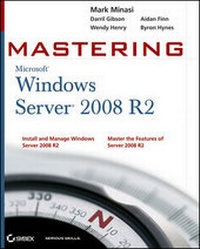
Mastering Microsoft Windows Server 2008 R2
1st Edition
Published on 22. January 2010
Book
Paperback/Softback
1488 pages
978-0-470-53286-7 (ISBN)
Description
The one book you absolutely need to get up and running with Windows Server 2008 R2.
One of the world's leading Windows authorities and top-selling author Mark Minasi explores every nook and cranny of the latest version of Microsoft's flagship network operating system, Windows Server 2008 R2, giving you the most in-depth coverage in any book on the market.
* Focuses on Windows Windows Server 2008 R2, the newest version of Microsoft's Windows' server line of operating system, and the ideal server for new Windows 7 clients
* Author Mark Minasi is one of the world's leading Windows authorities and has taught tens of thousands of people to design and run Windows networks
* Covers Windows storage concepts and skills, Windows Server 2008 IP, WINS, NetBIOS, LMHosts, DNS, creating the simple Active Directory, and creating and managing user accounts
* Explains Group Policy in Active Directory; files, folders and shares; Sysvol, old and new; sharing printers on the network; remote server administration; connecting Windows clients to your network; working the Web with IIS 7.0; and AD maintenance and recovery
* Provides workarounds for things that don't quite work as they should and how-tos for many undocumented features
Find out everything you want to know-and then some!
One of the world's leading Windows authorities and top-selling author Mark Minasi explores every nook and cranny of the latest version of Microsoft's flagship network operating system, Windows Server 2008 R2, giving you the most in-depth coverage in any book on the market.
* Focuses on Windows Windows Server 2008 R2, the newest version of Microsoft's Windows' server line of operating system, and the ideal server for new Windows 7 clients
* Author Mark Minasi is one of the world's leading Windows authorities and has taught tens of thousands of people to design and run Windows networks
* Covers Windows storage concepts and skills, Windows Server 2008 IP, WINS, NetBIOS, LMHosts, DNS, creating the simple Active Directory, and creating and managing user accounts
* Explains Group Policy in Active Directory; files, folders and shares; Sysvol, old and new; sharing printers on the network; remote server administration; connecting Windows clients to your network; working the Web with IIS 7.0; and AD maintenance and recovery
* Provides workarounds for things that don't quite work as they should and how-tos for many undocumented features
Find out everything you want to know-and then some!
More details
Edition
1., Auflage
Language
English
Place of publication
Chichester
United Kingdom
Publishing group
John Wiley and Sons Ltd
Target group
Professional and scholarly
Illustrations
Illustrations
Dimensions
Height: 23.3 cm
Width: 18.7 cm
Thickness: 48 mm
Weight
1914 gr
ISBN-13
978-0-470-53286-7 (9780470532867)
Schweitzer Classification
Other editions
New editions
Mark Minasi | Kevin Greene | Christian Booth
Mastering Windows Server 2012 R2
Book
01/2014
Sybex Inc.,U.S.
€65.90
Article exhausted; check for reprint
Person
Mark Minasi, CS Directory Services MVP, is one of the world's leading Windows authorities. He teaches classes in two dozen countries and is a much sought-after speaker at conferences and industry gathering keynotes. His firm, MR&D, has taught tens of thousands of people to design and run Windows networks. Mark has written over 15 books for Sybex, including the market-leading Mastering Windows Server 2003 and The Complete PC Upgrade and Maintenance Guide.
Content
Introduction.
Chapter 1:What's New in Windows Server 2008 and 2008 R2.
Chapter 2:Installing and Upgrading to Windows Server 2008 R2.
Chapter 3:The New Server: Introduction to Server Core.
Chapter 4:Windows Server 2008 IPv4: What Has Changed?
Chapter 5:DNS and Naming in Server 2008 and Active Directory.
Chapter 6:Creating the Simple AD: The One-Domain, One-Location AD.
Chapter 7:Creating and Managing User Accounts.
Chapter 8:Group Policy: AD's Gauntlet.
Chapter 9:Active Directory Delegation.
Chapter 10:Files, Folders, and Shares.
Chapter 11:Creating and Managing Shared Folders.
Chapter 12:SYSVOL: Old and New.
Chapter 13:Sharing Printers on Windows Server 2008 R2 Networks.
Chapter 14:Remote Server Administration.
Chapter 15:Connecting Windows Clients to the Server.
Chapter 16:Working the Web with IIS 7.0 and 7.5.
Chapter 17:Watching Your System.
Chapter 18:Windows Server 2008 R2 and Active Directory Backup and Maintenance.
Chapter 19:Advanced IP: Routing with Windows.
Chapter 20:Getting from the Office to the Road: VPNs.
Chapter 21:Adding More Locations: Sites in Active Directory.
Chapter 22:The Third DC: Understanding Read-Only Domain Controllers.
Chapter 23:Creating Larger Active Directory Environments: Beyond One Domain.
Chapter 24:Migrating, Merging, and Modifying Your Active Directory.
Chapter 25:Installing, Using, and Administering Remote Desktop Services.
Chapter 26:Connecting Mac OS X Clients.
Chapter 27:Patch Management.
Chapter 28:File Shares Made Even Better: Windows SharePoint Services 3.0.
Chapter 29:Server Virtualization with Hyper-V.
Chapter 30:Advanced User Account Management and User Support.
Appendix:The Bottom Line.
Index.
Chapter 1:What's New in Windows Server 2008 and 2008 R2.
Chapter 2:Installing and Upgrading to Windows Server 2008 R2.
Chapter 3:The New Server: Introduction to Server Core.
Chapter 4:Windows Server 2008 IPv4: What Has Changed?
Chapter 5:DNS and Naming in Server 2008 and Active Directory.
Chapter 6:Creating the Simple AD: The One-Domain, One-Location AD.
Chapter 7:Creating and Managing User Accounts.
Chapter 8:Group Policy: AD's Gauntlet.
Chapter 9:Active Directory Delegation.
Chapter 10:Files, Folders, and Shares.
Chapter 11:Creating and Managing Shared Folders.
Chapter 12:SYSVOL: Old and New.
Chapter 13:Sharing Printers on Windows Server 2008 R2 Networks.
Chapter 14:Remote Server Administration.
Chapter 15:Connecting Windows Clients to the Server.
Chapter 16:Working the Web with IIS 7.0 and 7.5.
Chapter 17:Watching Your System.
Chapter 18:Windows Server 2008 R2 and Active Directory Backup and Maintenance.
Chapter 19:Advanced IP: Routing with Windows.
Chapter 20:Getting from the Office to the Road: VPNs.
Chapter 21:Adding More Locations: Sites in Active Directory.
Chapter 22:The Third DC: Understanding Read-Only Domain Controllers.
Chapter 23:Creating Larger Active Directory Environments: Beyond One Domain.
Chapter 24:Migrating, Merging, and Modifying Your Active Directory.
Chapter 25:Installing, Using, and Administering Remote Desktop Services.
Chapter 26:Connecting Mac OS X Clients.
Chapter 27:Patch Management.
Chapter 28:File Shares Made Even Better: Windows SharePoint Services 3.0.
Chapter 29:Server Virtualization with Hyper-V.
Chapter 30:Advanced User Account Management and User Support.
Appendix:The Bottom Line.
Index.