

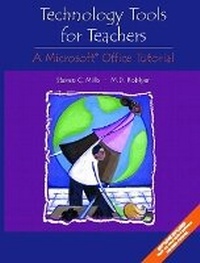
Technology Tools for Teachers
A Microsoft Office Tutorial
Published on 20. August 2002
Book
Paperback/Softback
233 pages
978-0-13-029381-7 (ISBN)
Description
For courses in Computers, Microcomputer Applications, Instructional Computing, Using Technology/Computers in the Classroom, and Instructional Design/Multimedia.
Computers are in our classrooms to stay. This new step-by-step text will help teachers gain a thorough understanding of Microsoft (R) Office, including Word, PowerPoint, Excel and Outlook. In this hands-on text, step-by-step tutorials for each of these components are blended with examples and activities to help preservice and inservice teachers use Office both to improve classroom pedagogy and enhance professional productivity.
Computers are in our classrooms to stay. This new step-by-step text will help teachers gain a thorough understanding of Microsoft (R) Office, including Word, PowerPoint, Excel and Outlook. In this hands-on text, step-by-step tutorials for each of these components are blended with examples and activities to help preservice and inservice teachers use Office both to improve classroom pedagogy and enhance professional productivity.
More details
Language
English
Place of publication
United States
Publishing group
Pearson Education (US)
Target group
Professional and scholarly
ISBN-13
978-0-13-029381-7 (9780130293817)
Copyright in bibliographic data and cover images is held by Nielsen Book Services Limited or by the publishers or by their respective licensors: all rights reserved.
Schweitzer Classification
Other editions
New editions
Book
09/2005
2nd Edition
Pearson
€35.89
Article is exhausted; no reprint
Content
1. Technology Tools for Teachers: Introduction.
PART I: INTEGRATING TECHNOLOGY IN THE CLASSROOM WITH MICROSOFT (R) WORD.
2. Inserting, Editing, and Formatting Text in Word.
3. Document Layout and Graphic Effects Using Word.
4. Constructing Interactive Forms and Web Documents with Word.
PART II: INTEGRATING TECHNOLOGY IN THE CLASSROOM WITH MICROSOFT (R) EXCEL.
5. Navigating, Updating, and Formatting Worksheets in Excel.
6. Excel Formulas, Functions, and Forms.
7. Printing and Publishing Excel Data.
PART III: INTEGRATING TECHNOLOGY IN THE CLASSROOM WITH MICROSOFT (R) POWERPOINT.
8. Designing Presentations and Handouts Using PowerPoint.
9. Delivering Multimedia Presentations.
PART IV: INTEGRATING TECHNOLOGY IN THE CLASSROOM WITH MICROSOFT (R) OUTLOOK.
10. Messaging and Collaboration Using Outlook.
11. Scheduling and Project Management Using Outlook.
References.
Appendix.
Appendix A. Microsoft Office Features.
Appendix B. Microsoft Office Family of Productivity Tools.
Index.
PART I: INTEGRATING TECHNOLOGY IN THE CLASSROOM WITH MICROSOFT (R) WORD.
2. Inserting, Editing, and Formatting Text in Word.
3. Document Layout and Graphic Effects Using Word.
4. Constructing Interactive Forms and Web Documents with Word.
PART II: INTEGRATING TECHNOLOGY IN THE CLASSROOM WITH MICROSOFT (R) EXCEL.
5. Navigating, Updating, and Formatting Worksheets in Excel.
6. Excel Formulas, Functions, and Forms.
7. Printing and Publishing Excel Data.
PART III: INTEGRATING TECHNOLOGY IN THE CLASSROOM WITH MICROSOFT (R) POWERPOINT.
8. Designing Presentations and Handouts Using PowerPoint.
9. Delivering Multimedia Presentations.
PART IV: INTEGRATING TECHNOLOGY IN THE CLASSROOM WITH MICROSOFT (R) OUTLOOK.
10. Messaging and Collaboration Using Outlook.
11. Scheduling and Project Management Using Outlook.
References.
Appendix.
Appendix A. Microsoft Office Features.
Appendix B. Microsoft Office Family of Productivity Tools.
Index.