

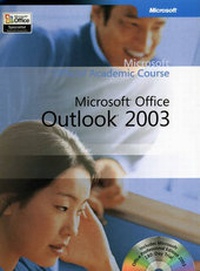
Microsoft Office Outlook 2003
1st Edition
Will be published approx. on 1. October 2006
Book
Spiral bound
373 pages
978-0-470-06905-9 (ISBN)
Description
Easy to follow step by step lessons enable students to quickly and efficiently learn the features of Microsoft Outlook 2003 and how to use them at school, at home, and in the workplace. This Microsoft Official Academic Course offers friendly, straightforward instruction with a focus on real-world business scenarios. Included with the book is a 180-day trial version of Microsoft Office Professional 2003 and dynamic interactive tutorials from the Microsoft eLearning Library. Skills covered in the book correspond to the objectives tested on the Microsoft Office Specialist Outlook 2003 examination. A complete instructor support program is available with the text.
More details
Series
Language
English
Place of publication
New York
United States
Target group
College/higher education
Dimensions
Height: 279 mm
Width: 225 mm
Thickness: 17 mm
Weight
975 gr
ISBN-13
978-0-470-06905-9 (9780470069059)
Copyright in bibliographic data and cover images is held by Nielsen Book Services Limited or by the publishers or by their respective licensors: all rights reserved.
Schweitzer Classification
Person
Microsoft Corporation - Founded in 1975, Microsoft (Nasdaq 'MSFT') is the worldwide leader in software for personal and business computing. The company offers a wide range of products and services designed to empower people through great software-any time, any place and on any device.
Content
Course Overview. Conventions And Features Used in this Book.
Using the CD-ROMs.
MOS Objectives.
Taking a Microsoft Office Specialist Certification Test.
Microsoft e-Learning Library.
Lesson 1 Introduction to Outlook.
Lesson 2 Using E-Mail in Outlook.
Lesson 3 Customizing E-Mail.
Lesson 4 Using Contacts.
Lesson 5 Using the Calendar.
Lesson 6 Using Tasks.
Lesson 7 Using Notes.
Lesson 8 Customizing Outlook.
Lesson 9 Using Advanced E-Mail Features.
Lesson 10 Using Advanced Calendar Features.
Lesson 11 Managing Information.
Lesson 12 Managing Contacts and Tasks.
Appendix A Setting Up Outlook.
Glossary.
Index.
Using the CD-ROMs.
MOS Objectives.
Taking a Microsoft Office Specialist Certification Test.
Microsoft e-Learning Library.
Lesson 1 Introduction to Outlook.
Lesson 2 Using E-Mail in Outlook.
Lesson 3 Customizing E-Mail.
Lesson 4 Using Contacts.
Lesson 5 Using the Calendar.
Lesson 6 Using Tasks.
Lesson 7 Using Notes.
Lesson 8 Customizing Outlook.
Lesson 9 Using Advanced E-Mail Features.
Lesson 10 Using Advanced Calendar Features.
Lesson 11 Managing Information.
Lesson 12 Managing Contacts and Tasks.
Appendix A Setting Up Outlook.
Glossary.
Index.