

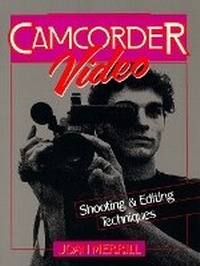
Camcorder Video
Shooting and Editing Techniques
Published on 1. April 1992
Book
Paperback/Softback
248 pages
978-0-13-110925-4 (ISBN)
Description
Written at a non-technical level, this well-illustrated, "how-to," "hands-on" guide is filled with techniques for improving a wide range of video production skills - from beginning production through post-production.
More details
Language
English
Place of publication
Upper Saddle River
United States
Publishing group
Pearson Education (US)
Target group
College/higher education
Dimensions
Height: 178 mm
Width: 236 mm
Thickness: 13 mm
Weight
395 gr
ISBN-13
978-0-13-110925-4 (9780131109254)
Copyright in bibliographic data and cover images is held by Nielsen Book Services Limited or by the publishers or by their respective licensors: all rights reserved.
Schweitzer Classification
Other editions
Previous edition

Book
04/1992
Prentice Hall PTR
€29.65
Article exhausted; check for reprint
Content
I. THE CAMCORDER.
1. The Development of the Camcorder.
2. Know Your Equipment.
3. Accessories: Expanding Capabilities.
4. Care of Equipment and Videotape.
II. SHOOTING TECHNIQUES.
5. Beyond Point and Shoot.
6. Mastering the Basics.
7. Shots and Sequences.
8. Light and Color.
9. Sound.
III. SUBJECTS.
10. Planning.
11. Shooting Special Events.
12. Shooting Special Productions.
IV. EDITING: POST-PRODUCTION.
13. Transferring Photos, Slides, and Movies to Video.
14. Editing Techniques.
15. Editing Aesthetics.
16. Editing Hardware.
17. Using a Personal Computer with Video.
1. The Development of the Camcorder.
2. Know Your Equipment.
3. Accessories: Expanding Capabilities.
4. Care of Equipment and Videotape.
II. SHOOTING TECHNIQUES.
5. Beyond Point and Shoot.
6. Mastering the Basics.
7. Shots and Sequences.
8. Light and Color.
9. Sound.
III. SUBJECTS.
10. Planning.
11. Shooting Special Events.
12. Shooting Special Productions.
IV. EDITING: POST-PRODUCTION.
13. Transferring Photos, Slides, and Movies to Video.
14. Editing Techniques.
15. Editing Aesthetics.
16. Editing Hardware.
17. Using a Personal Computer with Video.