

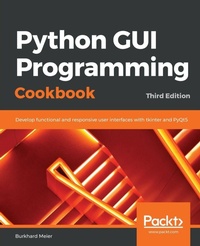
Python GUI Programming Cookbook
Develop functional and responsive user interfaces with tkinter and PyQt5, 3rd Edition
3rd Edition
Published on 11. October 2019
Book
Paperback/Softback
486 pages
978-1-83882-754-0 (ISBN)
Description
Over 90 recipes to help you develop widgets, forms, layouts, charts, and much more using the latest features of Python 3
Key Features
Use object-oriented programming to develop impressive GUIs in Python
Create interesting charts to visually represent data using Matplotlib
Develop GUIs with the latest versions of tkinter, PyQt5, and wxPython frameworks
Book DescriptionPython is a multi-domain, interpreted programming language that is easy to learn and implement. With its wide support for frameworks to develop GUIs, you can build interactive and beautiful GUI-based applications easily using Python. This third edition of Python GUI Programming Cookbook follows a task-based approach to help you create effective GUIs with the smallest amount of code. Every recipe in this book builds upon the last to create an entire, real-life GUI application. These recipes also help you solve problems that you might encounter while developing GUIs. This book mainly focuses on using Python's built-in tkinter GUI framework. You'll learn how to create GUIs in Python using simple programming styles and object-oriented programming (OOP). As you add more widgets and expand your GUI, you will learn how to connect to networks, databases, and graphical libraries that greatly enhance the functionality of your GUI. You'll also learn how to use threading to ensure that your GUI doesn't become unresponsive. Toward the end, you'll learn about the versatile PyQt GUI framework, which comes along with its own visual editor that allows you to design GUIs using drag and drop features. By the end of the book, you'll be an expert in designing Python GUIs and be able to develop a variety of GUI applications with ease.
What you will learn
Create amazing GUIs with Python's built-in tkinter module
Customize GUIs using layout managers to arrange GUI widgets
Advance from the typical waterfall coding style to an OOP style using Python
Develop beautiful charts using the free Matplotlib Python module
Use threading in a networked environment to make GUIs responsive
Discover ways to connect GUIs to a MySQL database
Understand how unit tests can be created and internationalize GUI
Delve into the world of GUI creation using PyQt5
Who this book is forIf you're a programmer or developer looking to enhance your Python skills by writing powerful GUI applications, this book is for you. Familiarity with the Python programming language is necessary to get the most out of the book.
Key Features
Use object-oriented programming to develop impressive GUIs in Python
Create interesting charts to visually represent data using Matplotlib
Develop GUIs with the latest versions of tkinter, PyQt5, and wxPython frameworks
Book DescriptionPython is a multi-domain, interpreted programming language that is easy to learn and implement. With its wide support for frameworks to develop GUIs, you can build interactive and beautiful GUI-based applications easily using Python. This third edition of Python GUI Programming Cookbook follows a task-based approach to help you create effective GUIs with the smallest amount of code. Every recipe in this book builds upon the last to create an entire, real-life GUI application. These recipes also help you solve problems that you might encounter while developing GUIs. This book mainly focuses on using Python's built-in tkinter GUI framework. You'll learn how to create GUIs in Python using simple programming styles and object-oriented programming (OOP). As you add more widgets and expand your GUI, you will learn how to connect to networks, databases, and graphical libraries that greatly enhance the functionality of your GUI. You'll also learn how to use threading to ensure that your GUI doesn't become unresponsive. Toward the end, you'll learn about the versatile PyQt GUI framework, which comes along with its own visual editor that allows you to design GUIs using drag and drop features. By the end of the book, you'll be an expert in designing Python GUIs and be able to develop a variety of GUI applications with ease.
What you will learn
Create amazing GUIs with Python's built-in tkinter module
Customize GUIs using layout managers to arrange GUI widgets
Advance from the typical waterfall coding style to an OOP style using Python
Develop beautiful charts using the free Matplotlib Python module
Use threading in a networked environment to make GUIs responsive
Discover ways to connect GUIs to a MySQL database
Understand how unit tests can be created and internationalize GUI
Delve into the world of GUI creation using PyQt5
Who this book is forIf you're a programmer or developer looking to enhance your Python skills by writing powerful GUI applications, this book is for you. Familiarity with the Python programming language is necessary to get the most out of the book.
More details
Edition
3rd Revised edition
Language
English
Place of publication
Birmingham
United Kingdom
Edition type
Revised edition
Dimensions
Height: 235 mm
Width: 191 mm
Thickness: 27 mm
Weight
899 gr
ISBN-13
978-1-83882-754-0 (9781838827540)
Copyright in bibliographic data and cover images is held by Nielsen Book Services Limited or by the publishers or by their respective licensors: all rights reserved.
Schweitzer Classification
Other editions
Additional editions
Burkhard Meier Meier
Python GUI Programming Cookbook
Develop functional and responsive user interfaces with tkinter and PyQt5
E-Book
10/2019
3rd Edition
Packt Publishing Limited
€29.99
Available for download
Person
Burkhard Meier has more than 19 years of professional experience working in the software industry as a software tester and developer, specializing in software test automation development, execution, and analysis. He has a very strong background in Python 3 software test automation development, as well as in SQL relational database administration, the development of stored procedures, and debugging code. His previous jobs include working as a senior test automation engineer and designer for InfoGenesis (now Agilysys), QAD, InTouch Health, and FLIR Systems. Over the past three years, he has also developed several video courses on Python for Packt, the latest course being Mastering Object-Oriented Programming with Python.
Content
Table of Contents
Creating the GUI form and adding widgets
Layout management
Look and feel customization
Data and classes
Matplotlib charts
Threads and networking
Storing data in our mysql database via our GUI
Internationalization and testing
Extending our GUI with the wxpython library
Building GUI's with PyQt5
Best practices
Creating the GUI form and adding widgets
Layout management
Look and feel customization
Data and classes
Matplotlib charts
Threads and networking
Storing data in our mysql database via our GUI
Internationalization and testing
Extending our GUI with the wxpython library
Building GUI's with PyQt5
Best practices