

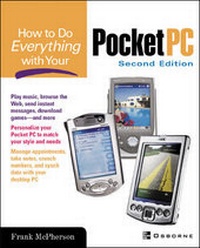
How To Do Everything With Your Pocket PC
2nd Edition
Published on 16. February 2002
Book
Paperback/Softback
576 pages
978-0-07-219414-2 (ISBN)
Description
Make the most of your pocket PC with this hands-on easy-to-use resource. Find out how to synch your pocket PC with your desktop computer, browse the Web, send instant messages, play games, and much more.
More details
Series
Edition
2nd edition
Language
English
Place of publication
United States
Publishing group
McGraw-Hill Education - Europe
Target group
Professional and scholarly
Illustrations
illustrations
Dimensions
Height: 229 mm
Width: 185 mm
Thickness: 31 mm
Weight
992 gr
ISBN-13
978-0-07-219414-2 (9780072194142)
Copyright in bibliographic data and cover images is held by Nielsen Book Services Limited or by the publishers or by their respective licensors: all rights reserved.
Schweitzer Classification
Other editions
Previous edition

Frank McPherson
How to Do Everything with Windows CE
Book
12/2000
Osborne/McGraw-Hill
€19.83
Article exhausted; check for reprint
Person
Frank McPherson (West Bloomfield, MI) has been using handhelds since they were introduced in 1993. He is currently an Assistant Forum Manager for the Windows CE forum on Microsoft's Computing Central web site. In March, 1999 Microsoft recognized Frank as a Most Valuable Professional (MVP) for helping users in the microsoft.public.windowsce newsgroup. He created and maintains the Windows CE Knowledge Center web site, (http://start.at/know_ce) which averages 9000 page views per day. The site includes original content and links to information that show users how to get the most out of the Windows CE.
Content
PART I: Getting Started 1: Welcome to Windows for Pocket PCs 2: Get Acquainted with Your Pocket PC 3: Personalize Your Pocket PC 4: Change Your Pocket PC System Settings 5: Connect Your Pocket PC with Desktop Computers 6: Synchronize Data with Desktop Computers 7: Manage Your Pocket PC from Your Desktop PART II: Make the Most of Your Pocket PC 8: Manage Appointments, Tasks, and Contacts 9: Call a Friend from Your Pocket PC 10: Create Documents with Pocket Word 11: Crunch Numbers 12: Manage Your Money 13: Take Notes 14: View Pictures and Presentations 15: Store and Query Data 16: Be Productive At Work 17: Travel With Your Pocket PC 18: Relax with Games, Music, Books, and Movies PART III: Go Online with Your Pocket PC 19: Connect to the Internet with or without Wires 20: Send and Receive E-Mail 21: Send and Receive Instant Messages 22: Browse the Web PART IV: Customize Your Pocket PC 23: Expand Your Pocket PC with Software and Hardware