

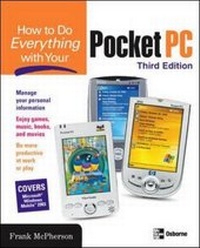
How to Do Everything with Your Pocket PC, Third Edition
3rd Edition
Published on 11. September 2003
Book
Paperback/Softback
512 pages
978-0-07-222979-0 (ISBN)
Description
Pocket PCs are constantly evolving, boasting new features and functions. This book explains all these new features, making it attractive to anyone who recently bought a pocket PC.
More details
Series
Edition
3rd Revised edition
Language
English
Place of publication
New York
United States
Publishing group
McGraw-Hill Education - Europe
Target group
Professional and scholarly
Edition type
Revised edition
Illustrations
150 Illustrations
Dimensions
Height: 231 mm
Width: 185 mm
Thickness: 25 mm
Weight
797 gr
ISBN-13
978-0-07-222979-0 (9780072229790)
Copyright in bibliographic data and cover images is held by Nielsen Book Services Limited or by the publishers or by their respective licensors: all rights reserved.
Schweitzer Classification
Other editions
New editions
Frank McPherson
How to Do Everything with Windows Mobile
Book
06/2006
4th Edition
Osborne/McGraw-Hill
€24.79
Shipment within 15-20 days
Person
Frank McPherson (W. Bloomfield MI) is an avid user of personal digital assistants starting with the Newton MessagePad in 1993 and later the Windows CE Handheld PC. Since 1993 he has been helping Newton and Windows CE users online on CompuServe, the Microsoft Network, and in Internet newsgroups. He developed and maintains the Windows CE Knowledge Center Web site (http://www.pocketpchow2.com), which is visited by Windows CE users around the world seeking help using their Pocket and Handheld PCs. Microsoft has recognized him as a Most Valued Professional for his contributions to the Windows CE community in 2001. Frank is the author of the first two editions of How to Do Everything with Your Pocket PC, and his articles about Windows CE have appeared in Windows Powered Magazine, Pocket PC Magazine, Uplink.com, and PocketPC.com. Frank is a 1989 graduate of Michigan Technological University with a BS degree in Computer Science. He is a Microsoft Certified Systems Engineer and Senior Information Specialist at EDS, where he has been employed for more than ten years.
Content
Part I: Get Started with Your Pocket PC 1: Welcome to Windows Mobile Software for Pocket PCs 2: Get Acquainted with Your Pocket PC 3: Personalize Your Pocket PC 4: Change Your Pocket PC System Settings 5: Connect Your Pocket PC with Desktop Computers 6: Synchronize Data with Desktop Computers 7: Manage Your Pocket PC from Your Desktop Part II: Make the Most Out of Your Pocket PC 8: Manage Appointments, Tasks, and Contacts 9: Call a Friend from Your Pocket PC 10: Create Documents with Pocket Word 11: Crunch Numbers 12: Manage Your Money 13: Take Notes 14: View Pictures and Presentations 15: Store and Query Data 16: Be Productive at Work 17: Travel with Your Pocket PC 18: Relax with Games, Music, Books, and Movies Part III: Go Online with Your Pocket PC 19: Connect to Networks 20: Send and Receive E-Mail 21: Send and Receive Instant Messages 22: Browse the Web Part IV: Customize Your Pocket PC 23: Expand Your Pocket PC with Software and Hardware