

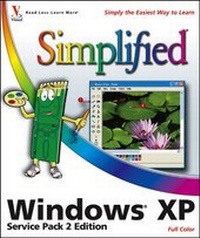
Windows XP Simplified Service Pack 2 Edition
1st Edition
Published on 1. July 2005
Book
Paperback/Softback
240 pages
978-0-7645-8329-2 (ISBN)
Description
* The perfect guide for visual learners who are brand-new to Windows XP and want to be shown-rather than told-how to solve problems and work through tasks
* Features highly visual two-page tutorials and full-color step-by-step screen shots that walk Windows newcomers through tasks such as working with files, sharing a computer, browsing the Web, using e-mail, and even creating movies
* Covers new SP2 enhancements, including the new Windows Firewall and wireless interface as well as updates to Windows Update, Media Player, and Internet Explorer
* Features highly visual two-page tutorials and full-color step-by-step screen shots that walk Windows newcomers through tasks such as working with files, sharing a computer, browsing the Web, using e-mail, and even creating movies
* Covers new SP2 enhancements, including the new Windows Firewall and wireless interface as well as updates to Windows Update, Media Player, and Internet Explorer
More details
Edition
1., Auflage
Language
English
Place of publication
Foster City
United States
Publishing group
John Wiley & Sons Inc
Edition type
New edition
Illustrations
col. Illustrations
Dimensions
Height: 25.4 cm
Width: 21.5 cm
Weight
798 gr
ISBN-13
978-0-7645-8329-2 (9780764583292)
Schweitzer Classification
Other editions
Previous edition
Ruth Maran
Windows XP Simplified
Book
11/2001
1st Edition
Hungry Minds Inc,U.S.
€32.90
Article exhausted; check for reprint
Person
Paul McFedries is the president of Logophilia Limited, a technical writing company. While now primarily a writer, Paul has worked as a programmer, consiultant, and Web site developer. Paul has written over 40 books that have sold over three million copies worldwide. These books include the Wiley titles, Windows XP: Top 100 Simplified Tips & Tricks, 2nd Edition, and Teach Yourself VISUALLY Windows XP, 2nd Edition.
Content
1. Getting Started with Windows XP. Start Windows XP. What You Can Do with Windows XP. The Windows XP Screen. Using a Mouse with Windows XP. Get Help. Activate Your Copy of Windows XP. Restart Windows XP. Shut Down Windows XP. 2. Launching and Working with Programs. Install a Program. Start a Program. Understanding Program Windows. Use Pull--Down Menus. Use Toolbars. Understanding Dialog Box Controls. Using Dialog Boxes. Work with Program Windows. Use Scrollbars. Switch Between Programs. Shut Down a Program. Uninstall a Program. 3. Creating and Editing Documents. Understanding Documents. Create a Document. Save a Document. Open a Document. Edit Document Text. Change the Text Font. Find Text. Replace Text . Print a Document. 4. Creating and Working with Images. View Your Images. Scan an Image. Load an Image from a Digital Camera. Print an Image. Start Paint. Navigate the Paint Window. Create a Drawing. Draw a Line. Draw a Rectangle or Square. Draw a Rounded Rectangle. Draw an Ellipse or Circle. Draw a Curve. Draw a Polygon. Draw Freehand with a Pencil. Draw Freehand with a Brush. Draw Freehand with an Airbrush. Fill a Shape with Color. Add Text. Pick a Color. Use the Eraser. 5. Playing Music and Other Media. Open and Close Windows Media Player. Navigate the Windows Media Player Window. Change the Player Window Size. Using the Library. Play an Audio or Video File. Adjust the Volume. Play a Music CD. Play a DVD. Navigate a DVD. Copy Tracks from a Music CD. Create a Playlist. Burn Music Files to a CD. Using the Media Guide. Listen to Internet Radio. Customize the Now Playing Page. Change the Windows Media Player Skin. 6. Working with Files. View Your Files. Select a File. Copy a File. Move a File. Copy Files to a CD. Rename a File. Create a New File. Delete a File. Restore a Deleted File. Search for a File. Extract Files from a Compressed Folder. 7. Sharing Your Computer with Others. Display User Accounts. Create an Account. Switch between Accounts. Change a User's Name. Protect an Account with a Password. Delete an Account. Share Documents. 8. Surfing the World Wide Web. Understanding the World Wide Web. Start Internet Explorer. Navigate Internet Explorer. Select a Link. Enter a Web Page Address. Navigate Web Pages. Change Your Home Page. Save Favorite Web Pages. Search for Sites 9. Sending and Receiving E--mail. Start Outlook Express. Navigate Outlook Express. Send an E--mail Message. Add a Contact to Your Address Book. Select an Address Book Address. Add a File Attachment. Receive and Read E--mail Messages. Reply to a Message. Forward a Message. Open and Save an Attachment. Protect Against Viruses. 10. Customizing Windows XP. Open the Display Properties. Change the Desktop Background. Set the Screen Saver. Change the Windows XP Colors and Fonts. Apply a Desktop Theme 11. Maintaining Windows XP. Check Hard Drive Free Space. Delete Unnecessary Files. Defragment Your Hard Drive. Check Your Hard Drive for Errors. Set Up Automatic Updates.