

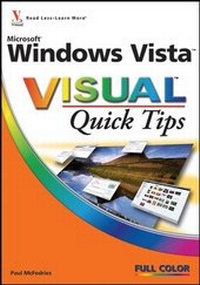
Microsoft Windows Vista Visual Quick Tips
1st Edition
Published on 22. December 2006
Book
Paperback/Softback
224 pages
978-0-470-04578-7 (ISBN)
Description
Would you like to harness the power of the new Vista operating system, set it up the way you want, and get the very best performance out of it that you can? Then this Visual Quick Tips book is for you. This book will increase your productivity by providing you with shortcuts, tricks, and tips to help you work smarter and faster.
* Straightforward task descriptions
* Succinct explanations
* Full-color screen shots
* Numbered steps
Learn How To:
* Open folders with a single click
* Do cool things with photos and music
* Enhance Internet and computer security
* Straightforward task descriptions
* Succinct explanations
* Full-color screen shots
* Numbered steps
Learn How To:
* Open folders with a single click
* Do cool things with photos and music
* Enhance Internet and computer security
More details
Series
Edition
1., Auflage
Language
English
Place of publication
Chichester
United Kingdom
Publishing group
John Wiley and Sons Ltd
Illustrations
col. Illustrations
Dimensions
Height: 18 cm
Width: 12.7 cm
Thickness: 101 mm
Weight
235 gr
ISBN-13
978-0-470-04578-7 (9780470045787)
Schweitzer Classification
Person
Paul McFedries is the president of Logophilia Limited, a technical writing company. While now primarily a writer, Paul has worked as a programmer, consultant, and Web site developer. Paul has written nearly 50 books that have sold more than three million copies worldwide. These books include the Wiley titles Windows XP: Top 100 Simplified Tips and Tricks, 2nd Edition, and Teach Yourself VISUALLY Computers, 4th Edition. Paul also runs Word Spy, a Web site dedicated to tracking new words and phrases (see www.wordspy.com).
Content
Chapter 1. Make Windows Vista Faster and More Efficient
Chapter 2. Set Up Windows Vista the Way You Want.
Chapter 3. Enrich Your Media Experience.
Chapter 4. Get the Most Out of Your Files and Folders.
Chapter 5. Enhance Internet Security and Privacy.
Chapter 6. Unleash the Power of Internet Explorer.
Chapter 7. Make E-Mail Easier.
Chapter 8. Enhance Your Computer's Security and Privacy.
Chapter 9. Get More Out of Your Notebook and Tablet PC.
Chapter 10. Maximize Windows Vista Networking.
Index.
Chapter 2. Set Up Windows Vista the Way You Want.
Chapter 3. Enrich Your Media Experience.
Chapter 4. Get the Most Out of Your Files and Folders.
Chapter 5. Enhance Internet Security and Privacy.
Chapter 6. Unleash the Power of Internet Explorer.
Chapter 7. Make E-Mail Easier.
Chapter 8. Enhance Your Computer's Security and Privacy.
Chapter 9. Get More Out of Your Notebook and Tablet PC.
Chapter 10. Maximize Windows Vista Networking.
Index.