

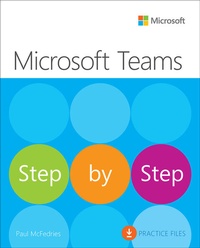
Microsoft Teams Step by Step
1st Edition
Published on 24. October 2022
Book
Paperback/Softback
336 pages
978-0-13-752218-7 (ISBN)
Description
The quick way to learn Microsoft Teams!This is learning made easy. Get more done quickly with Microsoft Teams in any environment, and help your whole team succeed with it. Jump in wherever you need answersbrisk lessons and detailed screenshots show you exactly what to do, step by step.Build your own teams to enhance collaborationUse team channels to bring structure and relevance to your workWork smarter with apps, tabs, extensions, connectors, and botsCreate, upload, edit, and share Microsoft 365 documents inside TeamsStay connected via chat and video callsGet more done in every Teams meetingCustomize Teams to maximize personal and organizational efficiencyLook up just the tasks and lessons you need
More details
Other editions
Additional editions
Paul McFedries
Microsoft Teams Step by Step
E-Book
08/2022
1st Edition
Addison Wesley
€32.99
Available for download
Paul McFedries
Microsoft Teams Step by Step
E-Book
08/2022
1st Edition
Addison Wesley
€30.99
Available for download
Person
Paul McFedries runs Logophilia Limited, a technical writing company, and has been writing computer books for more than 25 years. He is the author or coauthor of more than 90 books that have sold more than 4 million copies worldwide. Paul is also the proprietor of Wordspy.com, a website that tracks new words and phrases as they enter the English language.
Content
Introduction Chapter 1: Get started with TeamsChapter 2: Set up a teamChapter 3: Work with channelsChapter 4: Converse in a channelChapter 5: Extend Teams with apps and servicesChapter 6: Work with filesChapter 7: Chat with members of your teamChapter 8: Organize meetingsChapter 9: Attend meetingsChapter 10: Get things done in meetingsChapter 11: Make callsChapter 12: Customize TeamsChapter 13: Administer Teams