

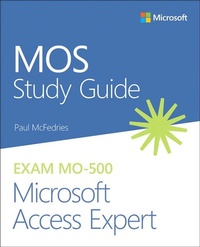
MOS Study Guide for Microsoft Access Expert Exam MO-500
Description
Demonstrate your expertise with Microsoft Access! Designed to help you practice and prepare for Microsoft Office Specialist (MOS): Access 2019 certification, this official Study Guide delivers:
- In-depth preparation for each MOS objective
- Detailed procedures to help build the skills measured by the exam
- Hands-on tasks to practice what you've learned
- Practice files and sample solutions
- Create and manage databases
- Build tables
- Create queries
- Create forms
- Create reports
A Microsoft Office Specialist (MOS) certification validates your proficiency with Microsoft Office programs, demonstrating that you can meet globally recognized performance standards. Hands-on experience with the technology is required to successfully pass Microsoft Certification exams.
More details
Other editions
Additional editions
Previous edition
Person
Paul McFedries is a Microsoft Access and database expert and full-time technical writer. Paul has been authoring computer books since 1991 and has nearly 100 books to his credit, which combined have sold more than 4 million copies worldwide. His titles include the Microsoft Press Publishing book Formulas and Functions for Microsoft Excel 2019 , the Que Publishing books My Office 2016 , My Office for iPad , Windows 10 In Depth (with coauthor Brian Knittel), and PCs for Grownups , aswell as the Wiley Publishing books Teach Yourself VISUALLY Microsoft Access and Teach Yourself VISUALLY Excel Data Analysis . Please drop by Paul's personal website at www.mcfedries.com or follow Paul on Twitter at twitter.com/paulmcf.
Content
- 1 Manage databases
- Objective 1.1: Modify database structure
- Objective 1.2: Manage table relationships and keys
- Objective 1.3: Print and export data
- 2 Create and modify tables
- Objective 2.1: Create tables.
- Objective 2.2: Manage tables
- Objective 2.3: Manage table records
- Objective 2.4: Create and modify fields
- 3 Create and modify queries
- Objective 3.1: Create and run queries
- Objective 3.2: Modify queries
- 4 Modify forms in Layout view
- Objective 4.1: Configure form controls
- Objective 4.2: Format forms
- 5 Modify reports in Layout view
- Objective 5.1: Configure report controls
- Objective 5.2: Format reports