

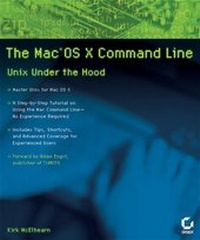
The Mac OS X Command Line
Unix Under the Hood
Published on 26. November 2004
Book
Paperback/Softback
464 pages
978-0-7821-4354-6 (ISBN)
Unfortunately, price unknown
Article exhausted; check different version
Description
The Mac command line offers a faster, easier way to accomplish many tasks. It's also the medium for many commands that aren't accessible using the GUI. The Mac OS X Command Line is a clear, concise, tutorial-style introduction to all the major functionality provided by the command line. It's also packed with information the experienced users need, including little-known shortcuts and several chapters devoted to advanced topics. This is a book to get you started, but also a book you won't soon outgrow.
More details
Other editions
Additional editions
E-Book
10/2006
Sybex
€25.99
Available for download
Person
Kirk McElhearn, co-author of the best-selling Mastering Mac OS X Third Edition, is a professional author, journalist and translator. He has written user manuals for many popular Macintosh programs, and articles for publications including MacWorld magazine and TidBITS.
Content
Introduction.
Chapter 1: A Guided Tour of the Command Line.
Chapter 2: Using Terminal.
Interlude 1: Command Syntax.
Chapter 3: Getting Help while in Terminal.
Interlude 2: Names and Paths.
Chapter 4: Navigating the File System.
Interlude 3: Redirecting Input and Output.
Chapter 5: Working with Files and Directories.
Interlude 4: Cloning Your Mac OS X Startup Volume.
Chapter 6: Saving Time on the Command Line.
Interlude 5: The Versatile open Command.
Chapter 7: Finding Files, Directories, and Everything Else.
Interlude 6: Wildcards and Globbing.
Chapter 8: Viewing Files.
Chapter 9: Editing Text.
Chapter 10: Printing.
Chapter 11: Compressing, Decompressing, and Archiving Files.
Chapter 12: Working with Users, Groups, and Permissions.
Interlude 7: Using sudo.
Chapter 13: Using the Network.
Chapter 14: Managing Programs and Processes.
Chapter 15: System Maintenance from the Command Line.
Interlude 8: Using the Developer Tools.
Chapter 16: Configuring the Shell.
Interlude 9: Automating Commands.
Appendix A: Further Reading.
Index.
Chapter 1: A Guided Tour of the Command Line.
Chapter 2: Using Terminal.
Interlude 1: Command Syntax.
Chapter 3: Getting Help while in Terminal.
Interlude 2: Names and Paths.
Chapter 4: Navigating the File System.
Interlude 3: Redirecting Input and Output.
Chapter 5: Working with Files and Directories.
Interlude 4: Cloning Your Mac OS X Startup Volume.
Chapter 6: Saving Time on the Command Line.
Interlude 5: The Versatile open Command.
Chapter 7: Finding Files, Directories, and Everything Else.
Interlude 6: Wildcards and Globbing.
Chapter 8: Viewing Files.
Chapter 9: Editing Text.
Chapter 10: Printing.
Chapter 11: Compressing, Decompressing, and Archiving Files.
Chapter 12: Working with Users, Groups, and Permissions.
Interlude 7: Using sudo.
Chapter 13: Using the Network.
Chapter 14: Managing Programs and Processes.
Chapter 15: System Maintenance from the Command Line.
Interlude 8: Using the Developer Tools.
Chapter 16: Configuring the Shell.
Interlude 9: Automating Commands.
Appendix A: Further Reading.
Index.