

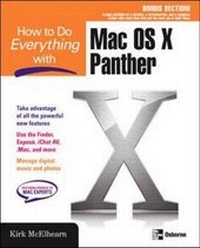
How to Do Everything with Mac OS X Panther
Published on 2. February 2004
Book
Paperback/Softback
512 pages
978-0-07-225355-9 (ISBN)
Description
Describes how to get the most out of Mac OS X Panther, covering such topics as navigating the desktop, using folders and files, creating user accounts, working with applications, using digital media, and surfing the Internet.
More details
Series
Language
English
Place of publication
New York
United States
Publishing group
McGraw-Hill Education - Europe
Target group
College/higher education
Professional and scholarly
Illustrations
250 Illustrations
Dimensions
Height: 231 mm
Width: 185 mm
Thickness: 26 mm
Weight
781 gr
ISBN-13
978-0-07-225355-9 (9780072253559)
Copyright in bibliographic data and cover images is held by Nielsen Book Services Limited or by the publishers or by their respective licensors: all rights reserved.
Schweitzer Classification
Other editions
New editions
Kirk McElhearn
How to Do Everything with Mac OS X Tiger
Book
10/2005
2nd Edition
McGraw-Hill Professional
€18.59
Article is exhausted; no reprint
Person
McGraw-Hill authors represent the leading experts in their fields and are dedicated to improving the lives, careers, and interests of readers worldwide
Content
Part I: Get Started with Mac OS X
1: Mac OS 9 vs. Mac OS X-What's Different?
2: What's New in Panther
3: Your First Steps with Mac OS X
Part II: It's All About the Finder
4: Get to Know the Finder
5: Everything About Files, Folders, and Icons
6: All About Mac OS X Windows
7: All About Your Mac's Folders
8: Create and Manage User Accounts
9: Customize Your Mac
Part III: Connect to the World
10: Surf the Internet
11: Work with .Mac
12: Work with Other Computers on a Network
Part IV: Get to Work with Your Mac
13: Work with Applications
14: Print, Fax, and Work with Fonts
15: Manage Personal Information
Part V: Digital Media on Your Mac
16: Work with Digital Music Files
17: Work with Digital Photos
18: Work with Movies and Video
Part VI: Go Further with Your Mac
19: Keep Your Mac Secure
20: Use Peripherals to Extend Your Mac
21: Keep Your Mac in Tip-Top Shape
22: Get More Help for Mac OS X
1: Mac OS 9 vs. Mac OS X-What's Different?
2: What's New in Panther
3: Your First Steps with Mac OS X
Part II: It's All About the Finder
4: Get to Know the Finder
5: Everything About Files, Folders, and Icons
6: All About Mac OS X Windows
7: All About Your Mac's Folders
8: Create and Manage User Accounts
9: Customize Your Mac
Part III: Connect to the World
10: Surf the Internet
11: Work with .Mac
12: Work with Other Computers on a Network
Part IV: Get to Work with Your Mac
13: Work with Applications
14: Print, Fax, and Work with Fonts
15: Manage Personal Information
Part V: Digital Media on Your Mac
16: Work with Digital Music Files
17: Work with Digital Photos
18: Work with Movies and Video
Part VI: Go Further with Your Mac
19: Keep Your Mac Secure
20: Use Peripherals to Extend Your Mac
21: Keep Your Mac in Tip-Top Shape
22: Get More Help for Mac OS X