

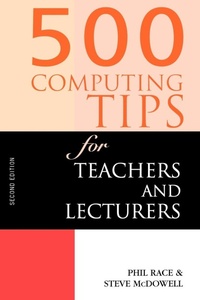
500 Computing Tips for Teachers and Lecturers
2nd Edition
Published on 1. December 1999
Book
Paperback/Softback
146 pages
978-0-7494-3150-1 (ISBN)
Description
This text provides user friendly advice and support for school teachers and lecturers in further and higher education who need to know what information technology and computers can do for their work.
More details
Series
Edition
2nd edition
Language
English
Place of publication
London
United Kingdom
Publishing group
Taylor & Francis Ltd
Target group
Professional and scholarly
Academic and Professional Practice & Development
Dimensions
Height: 234 mm
Width: 156 mm
Thickness: 8 mm
Weight
234 gr
ISBN-13
978-0-7494-3150-1 (9780749431501)
Copyright in bibliographic data and cover images is held by Nielsen Book Services Limited or by the publishers or by their respective licensors: all rights reserved.
Schweitzer Classification
Other editions
Additional editions
Steven McDowell | Phil Race | Steve McDowell
500 Computing Tips for Teachers and Lecturers
Book
02/2017
2nd Edition
Routledge
€115.60
Shipment within 10-20 days
McDowell, Steven | Race, Phil | McDowell, Steve
500 Computing Tips for Teachers and Lecturers
E-Book
09/2013
2nd Edition
Routledge
€36.99
Available for download
McDowell, Steven | Race, Phil | McDowell, Steve
500 Computing Tips for Teachers and Lecturers
E-Book
09/2013
2nd Edition
Routledge
€36.99
Available for download
Previous edition

McDowell, Steven | Race, Phil | McDowell, Steve
500 Computing Tips for Teachers and Lecturers
Book
08/1996
1st Edition
Routledge Falmer
€44.75
The article will not be published
Persons
Phil Race, Steve McDowell
Content
Introduction to the Second Edition; Part 1 Getting Started with Computers; Chapter 1 Choosing a computer; Chapter 2 Making the purchase; Chapter 3 Cheap or free items; Chapter 4 Organizing your workspace; Chapter 5 Health and safety; Chapter 6 'Green' issues; Chapter 7 Panic page (technophobia); Part 2 Getting Started with Software; Chapter 8 Learning to use a new program; Chapter 9 Where to find help; Chapter 10 First steps with word processors; Chapter 11 Where to go next with word processors; Chapter 12 First steps with spreadsheets; Chapter 13 Where to go next with spreadsheets; Chapter 14 First steps with databases; Chapter 15 Where to go next with databases; Chapter 16 Desktop publishing; Chapter 17 Specialist software; Chapter 18 Computer graphics; Chapter 19 Data communications; Chapter 20 Networking; Chapter 21 First steps with the Internet; Part 3 IT and Teaching and Learning; Chapter 22 IT and how students learn; Chapter 23 Using IT in the classroom; Chapter 24 Using IT in presentations and lectures; Chapter 25 Using the Internet for teaching and learning; Chapter 26 IT assessment methods; Chapter 27 Finding, choosing and using computer-based teaching materials; Chapter 28 Designing computer-based teaching materials; Chapter 29 IT in science teaching; Chapter 30 IT in music teaching; Chapter 31 IT in other subjects; Chapter 32 IT and groupwork; Chapter 33 Using IT for simulations; Chapter 34 IT and surveys; Chapter 35 IT and student records; Part 4 More Bits and Pieces; Chapter 36 Multimedia; Chapter 37 Printing; Chapter 38 Maintenance; Chapter 39 Computing on the move; Chapter 40 Writing on the move; Chapter 41 Monitors, keyboards, mice and speakers; Chapter 42 Space junk; Chapter 43 Computing and the law; Chapter 44 Security; Chapter 45 Viruses; Chapter 46 Putting pictures on your computer; Chapter 47 Scanners; Chapter 48 Using your computer as a complete communications centre;