

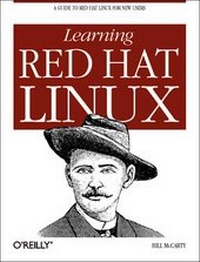
Learning Red Hat Linux
Published on 5. October 1999
Book
Mixed media product
394 pages
978-1-56592-627-1 (ISBN)
Description
New users are flocking to Linux literally by the millions. Yet most of these new users draw from Microsoft Windows as their primary computing experience; for them an operating system from the UNIX family is an unfamiliar experience. In Learning Red Hat Linux, Bill McCarty has written a book aimed specifically at this new audience. Learning Red Hat Linux will guide any new user of Linux through the installing and use of Red Hat Linux, the free operating system that is shaking up the commercial world of software. It demystifies Linux in terms familiar to Windows users and gives readers only what they need to start being successful users of Linux. Built around the popular Red Hat distribution of Linux, Learning Red Hat Linux takes the reader step by step through the process of installing and setting up a Red Hat Linux system, and provides a thorough but gentle introduction to the basics of using Red Hat Linux. Because the book is written specifically for the enclosed CD, the reader needs nothing else to get started with this exciting new operating system.
More details
Other editions
New editions
Bill McCarty
Learning Red Hat Linux
Book
02/2002
2nd Edition
O'Reilly
€29.00
Article exhausted; check for reprint
Person
Bill McCarty is associate professor of management information systems in the School of Business and Management of Azusa Pacific University, Azusa, California, and was previously associate professor of computer science, in which capacity he taught for years in Azusa Pacific's Master of Applied Computer Science program. Bill holds a Ph.D. in the management of information systems, from the Claremont Graduate University, Claremont, California, and worked for 15 years as a software developer and manager.
Content
Preface. Chapter 1. Why Run Linux? Linux at Home and at Work What is Linux? Reasons to Choose or Not Choose Linux Linux Resources on the Internet. Chapter 2. Preparing to Install Linux Minimum Hardware Requirements Collecting Information About Your System Installation Types Preparing Your Hard Disk. Chapter 3. Installing Linux Installing the Operating System and Applications Configuring Devices and Services Completing the Installation Getting Help. Chapter 4. Issuing Linux Commands The System Use Cycle Working with the Linux Command Prompt How Linux Organizes Data Working with Devices Useful Linux Programs. Chapter 5. Installing and Configuring X Windows What is X Windows? Installing X Configuration using Xconfigurator Configuration using xf86config Starting and Stopping X. Chapter 6. Using X Windows Keyboard Operations Mouse Operations Window Managers Desktops Using GNOME and Enlightenment Using GNOME Applets and Applications Configuring GNOME. Chapter 7. Configuring and Administering Linux Using linuxconf. Chapter 8. Using Linux Applications and Clients Linux Desktop Applications Other Approaches to Desktop Computing. Chapter 9. Playing Linux Games Configuring Your Sound Card A Survey of Linux Games Closeups of Some Popular Games. Chapter 10. Setting Up a Linux-Based LAN Introduction Network Administration Using linuxconf Samba Samba Client Configuration and Use. Chapter 11. Getting Connected to the Internet Connecting to the Internet Configuring Your Modem Using wvdial PPP Client Web Browser gFTP FTP Client Using minicom and seyon Making a PPP Connection Manually. Chapter 12. Setting Up a Linux-Based WAN Installing and Configuring an FTP Server Installing and Configuring a Web Server Configuring a Mail Server Configuring a Secure Shell Server Configuring a Dial-In Shell Server. Chapter 13. Conquering the BASH Shell The Linux Shell Using the Shell Understanding Shell Scripts. Appendix A. Linux Directory Tree. Appendix B. Principal Linux Files. Appendix C. The Red Hat Package Manager. Appendix D. Managing the Boot Process. Appendix E. Linux Command Quick Reference. Glossary. Index