

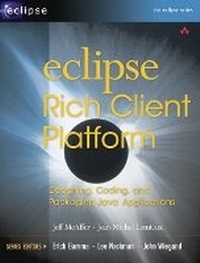
Eclipse Rich Client Platform
Designing, Coding, and Packaging Java (TM) Applications
Published on 20. October 2005
Book
Mixed media product
552 pages
978-0-321-33461-9 (ISBN)
Description
Eclipse, a platform for building applications, was originally aimed at Web
application and image manipulation. With the release of Eclipse 3.0 there has
been a shift to the use of Eclipse as a Rich Client Platform (RCP). In other
words, using Eclipse as a base for everyday generic applications from media
players to productivity and desktop applications. Thinking of Eclipse as not
just an IDE but a platform for all application building is an evolution for the
platform and significantly extends its reach to developers. In this book the
designers of Eclipse as an RCP introduces the reader to the RCP concept and
walks them through a set of scenarios and examples using Eclipse to solve real
world, application problems. This will appeal to all developers who want to
develop and deploy world-class applications with rich, native GUIs.
Development areas that are already using Eclipse RCP include bio-medical,
embedded technology (handhelds, etc), enterprise and productivity applications
and banking.
application and image manipulation. With the release of Eclipse 3.0 there has
been a shift to the use of Eclipse as a Rich Client Platform (RCP). In other
words, using Eclipse as a base for everyday generic applications from media
players to productivity and desktop applications. Thinking of Eclipse as not
just an IDE but a platform for all application building is an evolution for the
platform and significantly extends its reach to developers. In this book the
designers of Eclipse as an RCP introduces the reader to the RCP concept and
walks them through a set of scenarios and examples using Eclipse to solve real
world, application problems. This will appeal to all developers who want to
develop and deploy world-class applications with rich, native GUIs.
Development areas that are already using Eclipse RCP include bio-medical,
embedded technology (handhelds, etc), enterprise and productivity applications
and banking.
More details
Language
English
Place of publication
New Jersey
United States
Publishing group
Pearson Education (US)
Target group
College/higher education
Dimensions
Height: 233 mm
Width: 177 mm
Thickness: 26 mm
Weight
798 gr
ISBN-13
978-0-321-33461-9 (9780321334619)
Copyright in bibliographic data and cover images is held by Nielsen Book Services Limited or by the publishers or by their respective licensors: all rights reserved.
Schweitzer Classification
Other editions
New editions
Jeff McAffer | Jean-Michel Lemieux | Chris Aniszczyk
Eclipse Rich Client Platform
Book
05/2010
2nd Edition
Addison Wesley
€50.20
Shipment within 10-20 days
Persons
Jeff McAffer leads the Eclipse RCP and Runtime teams and is one of the Eclipse Platform's original architects and committers. Prior to his work at IBM's Ottawa Software Lab, he was a developer at Object Technology International focusing on areas such as distributed/parallel OO computing, expert systems, and meta-level architectures. Jeff holds a Ph.D. from the University of Tokyo.
Jean-Michel Lemieux has been a committer on the Eclipse team and CVS component since its inception. Before joining IBM's Ottawa Software Lab to work on Eclipse, Jean-Michel built real-time SS7 monitoring systems and real-time modeling tools.
(c) Copyright Pearson Education. All rights reserved.
Jean-Michel Lemieux has been a committer on the Eclipse team and CVS component since its inception. Before joining IBM's Ottawa Software Lab to work on Eclipse, Jean-Michel built real-time SS7 monitoring systems and real-time modeling tools.
(c) Copyright Pearson Education. All rights reserved.
Content
Foreword by John Weigand.
Foreword by Jeff Norris.
Acknowledgments.
Preface.
I. INTRODUCTION.
1. Eclipse as a Rich Client Platform.
2. Eclipse RCP Concepts.
II. RCP BY EXAMPLE.
3. Tutorial Introduction.
4. The Hyperbola Application.
5. Starting the Hyperbola Prototype.
6. Adding Actions.
7. Adding a Chat Editor.
8. Branding Hyperbola.
9. Packaging Hyperbola.
10. Messaging Support.
11. Adding a Login Dialog.
12. Adding Key Bindings.
13. Adding Help.
14. Adding Update.
III. THE WORKBENCH.
15. Workbench Advisors.
16. Perspectives, Views, and Editors.
17. Actions.
18. Customizing Workbench Windows.
19. Customizing the Presentation of Views and Editors.
IV. DEVELOPMENT PROCESSES.
20. Integrating Code Libraries.
21. Installing and Updating Plug-ins.
22. Dynamic Plug-ins.
23. RCP Everywhere.
24. Building Hyperbola.
25. The Last Mile.
V. REFERENCE.
26. OSGi Essentials.
27. Eclipse.org Plug-ins.
Index.
Foreword by Jeff Norris.
Acknowledgments.
Preface.
I. INTRODUCTION.
1. Eclipse as a Rich Client Platform.
2. Eclipse RCP Concepts.
II. RCP BY EXAMPLE.
3. Tutorial Introduction.
4. The Hyperbola Application.
5. Starting the Hyperbola Prototype.
6. Adding Actions.
7. Adding a Chat Editor.
8. Branding Hyperbola.
9. Packaging Hyperbola.
10. Messaging Support.
11. Adding a Login Dialog.
12. Adding Key Bindings.
13. Adding Help.
14. Adding Update.
III. THE WORKBENCH.
15. Workbench Advisors.
16. Perspectives, Views, and Editors.
17. Actions.
18. Customizing Workbench Windows.
19. Customizing the Presentation of Views and Editors.
IV. DEVELOPMENT PROCESSES.
20. Integrating Code Libraries.
21. Installing and Updating Plug-ins.
22. Dynamic Plug-ins.
23. RCP Everywhere.
24. Building Hyperbola.
25. The Last Mile.
V. REFERENCE.
26. OSGi Essentials.
27. Eclipse.org Plug-ins.
Index.