

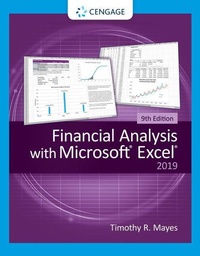
Financial Analysis with Microsoft Excel
9th Edition
Published on 22. January 2020
Book
Paperback/Softback
560 pages
978-0-357-44205-0 (ISBN)
Description
Gain the hands-on experience and knowledge to solve real financial problems while taking your Excel (R) spreadsheet skills to a new level with Mayes' FINANCIAL ANALYSIS WITH MICROSOFT (R) EXCEL (R), 9E. This edition provides a reader-friendly solid foundation in corporate finance while teaching you to maximize the spreadsheet tools that professionals use every day. Packed with interesting examples, this edition covers today's most important corporate finance topics and tools, including financial statements, budgets, the Security Market Security Line, pro forma financial statements, cost of capital, Visual Basic Applications (VBA) programming and Excel (R) pivot tables. You study the latest information on time series forecasting and work with Excel (R)'s Get & Transform feature to process large data files. This edition's self-directed learning approach and numerous self-study tools let you strengthen spreadsheet skills while equipping you with the expertise today's employers want in corporate finance.
More details
Edition
9th edition
Language
English
Place of publication
Florence
United States
Publishing group
Cengage Learning, Inc
Target group
College/higher education
Product notice
Paperback (trade)
Unsewn / adhesive bound
Dimensions
Height: 249 mm
Width: 203 mm
Thickness: 23 mm
Weight
998 gr
ISBN-13
978-0-357-44205-0 (9780357442050)
Copyright in bibliographic data and cover images is held by Nielsen Book Services Limited or by the publishers or by their respective licensors: all rights reserved.
Schweitzer Classification
Other editions
Previous edition
Timothy Mayes | Todd Shank
Financial Analysis with Microsoft? Excel? 2016,
Book
05/2017
8th Edition
South-Western College Publishing
€81.70
Article exhausted; check for reprint
Person
Timothy R. Mayes serves as finance professor at Metropolitan State College of Denver. He holds a B.S. and B.A. in Finance and a Ph.D. in Finance from the University of Central Florida. Dr. Mayes' research interests include portfolio performance analysis and reporting, portfolio theory, derivatives and, of course, the use of spreadsheets in financial education.
Content
1. Introduction to Excel.
2. The Basic Financial Statements.
3. Financial Statement Analysis Tools.
4. The Cash Budget.
5. Financial Statement Forecasting.
6. Forecasting Sales with Time Series Methods.
7. Break-Even and Leverage Analysis.
8. The Time Value of Money.
9. Common Stock Valuation.
10. Bond Valuation.
11. The Cost of Capital.
12. Capital Budgeting.
13. Risk and Capital Budgeting.
14. Portfolio Statistics and Diversification.
15. Writing User-Defined Functions with VBA.
16. Analyzing Datasets with Tables and Pivot Tables.
Appendix: Directory of User-Defined Functions in FameFncs.xlam.
2. The Basic Financial Statements.
3. Financial Statement Analysis Tools.
4. The Cash Budget.
5. Financial Statement Forecasting.
6. Forecasting Sales with Time Series Methods.
7. Break-Even and Leverage Analysis.
8. The Time Value of Money.
9. Common Stock Valuation.
10. Bond Valuation.
11. The Cost of Capital.
12. Capital Budgeting.
13. Risk and Capital Budgeting.
14. Portfolio Statistics and Diversification.
15. Writing User-Defined Functions with VBA.
16. Analyzing Datasets with Tables and Pivot Tables.
Appendix: Directory of User-Defined Functions in FameFncs.xlam.