

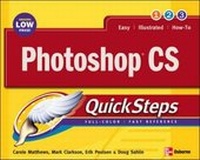
Photoshop X QuickSteps
Published on 1. March 2004
Book
Paperback/Softback
224 pages
978-0-07-223231-8 (ISBN)
Description
Aimed at price-conscious consumers, this value-packed guide is perfect for users who are new to Photoshop X, as well as intermediate users who need a quick reference for a specific task. Exciting, full-colour QuickSteps series gives consumers what they need at great value - clarity, cookbook-style explanations that get to the point, and an unbeatable price. It is an easy-to-use combination of ready reference and simplified tutorials - acts like a recipe book for computer users. QuickSteps series editors, Martin and Carole Matthews each have more than thirty years of computing experience, and have written 57 U.S. editions of 32 titles, a number of which have been critically acclaimed.
More details
Language
English
Place of publication
New York
United States
Publishing group
McGraw-Hill Education - Europe
Illustrations
400 Illustrations
Dimensions
Height: 254 mm
Width: 201 mm
Thickness: 14 mm
Weight
662 gr
ISBN-13
978-0-07-223231-8 (9780072232318)
Copyright in bibliographic data and cover images is held by Nielsen Book Services Limited or by the publishers or by their respective licensors: all rights reserved.
Schweitzer Classification
Other editions
New editions

Marty Matthews | Carole Matthews
Photoshop QuickSteps
Book
08/2005
2nd Edition
Osborne/McGraw-Hill
€17.31
Article is exhausted, reprint undefined
Persons
Series editors Martin and Carole Matthews each have more than thirty years of computing experience. They have written 57 U.S. editions of 32 titles, a number of which have been critically acclaimed. Among their more recent books are: Windows XP, A Beginner's Guide; FrontPage 2002: The Complete Reference; Windows 2000, A Beginner's Guide; Office 2000 Answers, Certified Tech Support; Windows 98 Companion; and Windows 98 Answers, Certified Tech Support.
Content
Chapter 1: Stepping into Photoshop CS Chapter 2: Creating, Importing, and Saving Images Chapter 3: Making Selections Chapter 4: Using Layers Chapter 5: Using Paths, Shapes and Painting Chapter 6: Color Correcting, Retouching, and Repairing Images Chapter 7: Using Type and Type Effects Chapter 8: Printing and Exporting Images Chapter 9: Preparing Your Art for the Web Chapter 10: Saving Time with Actions and Automations