

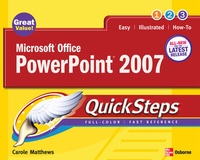
Microsoft Office PowerPoint 2007 QuickSteps
Published on 16. February 2007
Book
Paperback/Softback
240 pages
978-0-07-226370-1 (ISBN)
Description
Microsoft Office PowerPoint 2007QuickSteps is the fastest, easiest way to learn how to make professional-quality presentationsUsing lots of graphics while keeping text to a minimum. Microsoft Office PowerPoint 12 QuickSteps makes it easy for readers to learn how to make great looking presentations with PowerPoint. Readers can instantly find just the effects and techniques they are looking for.Covers the essential features of the new version of PowerPoint, including the new interface that uses the Ribbon-a context-sensitive tool that replaces menus and toolbarsDiscusses the improved interoperability between PowerPoint and other applicationsTeaches users how to make great-looking charts and graphs in PowerPoint; bring in sounds, video, and graphics; and import data from other applicationsTake readers painlessly from the basics to intermediate-level skills
More details
Series
Language
English
Place of publication
United States
Publishing group
McGraw-Hill Education - Europe
Target group
Professional and scholarly
Illustrations
500 Illustrations
Dimensions
Height: 252 mm
Width: 196 mm
Thickness: 12 mm
Weight
565 gr
ISBN-13
978-0-07-226370-1 (9780072263701)
Schweitzer Classification
Person
McGraw-Hill authors represent the leading experts in their fields and are dedicated to improving the lives, careers, and interests of readers worldwide
Content
Chapter 1.Stepping into PowerPointChapter 2.Creating the PresentationChapter 3.Working with Slides, Notes, and MastersChapter 4.Modifying Slides TextChapter 5.Creating Tables in SlidesChapter 6.Working with Clip Art and GraphsChapter 7.Working with Organization Charts and DiagramsChapter 8.Special Effects and Drawing in PowerPointChapter 9.Working with Multimedia and the InternetChapter 10.Printing and Running a Slide Show