

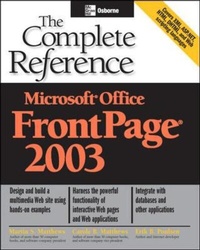
Microsoft Office FrontPage 2003: The Complete Reference
Published on 16. October 2003
Book
Paperback/Softback
800 pages
978-0-07-222940-0 (ISBN)
Description
Create and manage professional-quality Web sites with help from this comprehensive resource. Learn to use this popular Web authoring tool to build a simple Web site from scratch, or design and manage a complicated e-commerce site using the latest tools, processes, and features.
More details
Series
Language
English
Place of publication
United States
Publishing group
McGraw-Hill Education - Europe
Target group
Professional and scholarly
Illustrations
600 Illustrations
Dimensions
Height: 229 mm
Width: 185 mm
Thickness: 52 mm
Weight
1234 gr
ISBN-13
978-0-07-222940-0 (9780072229400)
Copyright in bibliographic data and cover images is held by Nielsen Book Services Limited or by the publishers or by their respective licensors: all rights reserved.
Schweitzer Classification
Persons
Martin S. Matthews (Freeland, WA) is the best-selling author of more than 50 books, including FrontPage 2000: The Complete Reference and Windows 2000: A Beginners Guide.
McGraw-Hill authors represent the leading experts in their fields and are dedicated to improving the lives, careers, and interests of readers worldwide
McGraw-Hill authors represent the leading experts in their fields and are dedicated to improving the lives, careers, and interests of readers worldwide
Content
Part I: Getting Started 1: Designing Quality Web Applications 2: Exploring FrontPage 3: Using Wizards 4: Using Templates Part II: Creating Web Sites 5: Creating and Formatting a Web Page from Scratch 6: Adding and Managing Hyperlinks and Hotspots 7: Using Tables and Frames 8: Working with Forms 9: Using Web Components 10: Advanced Formatting Techniques 11: Importing and Integrating Office and Other Files Part III: Working Behind the Scenes 12: Working with HTML 13: Using Dynamic HTML 14: Extensible Markup Language (XML) 15: Web Scripting Languages 16: Active Server Pages (ASP) .NET 17: Working with Databases 18: Activating Your Webs Part IV: Extending Your Web Site 19: Adding Multimedia to Your Web Site 20: Security on the Web 21: Doing E-Commerce 22: Setting Up an Intranet Web Site 23: Publishing and Promoting Webs on the Internet Part V: Appendices A: FrontPage 2003 Installation B: FrontPage's Shortcut Keystrokes C: Constructing Web Templates