

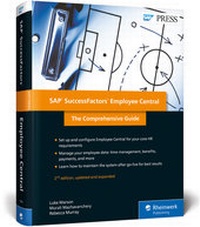
SAP SuccessFactors Employee Central
Description
Get the most out of SAP SuccessFactors Employee Central! Use its extensive HR functionality, from hiring, termination, time sheets, and benefits programs to integration with SAP ERP and third-party cloud applications. Configure critical HR functionality with step-by-step instructions for setting up position and workforce management and maintaining maintain payroll and tax information in Employee Central. Get everything you need for Employee Central!
a. EC Basics
Learn what Employee Central is and what it can do for you. Begin with a foundational overview of the cloud software, and then move on to Employee Central's key features and functionality. Finally, explore integration options with step-by-step instructions.
b. Configuration
Configure Employee Central to your company's requirements and prepare it for critical HR processes and maintenance: position management, employee data, payments, time management, benefits, and more!
c. New in this Edition
Stay up to date! Learn what's new with Employee Central, including Intelligent Services, the Employee Central Service Center, the business rules engine, and the integration center.
More details
Other editions
New editions
Previous edition
Persons
Content
... Introduction ... 27
... Business Drivers for HR in the Cloud ... 29
... SAP SuccessFactors Strategy and Roadmap ... 30
... Licensing and Release Cycle ... 31
... Summary ... 34
... Part I: Foundations ... 35
1 ... Employee Central Basics ... 37
1.1 ... Globalization and Localization ... 38
1.2 ... Data Models ... 40
1.3 ... Admin Center ... 44
1.4 ... Employee Central Settings ... 44
1.5 ... Foundation Objects ... 45
1.6 ... Person, Worker, and Users ... 49
1.7 ... Employee Interface, Information, and Maintenance ... 50
1.8 ... Transactions and Self-Services ... 53
1.9 ... Event, Event Reasons, and Workflows ... 53
1.10 ... Extensibility ... 54
1.11 ... Business Configuration UI ... 55
1.12 ... HRIS Sync ... 57
1.13 ... Reporting ... 57
1.14 ... Deployment Models for SAP Customers ... 58
1.15 ... Summary ... 61
2 ... Implementation Steps and Considerations ... 63
2.1 ... Implementation Considerations ... 63
2.2 ... Setting Up Employee Central ... 74
2.3 ... Post-Implementation and Ongoing Administration ... 81
2.4 ... Implementation Resources ... 83
2.5 ... Summary ... 87
3 ... Role-Based Permissions ... 89
3.1 ... Overview ... 89
3.2 ... Scenarios for Creating Roles ... 93
3.3 ... Creating Groups and Roles ... 94
3.4 ... Permissions ... 100
3.5 ... Summary ... 115
4 ... Events and Workflows ... 117
4.1 ... Employee Status ... 117
4.2 ... Events and Event Reasons ... 120
4.3 ... Workflows ... 133
4.4 ... Summary ... 177
5 ... Extensibility ... 179
5.1 ... Metadata Framework (MDF) ... 180
5.2 ... Extension Center ... 182
5.3 ... Using Extension Center ... 187
5.4 ... Creating Extensions in Extension Center ... 190
5.5 ... Maintaining Extension Data ... 214
5.6 ... SAP Cloud Platform ... 216
5.7 ... Summary ... 219
6 ... Business Rules ... 221
6.1 ... How Business Rules Work ... 222
6.2 ... Creating a Business Rule ... 236
6.3 ... Offcycle Event Batches ... 243
6.4 ... Business Rule Execution Log ... 246
6.5 ... Summary ... 248
7 ... Foundation Objects ... 249
7.1 ... Basics ... 249
7.2 ... Categories ... 253
7.3 ... Associations and Propagation ... 259
7.4 ... Configuration ... 262
7.5 ... Creating Foundation Object Data ... 270
7.6 ... Extending Foundation Objects ... 277
7.7 ... Summary ... 278
8 ... Data Imports and Data Migration ... 279
8.1 ... Importing Data ... 280
8.2 ... Exporting Data ... 317
8.3 ... Mass Deleting Generic Object Data via Import ... 320
8.4 ... Permissioning Imports and Exports ... 320
8.5 ... Data Migration from SAP ERP HCM ... 324
8.6 ... Summary ... 330
... Part II: Features and Functionality ... 331
9 ... Position Management ... 333
9.1 ... Implicit Position Management ... 334
9.2 ... Positions Overview ... 335
9.3 ... Setting Up Position Management ... 344
9.4 ... Position Management in Other SAP SuccessFactors Applications ... 352
9.5 ... Company Structure Overview ... 355
9.6 ... Summary ... 358
10 ... Employee Data ... 359
10.1 ... Views ... 360
10.2 ... History and Audit Trail ... 382
10.3 ... Self-Services ... 386
10.4 ... Transactions ... 391
10.5 ... Configuration ... 396
10.6 ... Summary ... 402
11 ... Payments ... 403
11.1 ... Compensation Information ... 403
11.2 ... Pay Scale Structure ... 404
11.3 ... Location-Based Payments ... 406
11.4 ... Advances ... 406
11.5 ... Deductions ... 418
11.6 ... Summary ... 425
12 ... Time Management ... 427
12.1 ... Time Management Overview ... 427
12.2 ... Payroll Time Sheet ... 433
12.3 ... Time Off ... 440
12.4 ... Summary ... 456
13 ... Benefits ... 457
13.1 ... Global Benefits ... 457
13.2 ... Configuration ... 459
13.3 ... Using Global Benefits ... 461
13.4 ... Country-Specific Benefits ... 464
13.5 ... US-Specific Benefits ... 465
13.6 ... Summary ... 466
14 ... Multiple Employments ... 467
14.1 ... Basic Concepts ... 467
14.2 ... Global Assignments ... 468
14.3 ... Concurrent Employment ... 483
14.4 ... Pension Payouts ... 490
14.5 ... Summary ... 495
15 ... Contingent Workforce Management ... 497
15.1 ... Configuration ... 498
15.2 ... Viewing a Contingent Worker ... 501
15.3 ... SAP Fieldglass Integration ... 503
15.4 ... Summary ... 505
16 ... Mass Changes ... 507
16.1 ... Employee Data Mass Changes ... 507
16.2 ... Performing Mass Changes ... 509
16.3 ... Using Manage Mass Changes ... 512
16.4 ... Summary ... 516
17 ... Employee Central Payroll ... 517
17.1 ... Overview ... 517
17.2 ... Processes ... 518
17.3 ... Access ... 519
17.4 ... Self-Service Transactions ... 520
17.5 ... Payroll Control Center ... 523
17.6 ... Summary ... 525
18 ... Document Generation ... 527
18.1 ... Creating a Document Template ... 528
18.2 ... Creating Email Settings for a Document Template ... 530
18.3 ... Mapping Fields ... 532
18.4 ... Generating a Document ... 534
18.5 ... Summary ... 538
19 ... SAP SuccessFactors Employee Central Service Center ... 539
19.1 ... SAP SuccessFactors Employee Central Service Center Architecture ... 539
19.2 ... Ask HR ... 540
19.3 ... Enabling SAP SuccessFactors Employee Central Service Center ... 545
19.4 ... Implementation Best Practices ... 546
19.5 ... Summary ... 547
20 ... Reporting ... 549
20.1 ... Report Components and Methods ... 549
20.2 ... Ad Hoc Reporting ... 552
20.3 ... Online Report Designer ... 553
20.4 ... Operational Data Store ... 558
20.5 ... Employee Central Advanced Reporting ... 559
20.6 ... Creating Reports ... 562
20.7 ... Scheduling Reports ... 570
20.8 ... The Report Center ... 572
20.9 ... Summary ... 574
21 ... Mobile ... 575
21.1 ... Enabling Features ... 577
21.2 ... Activation and Deactivation ... 578
21.3 ... Managing Mobile Devices ... 580
21.4 ... Using SAP SuccessFactors Mobile ... 582
21.5 ... Summary ... 592
... Part III: Integration ... 593
22 ... Integration Basics ... 595
22.1 ... Integration Overview ... 596
22.2 ... Adapters ... 602
22.3 ... APIs ... 603
22.4 ... Standard Integration Templates ... 607
22.5 ... Employee Delta Export ... 609
22.6 ... Summary ... 610
23 ... Integrating Employee Central with Other Applications ... 611
23.1 ... Packaged Integrations with SAP ... 612
23.2 ... Packaged Integrations with Third-Party Solutions ... 655
23.3 ... Summary ... 667
24 ... Integrating Employee Central with SAP SuccessFactors HCM Suite ... 669
24.1 ... User Data File ... 669
24.2 ... SAP SuccessFactors Compensation and Variable Pay ... 672
24.3 ... SAP SuccessFactors Recruiting Management ... 674
24.4 ... SAP SuccessFactors Onboarding ... 675
24.5 ... SAP SuccessFactors Succession Planning ... 675
24.6 ... Job Profile Builder ... 676
24.7 ... Employee Central Payroll Integration ... 676
24.8 ... Summary ... 678
25 ... Integration Center ... 679
25.1 ... Integration Center Basics ... 679
25.2 ... Using the Integration Catalog ... 683
25.3 ... Creating a Custom Outbound Integration ... 686
25.4 ... Monitoring Integrations ... 694
25.5 ... Security Information ... 697
25.6 ... Summary ... 698
26 ... Intelligent Services ... 699
26.1 ... What Is Intelligent Services? ... 700
26.2 ... How Does Intelligent Services Work? ... 701
26.3 ... Intelligent Services Center ... 703
26.4 ... Creating Custom Subscribers ... 706
26.5 ... Monitoring Events ... 709
26.6 ... Reporting ... 711
26.7 ... Standard-Delivered Events ... 711
26.8 ... Summary ... 715
... Appendices ... 717
A ... Conclusion ... 717
B ... The Authors ... 725
... Index ... 727