

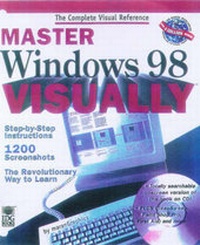
Master Windows 98 Visually
Published on 1. January 1998
Book
Mixed media product
704 pages
978-0-7645-6034-7 (ISBN)
Description
Thanks to the award-winning maranGraphics team, you can begin your Windows 98 initiation by reading less and learning more. MASTER Windows(r) 98 VISUALLY(r), the complete Windows 98 visual reference, presents Microsoft's dynamic new operating system with easy-to-follow step-by-step instructions and more than 1200 descriptive screenshots. By incorporating integrated text and graphics, MASTER Windows 98 VISUALLY actually shows you what makes Windows 98 tick. And where MASTER Windows 98 VISUALLY ends, the interactive bonus CD-ROM begins. The CD-ROM partners with the book by allowing users to look up any part of the book on their computers. You'll also find valuable multimedia tools on the CD, such as Cybermedia FirstAid, an upgradable demo of Oil Change, and EarthLink Total Access with Netscape Navigator 4.
More details
Series
Language
English
Place of publication
Foster City
United States
Publishing group
John Wiley & Sons Inc
Target group
College/higher education
Professional and scholarly
Illustrations
illustrations
Dimensions
Height: 235 mm
Width: 189 mm
Weight
1616 gr
ISBN-13
978-0-7645-6034-7 (9780764560347)
Copyright in bibliographic data and cover images is held by Nielsen Book Services Limited or by the publishers or by their respective licensors: all rights reserved.
Schweitzer Classification
Person
Ruth Maran is the Author and Architect of maranGraphics books. She creates the words and structure that are the basis for the books.
Content
I. Getting Started. 1. Windows Basics. 2. Viewing Files. 3. Work With Files. 4. Printing. 5. Exchanging Data. 6. MS--DOS Programs. II. Windows 98 Accessories. 7. Using WordPad. 8. Using Paint. 9. More Accessories. III. Customize Windows 98. 10. Customize Your Computer. 11. Using Accessibility Features. 12. Customize the Start Menu. 13. Multimedia. IV. Work with Disks. 14. Disk Management. 15. Compress a Drive. 16. Back Up Information. V. Connect to Other Computers. 17. Modems. 18. Dial--Up Networking. 19. HyperTerminal. 20. Work With. Portable Computers. VI. Networking. 21. Introduction to Networks. 22. Share Information on a Network. 23. Set Up and Monitor a Network. VII. Windows 98 and the Internet. 24. Get Connected to the Internet. 25. Browsing the Web. 26. Exchange E--Mail Messages. 27. Reading Newsgroup Messages. 28. Viewing Channels. 29. Creating Web Pages. 30. Using Microsoft NetMeeting. 31. Using Microsoft Chat. VIII. Installing and Troubleshooting. 32. Install Hardware and Software. 33. Install and Enhance Windows 98. 34. Troubleshooting.