

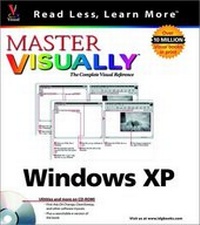
Master VISUALLY Windows XP
1st Edition
Published on 5. April 2002
Book
Paperback/Softback
XVI, 656 pages
978-0-7645-3621-2 (ISBN)
Description
Step-by-step instructions and hundred of screenshots provide you with ultimate topic coverage. "Master VISUALLY Windows XP" uses the VISUAL approach to cover new features of Windows XP including: the new interface, enhanced start menu, the My Pictures digital image organizer, the My Music digital music organizer; and Media Player 8, which plays video, DVD, and music.
More details
Edition
1., Aufl.
Language
English
Place of publication
Foster City
United States
Publishing group
John Wiley & Sons Inc
Target group
Professional and scholarly
Illustrations
colour illustrations
Dimensions
Height: 22.8 cm
Width: 20.3 cm
Weight
666 gr
ISBN-13
978-0-7645-3621-2 (9780764536212)
Schweitzer Classification
Other editions
New editions
Book
09/2005
2nd Edition
Hungry Minds Inc,U.S.
€21.90
Article is exhausted, reprint undefined
Persons
Ruth Maran is the Author and Architect of maranGraphics books. She creates the words and structure that are the basis for the books.
Content
1. Getting Started. 1. Windows XP Basics. 2. Viewing Files. 3. Work With Files. 4. Printing. 2. Windows XP Accessories. 5. Using Wordpad. 6. Using Paint. 7. More Accessories. 3. Customize Windows XP. 8. Manage Multiple Users. 9. Customize Your Computer. 9. Customize Your Computer. 10. Customize the Taskbar and Start Menu. 11. Using the Accessibility Features. 4. Windows XP and Multimedia. 12. Work With Multimedia. 13. Using Windows Media Player. 14. Create Movies. 5. Connect to Other Computers. 15. Work With Modems. 16. Work With Dial--Up Connections. 17. More Connection Methods. 6. Networking. 18. Set Up and Monitor a Network. 19. Work on a Network. 7. Windows XP and the Internet. 20. Get Connected to the Internet. 21. Browse the Web. 22. Exchange E--Mail Massages. 23. Using Windows Messenger. 24. Work With Newsgroups. 8. Manage Hardware and Software. 25. Disk Managment. 26. Install Software and Hardware. 27. Install and Update Windows XP. 28. Manage Computer and Troubleshoot Problems.