

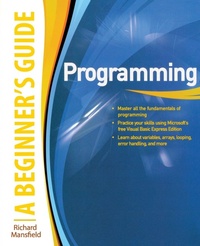
Programming A Beginner's Guide
Will be published approx. on 16. September 2009
Book
Paperback/Softback
352 pages
978-0-07-162472-5 (ISBN)
Description
Publisher's Note: Products purchased from Third Party sellers are not guaranteed by the publisher for quality, authenticity, or access to any online entitlements included with the product.
Essential Programming Skills--Made Easy!
Learn programming fundamentals quickly with help from this hands-on tutorial. No previous experience required! Programming: A Beginner's Guide gets you started right away writing a simple but useful program in Visual Basic Express Edition, and then moves on to more advanced projects, including a quiz program and a protected personal diary. You'll develop real-world programming skills, like designing user interfaces and working with variables, arrays, loops, and procedures. By the end of this clear and entertaining book, you'll be able to create, debug, and customize your own practical Windows-based programs with ease.
Designed for Easy Learning
Key Skills & Concepts--Chapter-opening lists of specific skills covered in the chapter
Ask the Expert--Q & A sections filled with bonus information and helpful tips
Try This--Hands-on exercises that show you how to apply your skills
Notes--Extra information related to the topic being covered
Tips--Helpful reminders or alternate ways of doing things
Annotated programming--Example code with commentary that describes the programming techniques being illustrated
Essential Programming Skills--Made Easy!
Learn programming fundamentals quickly with help from this hands-on tutorial. No previous experience required! Programming: A Beginner's Guide gets you started right away writing a simple but useful program in Visual Basic Express Edition, and then moves on to more advanced projects, including a quiz program and a protected personal diary. You'll develop real-world programming skills, like designing user interfaces and working with variables, arrays, loops, and procedures. By the end of this clear and entertaining book, you'll be able to create, debug, and customize your own practical Windows-based programs with ease.
Designed for Easy Learning
Key Skills & Concepts--Chapter-opening lists of specific skills covered in the chapter
Ask the Expert--Q & A sections filled with bonus information and helpful tips
Try This--Hands-on exercises that show you how to apply your skills
Notes--Extra information related to the topic being covered
Tips--Helpful reminders or alternate ways of doing things
Annotated programming--Example code with commentary that describes the programming techniques being illustrated
More details
Language
English
Place of publication
New York
United States
Publishing group
McGraw-Hill Education - Europe
Target group
Professional and scholarly
Illustrations
50 Illustrations
Dimensions
Height: 235 mm
Width: 191 mm
Thickness: 19 mm
Weight
661 gr
ISBN-13
978-0-07-162472-5 (9780071624725)
Schweitzer Classification
Person
Richard Mansfield is an authority on Visual Basic. He is the author of several books, including How to Do Everything: Second Life. Richard's books have sold more than 600,000 copies worldwide and have been translated into 12 languages.
Content
Part I: Introduction to Programming
1. Introduction to Programming
2. Writing Your First Program
3. Exploring the Editor
4. Creating A User Interface
Part II: The Elements of Programming
5. Mastering Variables
6. Using Arrays
7. Looping for Repetitive Tasks
8. Making Decisions
PART III: Building Practical Programs
9. Organizing a Large Program
10. Adding Procedures to Programs
11. Tracking Down Errors
12. Getting Help
13. Where to Go from Here
Part IV: Appendixes
A: The 17 Primary Visual Basic Express Commands
B: Variable and Control Naming Conventions
C: Keyboard Shortcuts
D: The ASCII Character Codes
Glossary
Index
1. Introduction to Programming
2. Writing Your First Program
3. Exploring the Editor
4. Creating A User Interface
Part II: The Elements of Programming
5. Mastering Variables
6. Using Arrays
7. Looping for Repetitive Tasks
8. Making Decisions
PART III: Building Practical Programs
9. Organizing a Large Program
10. Adding Procedures to Programs
11. Tracking Down Errors
12. Getting Help
13. Where to Go from Here
Part IV: Appendixes
A: The 17 Primary Visual Basic Express Commands
B: Variable and Control Naming Conventions
C: Keyboard Shortcuts
D: The ASCII Character Codes
Glossary
Index