

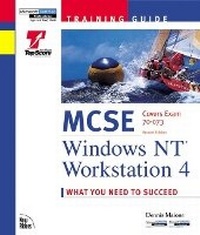
MCSE Training Guide
Windows NT Workstation 4
2nd Edition
Published on 15. October 1998
Book
Mixed media product
656 pages
978-1-56205-918-7 (ISBN)
Description
This next-generation Training Guide has been developed to help you study and retain the essential knowledge you need to pass the Windows NT Workstation 4 exam. We know your study time is valuable, and we have made every effort to make the most of it by presenting clear, accurate, and thorough information.
More details
Edition
2nd edition
Language
English
Place of publication
United States
Publishing group
Pearson Education (US)
Target group
College/higher education
Dimensions
Height: 242 mm
Width: 210 mm
Thickness: 43 mm
Weight
1536 gr
ISBN-13
978-1-56205-918-7 (9781562059187)
Copyright in bibliographic data and cover images is held by Nielsen Book Services Limited or by the publishers or by their respective licensors: all rights reserved.
Schweitzer Classification
Other editions
Previous edition

Book
12/1997
New Riders
€78.41
Article exhausted; check for reprint
Content
Introduction.
Who Should Read This Book. How This Book Helps You. What the Implementing and Supporting Microsoft Windows NT Workstation 4.0. Exam (#70-073) Covers. Hardware and Software Needed. Advice on Taking the Exam. New Riders Publishing.
I. EXAM PREPARATION.
1. Planning.
Introduction. Creating Unattended Installation Files. Planning Strategies for Sharing and Securing Resources. Choosing the Appropriate File System to Use in a Given Situation. Apply Your Learning.
2. Installation and Configuration.
Introduction. Installing NT Workstation. Setting Up a Dual-Boot System. Removing Windows NT Workstation. Upgrading to Windows NT Workstation 4.0. Configuring Server-Based Installation. Installing, Configuring, and Removing Hardware Components. Working with Uninterruptible Power Supplies. Using Control Panel Applications to Configure Windows NT Workstation. Apply Your Learning.
3. Managing Resources.
Introduction. Implementing Local User and Group Accounts. Setting Up and Modifying User Profiles. Setting Up Shared Folders and Permissions. Setting Permissions on NTFS Partitions, Folders, and Files. Installing and Configuring Printers in a Given Environment. Apply Your Learning.
4. Connectivity.
Introduction. The Windows NT Networking Model. Windows NT Networking Versus the OSI Reference Model. Adding and Configuring the Network Components of Windows NT Workstation. Accessing Network Resources. Windows NT Workstation in a NetWare Environment. NT Workstation as a TCP/IP Client. Dial-Up Networking. Peer Web Server. Apply Your Learning.
5. Running Applications.
Introduction. Windows NT Architecture. Windows NT Supported Subsystems. Starting Applications at Different Priorities. Apply Your Learning.
6. Monitoring and Optimization.
Introduction. Monitoring System Performance. Identifying and Resolving Performance Problems. Optimizing System Performance. Apply Your Learning.
7. Troubleshooting.
Introduction. General Troubleshooting Techniques. Assessing Boot Process Failures. Assessing Print Job Failures. Assessing Installation Failures. Assessing Application Failures. Assessing User Resource Access Failures. Modifying the Registry. Using Advanced Techniques. Apply Your Learning.
II. FINAL REVIEW.
Fast Facts: Windows NT Workstation 4 Exam.
Planning. Installation and Configuration. Managing Resources. Connectivity. Running Applications. Monitoring and Optimization. Troubleshooting.
Fast Facts: Windows NT Server 4 Exam.
Planning. Installation and Configuration. Managing Resources. Monitoring and Optimization. Troubleshooting.
Fast Facts: Windows NT Server 4 Enterprise Exam.
Planning. Installation and Configuration. Managing Resources. Connectivity. Monitoring and Optimization. Troubleshooting.
Fast Facts: Networking Essentials Exam.
Standards and Terminology. Planning. Implementation. Troubleshooting.
Study and Exam Prep Tips.
Study Tips. Exam Prep Tips. Final Considerations.
Practice Exam.
Exam Questions. Answers.
III. APPENDIXES.
A. Glossary.
B. Overview of the Certification Process.
How to Become a Microsoft Certified Professional (MCP). How to Become a Microsoft Certified Professional + Internet (MCP+Internet). How to Become a Microsoft Certified Systems Engineer (MCSE). How to Become a Microsoft Certified Systems Engineer + Internet. (MCSE+Internet). How to Become a Microsoft Certified Solution Developer (MCSD). Becoming a Microsoft Certified Trainer (MCT).
C. What's on the CD-ROM.
Top Score. Exclusive Electronic Version of Text. Copyright Information and Disclaimer.
D. Using the Top Score Software.
Getting Started. Instructions on Using the Top Score Software. Summary.
Index.
Who Should Read This Book. How This Book Helps You. What the Implementing and Supporting Microsoft Windows NT Workstation 4.0. Exam (#70-073) Covers. Hardware and Software Needed. Advice on Taking the Exam. New Riders Publishing.
I. EXAM PREPARATION.
1. Planning.
Introduction. Creating Unattended Installation Files. Planning Strategies for Sharing and Securing Resources. Choosing the Appropriate File System to Use in a Given Situation. Apply Your Learning.
2. Installation and Configuration.
Introduction. Installing NT Workstation. Setting Up a Dual-Boot System. Removing Windows NT Workstation. Upgrading to Windows NT Workstation 4.0. Configuring Server-Based Installation. Installing, Configuring, and Removing Hardware Components. Working with Uninterruptible Power Supplies. Using Control Panel Applications to Configure Windows NT Workstation. Apply Your Learning.
3. Managing Resources.
Introduction. Implementing Local User and Group Accounts. Setting Up and Modifying User Profiles. Setting Up Shared Folders and Permissions. Setting Permissions on NTFS Partitions, Folders, and Files. Installing and Configuring Printers in a Given Environment. Apply Your Learning.
4. Connectivity.
Introduction. The Windows NT Networking Model. Windows NT Networking Versus the OSI Reference Model. Adding and Configuring the Network Components of Windows NT Workstation. Accessing Network Resources. Windows NT Workstation in a NetWare Environment. NT Workstation as a TCP/IP Client. Dial-Up Networking. Peer Web Server. Apply Your Learning.
5. Running Applications.
Introduction. Windows NT Architecture. Windows NT Supported Subsystems. Starting Applications at Different Priorities. Apply Your Learning.
6. Monitoring and Optimization.
Introduction. Monitoring System Performance. Identifying and Resolving Performance Problems. Optimizing System Performance. Apply Your Learning.
7. Troubleshooting.
Introduction. General Troubleshooting Techniques. Assessing Boot Process Failures. Assessing Print Job Failures. Assessing Installation Failures. Assessing Application Failures. Assessing User Resource Access Failures. Modifying the Registry. Using Advanced Techniques. Apply Your Learning.
II. FINAL REVIEW.
Fast Facts: Windows NT Workstation 4 Exam.
Planning. Installation and Configuration. Managing Resources. Connectivity. Running Applications. Monitoring and Optimization. Troubleshooting.
Fast Facts: Windows NT Server 4 Exam.
Planning. Installation and Configuration. Managing Resources. Monitoring and Optimization. Troubleshooting.
Fast Facts: Windows NT Server 4 Enterprise Exam.
Planning. Installation and Configuration. Managing Resources. Connectivity. Monitoring and Optimization. Troubleshooting.
Fast Facts: Networking Essentials Exam.
Standards and Terminology. Planning. Implementation. Troubleshooting.
Study and Exam Prep Tips.
Study Tips. Exam Prep Tips. Final Considerations.
Practice Exam.
Exam Questions. Answers.
III. APPENDIXES.
A. Glossary.
B. Overview of the Certification Process.
How to Become a Microsoft Certified Professional (MCP). How to Become a Microsoft Certified Professional + Internet (MCP+Internet). How to Become a Microsoft Certified Systems Engineer (MCSE). How to Become a Microsoft Certified Systems Engineer + Internet. (MCSE+Internet). How to Become a Microsoft Certified Solution Developer (MCSD). Becoming a Microsoft Certified Trainer (MCT).
C. What's on the CD-ROM.
Top Score. Exclusive Electronic Version of Text. Copyright Information and Disclaimer.
D. Using the Top Score Software.
Getting Started. Instructions on Using the Top Score Software. Summary.
Index.