

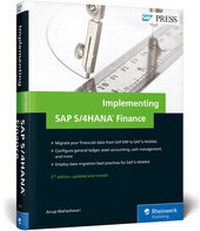
Implementing SAP S/4HANA Finance
Description
Ensure a smooth transition to SAP S/4HANA Finance with this system conversion guide! Follow step-by-step instructions for data migration and functional configuration. From the general ledger to asset accounting and beyond, you'll align your new system with existing Finance requirements and go live. Get the nitty-gritty details and pro tips that will make your SAP S/4HANA project a success!
a. Migration
It's time to migrate your data from SAP ERP Financials. Learn what to do and what to watch out for at each step of the SAP S/4HANA Finance migration, from installation through testing.
b. Configuration
Customize your new SAP S/4HANA Finance system with key configuration settings for general ledger accounting, controlling, asset accounting, cash management, BPC, and more.
c. Project Planning
Keep an eye on project timelines and manage critical project documentation! Consult and adapt a sample project plan for your on-premise implementation project.
More details
Other editions
New editions
Previous edition
Person
Content
... About This Book ... 21
... Acknowledgments ... 26
... Introduction ... 29
... Evolution of the Chief Financial Officer ... 30
... Benefits of SAP S/4HANA Finance ... 31
... Functional Changes with SAP S/4HANA Finance ... 34
... System Architecture with SAP S/4HANA Finance ... 36
... Migration to SAP S/4HANA Finance ... 38
... Summary ... 49
I ... Migrating to SAP S/4HANA Finance ... 51
1 ... Preparation ... 53
1.1 ... Check Functional Scope and Restrictions ... 53
1.2 ... Feasibility Checklist ... 55
1.3 ... The Maintenance Planner and Prechecks ... 63
1.4 ... Check Custom Coding ... 64
1.5 ... Check Sizing ... 66
1.6 ... Precheck for Migration to New Asset Accounting ... 66
1.7 ... Activate Business Functions ... 68
1.8 ... Check and Activate New Depreciation Calculation ... 73
1.9 ... Consistency Checks ... 76
1.10 ... Perform Period-End Closing Activities ... 86
1.11 ... Consistency Check before Activation of SAP S/4HANA Finance ... 95
1.12 ... Execute Business Reconciliation ... 96
1.13 ... Summary ... 106
2 ... Installation and Upgrade ... 107
2.1 ... Installation and Upgrade Checklist ... 108
2.2 ... Review Data Model Changes ... 117
2.3 ... Use the Maintenance Planner ... 118
2.4 ... Install the Related Software Component Version ... 120
2.5 ... Apply SAP Notes ... 121
2.6 ... Content Deployment with SAP HANA Application Lifecycle Management ... 123
2.7 ... Perform HANA-tization ... 123
2.8 ... Optimization ... 126
2.9 ... Summary ... 129
3 ... Preparation and Migration for General Ledger ... 131
3.1 ... Activate SAP Reference Implementation Guide for Financial Accounting (New) ... 132
3.2 ... Check and Adopt Fiscal Year Variants ... 133
3.3 ... Define Currency Settings for Migration ... 134
3.4 ... Migrate General Ledger Customizing ... 135
3.5 ... Define Settings for Ledgers and Currency Types ... 136
3.6 ... Define Ledger Groups ... 138
3.7 ... Assign the Accounting Principle to the Ledger Group ... 140
3.8 ... Review the Assignment of Ledger and Company Code to Accounting Principles ... 141
3.9 ... Define the Ledger for the Controlling Version ... 141
3.10 ... Define Document Types for Postings in Controlling ... 142
3.11 ... Define Document Type Mapping for Controlling Business Transactions ... 143
3.12 ... Check and Define Default Values for Postings in Controlling ... 143
3.13 ... Define the Offsetting Account Determination Type ... 145
3.14 ... Define the Source Ledger for Migration of Balances ... 145
3.15 ... Check and Define Settings for Substitution for Cost-of-Sales Accounting ... 146
3.16 ... Check and Define Settings of Controlling Area ... 146
3.17 ... Execute Consistency Check of General Ledger Settings ... 147
3.18 ... Activate Business Functions ... 147
3.19 ... Key Changes to the General Ledger ... 148
3.20 ... Key Changes to Period-End Closing ... 168
3.21 ... Summary ... 173
4 ... Preparation and Migration for Asset Accounting ... 175
4.1 ... Prerequisites ... 177
4.2 ... Install SAP S/4HANA Finance with New Asset Accounting ... 177
4.3 ... Migrate Charts of Depreciation ... 178
4.4 ... Customization Prior to Activation ... 179
4.5 ... Check Prerequisites for Activating New Asset Accounting ... 184
4.6 ... Determine Active Charts of Depreciation ... 185
4.7 ... Change Definitions of Depreciation Areas ... 186
4.8 ... Specify Transfer of Acquisition and Production Cost Values ... 188
4.9 ... Specify Transfer of Depreciation Terms ... 190
4.10 ... Activate New Asset Accounting ... 191
4.11 ... Adjust Parameters in Charts of Depreciation ... 192
4.12 ... Display Migration Log ... 193
4.13 ... Key Changes to Asset Accounting ... 194
4.14 ... Summary ... 206
5 ... Preparation and Migration for Controlling ... 207
5.1 ... Execute SAP Business Warehouse Delta Extraction for Account-Based Profitability Analysis ... 208
5.2 ... Adapt Settings for Profitability Segment Characteristics ... 208
5.3 ... Maintain the Operating Concern ... 209
5.4 ... Activate Account-Based Profitability Analysis ... 210
5.5 ... Transport Operating Concern ... 211
5.6 ... Preparations and Migration for Material Ledger ... 211
5.7 ... Key Changes to Controlling ... 212
5.8 ... Key Changes to Profitability Analysis ... 228
5.9 ... Key Changes to Cost Center and Profit Center Accounting ... 234
5.10 ... Summary ... 240
6 ... Preparation and Migration for House Bank Accounts ... 241
6.1 ... Define Number Ranges for Bank Account Technical IDs ... 242
6.2 ... Define Number Ranges for Change Requests ... 242
6.3 ... Define Settings for Bank Account Master Data ... 243
6.4 ... Summary ... 250
7 ... Data Migration ... 251
7.1 ... Partitioning of the Universal Journal Entry Line Items Table ... 252
7.2 ... Regenerate CDS Views and Field Mapping ... 253
7.3 ... Analyze Transactional Data ... 256
7.4 ... Display Status of Analysis of Transactional Data ... 257
7.5 ... Start and Monitor Data Migration ... 260
7.6 ... Migration of Cost Elements ... 261
7.7 ... Technical Check of Transaction Data ... 274
7.8 ... Material Ledger Migration ... 280
7.9 ... Enrichment of Data ... 281
7.10 ... Migration of Line Items into New Data Structure ... 285
7.11 ... Migration of Balances ... 289
7.12 ... Calculation of Depreciation and Totals Values ... 296
7.13 ... Migrate General Ledger Allocations ... 301
7.14 ... Migrate House Bank Accounts ... 304
7.15 ... Credit Management Migration ... 305
7.16 ... Complete the Migration ... 308
7.17 ... Migration with Near-Zero Downtime ... 311
7.18 ... Summary ... 314
8 ... Postmigration Activities ... 315
8.1 ... Run Reconciliation Reports to Check Data Consistency ... 316
8.2 ... Validate Business Process to Ensure Successful Migration ... 316
8.3 ... Transfer Application Indexes ... 317
8.4 ... Display Status of Application Indexes Transfer ... 318
8.5 ... Fill Due Dates in FI Documents ... 318
8.6 ... Display Status of Filling Due Dates in Financial Documents ... 319
8.7 ... Fill the Offsetting Account in Financial Documents ... 320
8.8 ... Display Status of Filling Offsetting Account in Financial Documents ... 321
8.9 ... Enrichment of Balance Carryforward ... 322
8.10 ... Manual Activities for Credit Management ... 323
8.11 ... Deactivate Reconciliation Ledger ... 324
8.12 ... Summary ... 325
9 ... Postmigration Testing ... 327
9.1 ... Test SAP HANA-Optimized Report Transactions ... 328
9.2 ... Test Multidimensional Reporting Capability ... 328
9.3 ... Test Database Footprint Reduction ... 329
9.4 ... Test Intercompany Reconciliation ... 329
9.5 ... Test the New Process Redesign ... 330
9.6 ... Test Closing Improvement ... 331
9.7 ... Test the Universal Journal ... 331
9.8 ... Execute Change Management ... 332
9.9 ... Summary ... 332
II ... Setting Up New Financials Functionality ... 335
10 ... SAP Cash Management ... 337
10.1 ... Validate Prerequisites ... 339
10.2 ... Set Up Bank Account Master Data ... 340
10.3 ... Define the Payment Approval Process ... 344
10.4 ... Enable SAP Business Workflow for Bank Account Management ... 352
10.5 ... Create Cash Pools for Cash Concentration ... 363
10.6 ... Manage Cash Operations ... 366
10.7 ... Load Data to One Exposure from Operations ... 385
10.8 ... Set Up Cash Management Transaction Data ... 387
10.9 ... Set Up SAP Liquidity Management ... 395
10.10 ... Set Up Liquidity Planning ... 404
10.11 ... Key System Changes ... 410
10.12 ... Summary ... 416
11 ... SAP BPC for SAP S/4HANA Finance ... 419
11.1 ... Planning Overview and Activation ... 420
11.2 ... Architecture ... 424
11.3 ... Authorizations ... 427
11.4 ... Activate Embedded SAP Business Warehouse ... 431
11.5 ... Activate the SAP BusinessObjects BI Content Bundle ... 442
11.6 ... Test the SAP Business Warehouse Installation ... 449
11.7 ... Activate Services and Test Planning Applications ... 451
11.8 ... Planning Modeler ... 456
11.9 ... SAP BusinessObjects Analysis for Microsoft Office ... 457
11.10 ... Key System Changes ... 462
11.11 ... Summary ... 464
12 ... SAP Fiori Applications ... 465
12.1 ... SAP Fiori Project Phases ... 466
12.2 ... Architecture ... 467
12.3 ... Configure SAP Fiori ... 469
12.4 ... Install SAP Fiori Apps ... 472
12.5 ... SAP Fiori Launchpad ... 473
12.6 ... SAP Fiori Application and Roles ... 480
12.7 ... SAP Smart Business Application and Roles ... 496
12.8 ... Summary ... 501
... Appendices ... 503
A ... Central Finance ... 505
B ... Project Plan for SAP S/4HANA Finance Migration ... 529
C ... The Author ... 559
... Index ... 561