

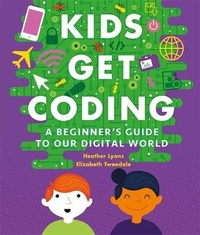
Kids Get Coding: A Beginner's Guide to Our Digital World
Published on 25. August 2016
Book
Paperback/Softback
80 pages
978-1-5263-0101-7 (ISBN)
Description
This book will help budding young developers explore the fundamental elements of computer code: programming languages, algorithms, loops, variables, co-ordinates ... and what to do when things go wrong! You can then hop online to try out your new skills on the companion website.
Once you've got to grips with coding, it's important to understand the world of computers - how pixels make pictures, how sound works in videos, and how to store files so you can find them later. Finally, you can't be a brilliant coder unless you know how to stay safe online. Learn about the Internet, how to keep your information private and how to surf the web safely.
Kids Get Coding is a fantastic resource for children looking to get started with coding. The book contains practical on- and off-line activities that are easy to follow and fun to try on your own or with friends. Guiding young coders throughout is Data Duck - a computer-programming mastermind here to help with hints and tips!
Kids Get Coding is written by Heather Lyons and Elizabeth Tweedale of blue{shift} - a company dedicated to teaching children to become active creators of technology.
Once you've got to grips with coding, it's important to understand the world of computers - how pixels make pictures, how sound works in videos, and how to store files so you can find them later. Finally, you can't be a brilliant coder unless you know how to stay safe online. Learn about the Internet, how to keep your information private and how to surf the web safely.
Kids Get Coding is a fantastic resource for children looking to get started with coding. The book contains practical on- and off-line activities that are easy to follow and fun to try on your own or with friends. Guiding young coders throughout is Data Duck - a computer-programming mastermind here to help with hints and tips!
Kids Get Coding is written by Heather Lyons and Elizabeth Tweedale of blue{shift} - a company dedicated to teaching children to become active creators of technology.
More details
Series
Language
English
Place of publication
London
United Kingdom
Publishing group
Hachette Children's Group
Target group
Children/juvenile
Interest Age: From 6 to 8 years
Product notice
Flexible plastic/vinyl cover
Dimensions
Height: 230 mm
Width: 192 mm
Thickness: 10 mm
Weight
284 gr
ISBN-13
978-1-5263-0101-7 (9781526301017)
Copyright in bibliographic data and cover images is held by Nielsen Book Services Limited or by the publishers or by their respective licensors: all rights reserved.
Schweitzer Classification
Persons
Heather Lyons is a software designer and teacher, and co-founder of Blue{shift} Coding. Elizabeth Tweedale is a software developer and entrepreneur, and co-founder of blue{shift}.
Content
4: Getting started
6: Computers everywhere
8: What can a computer do?
10: What is a program?
12: What is an algorithm?
14: Order, order!
16: Computer languages
18: Rules to follow
20: IF, THEN and ELSE
22: Make a move
24: Moving around
26: Giving instructions
28: Writing a program
30: Predict it
32: Catching the bug
34: Problem solving
36: Exploring the digital world
38: Inputs and outputs
40: All kinds of content
42: Storing and naming
44: Bits and bytes
46: Searching and sorting
48: Pixel perfect
50: In the movies ...
52: Sound it out
54: Staying safe online
56: What is the Internet?
58: Browsing the Web
60: Search engines
62: Cookies!
64: Going places
66: Keep it private
68: Our digital identity
70: Super security!
72: Sharing is caring
6: Computers everywhere
8: What can a computer do?
10: What is a program?
12: What is an algorithm?
14: Order, order!
16: Computer languages
18: Rules to follow
20: IF, THEN and ELSE
22: Make a move
24: Moving around
26: Giving instructions
28: Writing a program
30: Predict it
32: Catching the bug
34: Problem solving
36: Exploring the digital world
38: Inputs and outputs
40: All kinds of content
42: Storing and naming
44: Bits and bytes
46: Searching and sorting
48: Pixel perfect
50: In the movies ...
52: Sound it out
54: Staying safe online
56: What is the Internet?
58: Browsing the Web
60: Search engines
62: Cookies!
64: Going places
66: Keep it private
68: Our digital identity
70: Super security!
72: Sharing is caring