

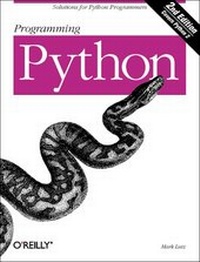
Programming Python
2nd Edition
Published on 10. April 2001
Book
1300 pages
978-0-596-00085-1 (ISBN)
Description
This text focuses on advanced uses of the Python programming/scripting language, which has evolved from an emerging language of interest primarily to pioneers, to a widely accepted tool that traditional programmers use for real day-to-day development tasks. With Python, you can do almost anything you can do with C++; but Python is an interpreted language designed for rapid application development and deployment. Among other things, Python supports object-oriented programming; a remarkably simple, readable, and maintainable syntax; integration with C components; and a vast collection of pre-coded interfaces and utilities. As Python has grown to embrace developers on a number of different platforms (Unix, Linux, Windows, Mac), companies have taken notice and are adopting Python for their products. It has shown up animating the latest "Star Wars" movie, serving up maps and directories on the internet, guiding users through Linux installations, testing chips and boards, managing Internet discussion forums, scripting online games, and even scripting wireless products. This text provides a comprehensive resource for advanced Python programmers.
Reviewed and endorsed by Python creator Guido van Rossum, who also provides the foreword, this book zeroes in on real-world Python applications. Updated for Python 2.0, it covers Internet scripting, systems programming, Tkinter GUIs, C integration domains, and new Python tools and applications. Among them: IDLE; JYthon; Active Scripting and COM extensions; Zope; PSP server pages; restricted execution mode; the HTMLgen and SWIG code generators; thread support; CGI; and Internet protocol modules. The text includes a platform-neutral CD-ROM with book examples and various Python-related packages, including the full Python 2.0 source code distribution.
Reviewed and endorsed by Python creator Guido van Rossum, who also provides the foreword, this book zeroes in on real-world Python applications. Updated for Python 2.0, it covers Internet scripting, systems programming, Tkinter GUIs, C integration domains, and new Python tools and applications. Among them: IDLE; JYthon; Active Scripting and COM extensions; Zope; PSP server pages; restricted execution mode; the HTMLgen and SWIG code generators; thread support; CGI; and Internet protocol modules. The text includes a platform-neutral CD-ROM with book examples and various Python-related packages, including the full Python 2.0 source code distribution.
More details
Other editions
New editions

Mark Lutz
Programming Python
Book
09/2006
3rd Edition
O'Reilly
€58.00
Article exhausted; check for reprint
Previous edition
Book
11/1996
O'Reilly
€37.00
Article exhausted; check for reprint
Person
Mark Lutz is a Python trainer, writer, and software developer, and one of the primary figures in the Python community. He is the author of Programming Python and Python Pocket Reference, and coauthor of Learning Python. Mark has been involved with Python since 1992 and began teaching Python classes in 1997. In addition, he holds B.S. and M.S. degrees in computer science from the University of Wisconsin, and has worked on compilers, programming tools, scripting applications, and assorted client/server systems. Mark can be reached by email at lutz@rmi.net, or on the web at http://rmi.net/~lutz.
Content
Foreword Preface for the Second Edition 1. Introducing Python The Life of Python The Compulsory Features List What's Python Good For? What's Python Not Good For? I. System Interfaces 2. System Tools Why Python Here? System Scripting Overview The sys Module The os Module Script Execution Context Current Working Directory Command-Line Arguments Shell Environment Variables Standard Streams File Tools Directory Tools 3. Parallel System Tools Forking Processes Threads Program Exits Interprocess Communication Pipes Signals Launching Programs on Windows Other System Tools 4. Larger System Examples I Splitting and Joining Files Generating Forward-Link Web Pages A Regression Test Script Packing and Unpacking Files User-Friendly Program Launchers 5. Larger System Examples II Fixing DOS Line Ends Fixing DOS Filenames Searching Directory Trees Visitor: Walking Trees Generically Copying Directory Trees Deleting Directory Trees Comparing Directory Trees II. GUI Programming 6. Graphical User Interfaces Python GUI Development Options Tkinter Overview Climbing the GUI Learning Curve The End of the Tutorial Python/Tkinter for Tcl/Tk Converts 7. A Tkinter Tour, Part 1 Configuring Widget Appearance Toplevel Windows Dialogs Binding Events Message and Entry Checkbutton, Radiobutton, and Scale Running GUI Code Three Ways Images 8. A Tkinter Tour, Part 2 Menus Listboxes and Scrollbars Text Canvas Grids Time Tools, Threads, and Animation The End of the Tour The PyDemos and PyGadgets Launchers 9. Larger GUI Examples Advanced GUI Coding Techniques Complete Program Examples PyEdit: A Text Editor Program/Object PyView: An Image and Notes Slideshow PyDraw: Painting and Moving Graphics PyClock: An Analog/Digital Clock Widget PyToe: A Tic-Tac-Toe Game Widget Where to Go from Here III. Internet Scripting 10. Network Scripting Plumbing the Internet Socket Programming Handling Multiple Clients A Simple Python File Server 11. Client-Side Scripting Transferring Files over the Net Processing Internet Email The PyMailGui Email Client Other Client-Side Tools 12. Server-Side Scripting What's a Server-Side CGI Script? Climbing the CGI Learning Curve The Hello World Selector Coding for Maintainability More on HTML and URL Escapes Sending Files to Clients and Servers 13. Larger Web Site Examples I The PyMailCgi Web Site The Root Page Sending Mail by SMTP Reading POP Email Utility Modules CGI Script Trade-offs 14. Larger Web Site Examples II The PyErrata Web Site The Root Page Browsing PyErrata Reports Submitting PyErrata Reports PyErrata Database Interfaces Administrative Tools Designing for Reuse and Growth 15. Advanced Internet Topics Zope: A Web Publishing Framework HTMLgen: Web Pages from Objects JPython ( Jython): Python for Java Grail: A Python-Based Web Browser Python Restricted Execution Mode XML Processing Tools Windows Web Scripting Extensions Python Server Pages Rolling Your Own Servers in Python IV. Assorted Topics 16. Databases and Persistence Persistence Options in Python DBM Files Pickled Objects Shelve Files SQL Database Interfaces PyForm: A Persistent Object Viewer 17. Data Structures Implementing Stacks Implementing Sets Binary Search Trees Graph Searching Reversing Sequences Permuting Sequences Sorting Sequences Data Structures Versus Python Built-ins PyTree: A Generic Tree Object Viewer 18. Text and Language Strategies for Parsing Text in Python String Module Utilities Regular Expression Matching Parser Generators Hand-Coded Parsers PyCalc: A Calculator Program/Object V. Integration 19. Extending Python C Extensions Overview A Simple C Extension Module The SWIG Integration Code Generator Wrapping C Environment Calls A C Extension Module String Stack A C Extension Type String Stack Wrapping C++ Classes with SWIG 20. Embedding Python C Embedding API Overview Basic Embedding Techniques Registering Callback Handler Objects Using Python Classes in C ppembed: A High-Level Embedding API Other Integration Topics VI. The End 21. Conclusion: Python and the Development Cycle Something's Wrong with the Way We Program Computers The Gilligan Factor Doing the Right Thing Enter Python But What About That Bottleneck? On Sinking the Titanic So What's Python: The Sequel In the Final Analysis... Postscript to the Second Edition A. Recent Python Changes B. Pragmatics C. Python Versus C++ Index