

Learning SolidWorks
Published on 21. March 2002
Book
Paperback/Softback
214 pages
978-0-13-033493-0 (ISBN)
Description
For courses where SolidWorks is used.
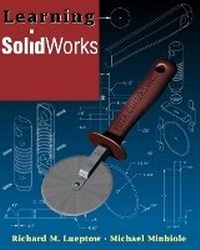
Basing its instruction on the design of a pizza cutter, this text walks you through techniques in modeling, assembly, and creation of working drawings moving from basic to more advanced design techniques. The text is heavily illustrated with screen captures and sample drawings and includes end-of-chapter modeling problems for further practice.
Basing its instruction on the design of a pizza cutter, this text walks you through techniques in modeling, assembly, and creation of working drawings moving from basic to more advanced design techniques. The text is heavily illustrated with screen captures and sample drawings and includes end-of-chapter modeling problems for further practice.
More details
Language
English
Place of publication
Berkeley
United States
Publishing group
Pearson Education (US)
Target group
Professional and scholarly
Dimensions
Width: 253 mm
Thickness: 12 mm
Weight
407 gr
ISBN-13
978-0-13-033493-0 (9780130334930)
Copyright in bibliographic data and cover images is held by Nielsen Book Services Limited or by the publishers or by their respective licensors: all rights reserved.
Schweitzer Classification
Other editions
New editions
Richard M. Lueptow | Michael Minbiole
Learning SolidWorks
Book
06/2003
2nd Edition
Peachpit Press Publications
€109.11
Article is exhausted; no reprint
Persons
Richard M. Lueptow is the Charles Deering McCormick Professor of Teaching Excellence and Associate Professor of Mechanical Engineering at Northwestern University. He has five patents and over 40 refereed abstracts, and presentations.
Michael Minbiole studied mechanical engineering at Northwestern University and works at Northrop Grumman's Electronic Sensors and Systems Sector.
Michael Minbiole studied mechanical engineering at Northwestern University and works at Northrop Grumman's Electronic Sensors and Systems Sector.
Content
1. Solids Modeling with SolidWorks.
Constraint-Based Solids Modeling. The Nature of Solids Modeling.
2. Getting Started with SolidWorks.
Introduction and Reference. Modeling the Guard. Modeling the Arm. Modeling the Blade.
3. Modeling Parts in SolidWorks: Revolves.
Modeling the Cap. Modeling the Handle. Modeling the Rivet.
4. Modeling An Assembly: The Pizza Cutter.
Modeling the Cutter Sub-Assembly. Modeling the Pizza Cutter Assembly. Checking the Assembly for Interface. Creating an Exploded View of the Assembly.
5. Creating Working Drawings.
Detail Drawing n SolidWorks. Editing a Drawing Sheet Format. Creating a Drawing of the Arm. Creating a Drawing of the Pizza Cutter Assembly.
6. Modeling the Handle as a Plastic Injection-Molded Part.
The Design of Plastic Injection-Molded Handle. Shelling the Handle and Adding Assembly Holes. Adding Ribs to the Handle. Adding Sweeps to the Handle. Using SmartMates to Assemble the Handle Halves.
7. Redesigning the Handle.
Creating the Handle's Base Feature Using a Loft. Creating the Flanged End Using a Surface. Creating a Configuration of the Handle with Engraved Text. Assembling the Handle and Cutter Sub-Assembly.
Index.
Constraint-Based Solids Modeling. The Nature of Solids Modeling.
2. Getting Started with SolidWorks.
Introduction and Reference. Modeling the Guard. Modeling the Arm. Modeling the Blade.
3. Modeling Parts in SolidWorks: Revolves.
Modeling the Cap. Modeling the Handle. Modeling the Rivet.
4. Modeling An Assembly: The Pizza Cutter.
Modeling the Cutter Sub-Assembly. Modeling the Pizza Cutter Assembly. Checking the Assembly for Interface. Creating an Exploded View of the Assembly.
5. Creating Working Drawings.
Detail Drawing n SolidWorks. Editing a Drawing Sheet Format. Creating a Drawing of the Arm. Creating a Drawing of the Pizza Cutter Assembly.
6. Modeling the Handle as a Plastic Injection-Molded Part.
The Design of Plastic Injection-Molded Handle. Shelling the Handle and Adding Assembly Holes. Adding Ribs to the Handle. Adding Sweeps to the Handle. Using SmartMates to Assemble the Handle Halves.
7. Redesigning the Handle.
Creating the Handle's Base Feature Using a Loft. Creating the Flanged End Using a Surface. Creating a Configuration of the Handle with Engraved Text. Assembling the Handle and Cutter Sub-Assembly.
Index.