

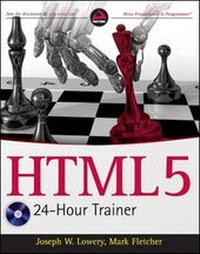
HTML5 24-Hour Trainer
Published on 1. February 2011
Book
Paperback/Softback
336 pages
978-0-470-64782-0 (ISBN)
Description
Comprehensive written and interactive instruction for learning HTML5
HTML is the core technology for building websites. Today, with HTML5 opening the Internet to new levels of rich content and dynamic interactivity, developers are looking for information to learn and utilize HTML5. HTML5 24-Hour Trainer provides that information, giving new and aspiring web developers the knowledge they need to achieve early success when building websites.
* Covers the most basic aspects of a web page, including a brief introduction to Cascading Style Sheets (CSS)
* Provides lessons that are backed up by professionally created training videos and interactive content to fully illustrate the dynamic nature of HTML5 and the Internet, while also providing a full learning experience
* Combines easy-to-follow lessons with expertly crafted training videos to provide you with both written and interactive instruction for learning HTML5
Written by bestselling author Joseph Lowery and with DVD content created by well-known multimedia and eLearning producer Mark Fletcher, HTML5 24-Hour Trainer brings the new features of HTML5 and the Internet to life unlike any other resource.
HTML is the core technology for building websites. Today, with HTML5 opening the Internet to new levels of rich content and dynamic interactivity, developers are looking for information to learn and utilize HTML5. HTML5 24-Hour Trainer provides that information, giving new and aspiring web developers the knowledge they need to achieve early success when building websites.
* Covers the most basic aspects of a web page, including a brief introduction to Cascading Style Sheets (CSS)
* Provides lessons that are backed up by professionally created training videos and interactive content to fully illustrate the dynamic nature of HTML5 and the Internet, while also providing a full learning experience
* Combines easy-to-follow lessons with expertly crafted training videos to provide you with both written and interactive instruction for learning HTML5
Written by bestselling author Joseph Lowery and with DVD content created by well-known multimedia and eLearning producer Mark Fletcher, HTML5 24-Hour Trainer brings the new features of HTML5 and the Internet to life unlike any other resource.
More details
Edition
1. Auflage
Language
English
Place of publication
United States
Publishing group
John Wiley & Sons Inc
Target group
Professional and scholarly
Illustrations
Illustrations
Dimensions
Height: 23.6 cm
Width: 18.7 cm
Thickness: 1.7 cm
Weight
589 gr
ISBN-13
978-0-470-64782-0 (9780470647820)
Schweitzer Classification
Persons
Joseph Lowery is a professional web designer and an internationally bestselling author of such books as Dreamweaver CS5 Bible and Adobe CS4 Web Workflows. He is an Adobe Community Expert and regularly presents at Adobe conferences in U.S. and Europe.
Mark Fletcher, an eLearning Developer specializing in Rapid e-Learning Development, has worked with many blue chip companies and has presented at a number of conferences on e-Learning.
Mark Fletcher, an eLearning Developer specializing in Rapid e-Learning Development, has worked with many blue chip companies and has presented at a number of conferences on e-Learning.
Content
Introduction.
Section I: Getting Started with HTML5.
Lesson 1: What Is HTML?
Lesson 2: Creating Your First Web Page.
Lesson 3: Viewing Web Pages.
Section II : Styling Your Web Page.
Lesson 4: What Is CSS?
Lesson 5: Testing CSS.
Section III: Working with HTML Basics.
Lesson 6: Adding Text.
Lesson 7: Styl ing Text with CSS.
Lesson 8: Linking to Content.
Lesson 9: Validating Your Pages.
Section IV: Incorporating Images.
Lesson 10: Working with Images.
Lesson 11: Using Image Maps.
Lesson 12: Adding Horizontal Rules.
Section V: Using Lists.
Lesson 13: Inserting Unordered Lists.
Lesson 14: with Ordered Lists.
Lesson 15: Extending Lists.
Section VI: Structuring Tables.
Lesson 16: Building a Simple Table.
Lesson 17: Styling Tables.
Lesson 18: Making Tables More Accessible.
Section VII: Building Forms.
Lesson 19: Creating a Form.
Lesson 20: Enhancing Forms.
Section VIII: HTML with JavaScript.
Lesson 21: Adding JavaScript.
Lesson 22: Advanced JavaScript.
Section IX: Adding Media.
Lesson 23: Working with Plug-Ins.
Lesson 24: Inserting Audio.
Lesson 25: Inserting Video.
Section X: Next Steps in HTML5.
Lesson 26: Looking Ahead in HTML5.
Lesson 27: Enhancing Web Page Structure.
Lesson 28: Integrating Advanced Design Elements.
Appendix A: Browser Support for HTML5.
Appendix B: Advanced HTML5 Features.
Appendix C: What's on the DVD?
Index.
Section I: Getting Started with HTML5.
Lesson 1: What Is HTML?
Lesson 2: Creating Your First Web Page.
Lesson 3: Viewing Web Pages.
Section II : Styling Your Web Page.
Lesson 4: What Is CSS?
Lesson 5: Testing CSS.
Section III: Working with HTML Basics.
Lesson 6: Adding Text.
Lesson 7: Styl ing Text with CSS.
Lesson 8: Linking to Content.
Lesson 9: Validating Your Pages.
Section IV: Incorporating Images.
Lesson 10: Working with Images.
Lesson 11: Using Image Maps.
Lesson 12: Adding Horizontal Rules.
Section V: Using Lists.
Lesson 13: Inserting Unordered Lists.
Lesson 14: with Ordered Lists.
Lesson 15: Extending Lists.
Section VI: Structuring Tables.
Lesson 16: Building a Simple Table.
Lesson 17: Styling Tables.
Lesson 18: Making Tables More Accessible.
Section VII: Building Forms.
Lesson 19: Creating a Form.
Lesson 20: Enhancing Forms.
Section VIII: HTML with JavaScript.
Lesson 21: Adding JavaScript.
Lesson 22: Advanced JavaScript.
Section IX: Adding Media.
Lesson 23: Working with Plug-Ins.
Lesson 24: Inserting Audio.
Lesson 25: Inserting Video.
Section X: Next Steps in HTML5.
Lesson 26: Looking Ahead in HTML5.
Lesson 27: Enhancing Web Page Structure.
Lesson 28: Integrating Advanced Design Elements.
Appendix A: Browser Support for HTML5.
Appendix B: Advanced HTML5 Features.
Appendix C: What's on the DVD?
Index.