

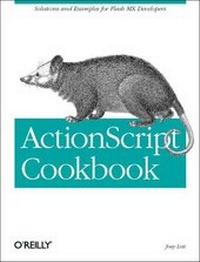
ActionScript Cookbook
1st Edition
Published on 2. September 2003
Book
Paperback/Softback
912 pages
978-0-596-00490-3 (ISBN)
Description
This Cookbook puts theory into practice with ready-made answers to common ActionScript problems. Flash MX developers can solve issues quickly, while learning practical techniques for resolving similar dilemmas in the future. The ActionScript Cookbook breaks it all down into tasks that are relevant, practical, and insightful. Appealing to the budding coder as well as the experienced ActionScript jockeys, this book offers new perspectives and approaches to ActionScript development that will empower all developers. This O'Reilly Cookbook complements "ActionScript for Flash MX: The Definitive Guide", 2nd Edition by providing quick solutions to common ActionScript problems. This book trades on the "Cookbook" approach, which provides a worked-out script for every problem addressed. You can use these "recipes" to solve an immediate problem, and then explore the issue further in The Definitive Guide when time permits. The ActionScript Cookbook contains over 300 recipes on a myriad of topics.
Here's a sampling of what you'll find: drawing shapes at runtime; controlling movie clips programmatically; accepting user input and manipulating text strings; accessing audio and video via Flash Communications server; working with Flash remoting to connect to back end databases; and using record sets with data grids. This Cookbook's logical progression from short recipes for small problems to longer, more complex scripts for thornier riddles allows developers to link modular ActionScript pieces together to create rock-solid solutions for Flash applications. If you prefer to see larger applications instead of atomic recipes, this Cookbook has a kicker - seven full chapters of sample applications including: building a Flash Paint application; creating a Video/Chat; message server application; creating an MP3 Jukebox; and creating a personalizable MyPage Application.
Here's a sampling of what you'll find: drawing shapes at runtime; controlling movie clips programmatically; accepting user input and manipulating text strings; accessing audio and video via Flash Communications server; working with Flash remoting to connect to back end databases; and using record sets with data grids. This Cookbook's logical progression from short recipes for small problems to longer, more complex scripts for thornier riddles allows developers to link modular ActionScript pieces together to create rock-solid solutions for Flash applications. If you prefer to see larger applications instead of atomic recipes, this Cookbook has a kicker - seven full chapters of sample applications including: building a Flash Paint application; creating a Video/Chat; message server application; creating an MP3 Jukebox; and creating a personalizable MyPage Application.
More details
Other editions
New editions
Joey Lott | Darron Schall | Keith Peters
ActionScript 3.0 Cookbook
Solutions for Flash Platform and Flex Application Developers
Book
10/2006
1st Edition
O'Reilly
€37.50
Shipment within 10-20 days
Person
Joey Lott is the author of Complete Flash Remoting MX as well as the co-author of the ActionScript Bible. Joey has been teaching Flash and ActionScript since 1999 when he first began training throughout Southern California. Joey has professional experience in the Internet industry beginning in 1996 including co-founding RightSpring, Inc. and consulting for YourMobile/Premium Wireless Services (J2EE B2C application) and Ads.com (leading the development of a J2EE B2B application).
Content
Preface Part I. Local Recipes 1. ActionScript Basics 1.0 Introduction 1.1 Using Mathematical Operators 1.2 Checking Equality or Comparing Values 1.3 Performing Actions Conditionally 1.4 Performing Complex Conditional Testing 1.5 Repeating an Operation Many Times 1.6 Performing an Action Once per Frame Update 1.7 Repeating a Task at Timed Intervals 1.8 Creating Reusable Code 1.9 Generalizing a Function to Enhance Reusability 1.10 Exiting a Function 1.11 Obtaining the Result of a Function 1.12 Avoiding Conflicting Variables 1.13 Reusing and Organizing Code in Multiple Movies 2. Runtime Environment 2.0 Introduction 2.1 Detecting the Player Version 2.2 Detecting the Operating System 2.3 Checking the System Language 2.4 Detecting Display Settings 2.5 Scaling the Movie 2.6 Changing the Alignment 2.7 Detecting the Device's Audio Capabilities 2.8 Prompting the User to Change Player Settings 2.9 Hiding the Flash Player's Menu Items 2.10 Enhancing Standalone Projectors 2.11 Setting the Dimensions of a Projector 2.12 Specifying Where on Screen a Projector Opens 3. Color 3.0 Introduction 3.1 Setting the Color of a Movie Clip 3.2 Specifying RGB Values 3.3 Decoding an RGB Value 3.4 Setting the RGB Relative to Its Current Value 3.5 Tinting a Movie Clip's Color 3.6 Setting a Movie Clip's Transparency 3.7 Transforming a Movie Clip's Current Color 3.8 Restoring a Movie Clip's Original Color 3.9 Controlling a Movie Clip's Color with Sliders 4. Drawing and Masking 4.0 Introduction 4.1 Drawing a Line 4.2 Drawing a Curve 4.3 Drawing a Rectangle 4.4 Drawing a Rounded Rectangle 4.5 Drawing a Circle 4.6 Drawing an Ellipse 4.7 Drawing a Triangle 4.8 Drawing Regular Polygons 4.9 Filling a Shape with a Solid or Translucent Color 4.10 Filling a Shape with a Gradient 4.11 Filling a Shape with a Complex Gradient 4.12 Scripting Masks 5. Numbers and Math 5.0 Introduction 5.1 Representing Numbers in Different Bases 5.2 Converting Between Different Number Systems 5.3 Rounding Numbers 5.4 Inserting Leading or Trailing Zeros 5.5 Formatting Numbers for Display 5.6 Formatting Currency Amounts 5.7 Generating a Random Number 5.8 Simulating a Coin Flip 5.9 Simulating Dice 5.10 Simulating Playing Cards 5.11 Generating a Unique Number 5.12 Converting Angle Measurements 5.13 Calculating the Distance Between Two Points 5.14 Determining Points Along a Circle 5.15 Converting Between Units of Measurement 5.16 Calculating Asset Appreciation (Future Value) 5.17 Calculating Retirement Savings 5.18 Calculating the Loan (Mortgage) You Can Afford 5.19 Calculating Loan Amortization or Annuities 6. Arrays 6.0 Introduction 6.1 Adding Elements to the Start or End of an Array 6.2 Looping Through an Array 6.3 Searching for Matching Elements in an Array 6.4 Removing Elements 6.5 Inserting Elements in the Middle of an Array 6.6 Converting a String to an Array 6.7 Converting an Array to a String 6.8 Creating a Separate Copy of an Array 6.9 Storing Complex or Multidimensional Data 6.10 Sorting or Reversing an Array 6.11 Implementing a Custom Sort 6.12 Creating an Associative Array 6.13 Reading Elements of an Associative Array 7. Movie Clips 7.0 Introduction 7.1 Referring to Movie Clips via ActionScript 7.2 Targeting Movie Clips with Dynamic Names 7.3 Affecting Playback 7.4 Reversing Playback 7.5 Using Movie Clips as Buttons 7.6 Defining Hit Areas for Movie Clips 7.7 Checking for Mouseover 7.8 Performing Repeated Actions On Movie Clips 7.9 Fading a Movie Clip 7.10 Discovering Nested Movie Clips 7.11 Getting Unique Depths 7.12 Getting a Movie Clip's Boundaries 7.13 Creating a Draggable Movie Clip 7.14 Creating a Custom Mouse Pointer 7.15 Checking for Overlapping Movie Clips (Performing Hit Tests) 7.16 Changing Stacking Order 7.17 Converting Between Coordinate Spaces 7.18 Duplicating Movie Clips 7.19 Adding Movie Clips from the Library with ActionScript 8. Text 8.0 Introduction 8.1 Referring to a Text Field via ActionScript 8.2 Creating a Text Field 8.3 Creating an Outline Around a Text Field 8.4 Creating a Background for a Text Field 8.5 Making a User Input Field 8.6 Making a Password Input Field 8.7 Filtering Text Input 8.8 Restricting the Maximum Field Length 8.9 Displaying Dynamic Text at Runtime 8.10 Displaying HTML-Formatted Text 8.11 Condensing Whitespace 8.12 Sizing Text Fields to Fit Contents 8.13 Scrolling Text with the ScrollBar Component 8.14 Scrolling Text Programmatically 8.15 Responding to Scroll Events 8.16 Formatting Existing Text 8.17 Formatting User-Input Text 8.18 Formatting a Portion of a Text Field 8.19 Setting a Text Field's Font 8.20 Embedding Fonts 8.21 Creating Text That Can Be Rotated 8.22 Displaying Unicode Text 8.23 Assigning Focus to a Text Field 8.24 Selecting Text with ActionScript 8.25 Setting the Insertion Point in a Text Field 8.26 Responding When Text Is Selected or Deselected 8.27 Responding to User Text Entry 8.28 Adding a Hyperlink to Text 9. Strings 9.0 Introduction 9.1 Joining Strings 9.2 Using Quotes and Apostrophes in Strings 9.3 Inserting Special Whitespace Characters 9.4 Searching for a Substring 9.5 Extracting a Substring 9.6 Matching Patterns with Regular Expressions 9.7 Looking for a Pattern Match 9.8 Parsing a String into Words 9.9 Removing and Replacing Characters 9.10 Processing One Character at a Time 9.11 Converting Case 9.12 Trimming Whitespace 9.13 Reversing a String by Word or by Letter 9.14 Converting Between Strings and Unicode or ASCII 10. Dates and Times 10.0 Introduction 10.1 Finding the Current Date and Time 10.2 Retrieving the Day or Month Name 10.3 Formatting the Date and Time 10.4 Formatting Milliseconds as Minutes and Seconds 10.5 Converting Between DMYHMSM and Epoch Milliseconds 10.6 Calculating Elapsed Time or Intervals Between Dates 10.7 Parsing a Date from a String 10.8 Creating Timers and Clocks 11. Forms 11.0 Introduction 11.1 Adding UI Components at Runtime 11.2 Positioning Form Elements 11.3 Adding Menus to a Form 11.4 Making Dependent Menus 11.5 Resizing Menus to Fit Their Contents 11.6 Detecting the Selected Menu Items 11.7 Adding Radio Buttons to a Group 11.8 Aligning Radio Buttons Automatically 11.9 Getting the Selected Radio Button Value 11.10 Adding Checkboxes to a Form 11.11 Getting Checkbox Values 11.12 Assembling an Advanced Form 11.13 Submitting a Form 11.14 Validating Form Input 11.15 Alerting Users to Validation Errors 11.16 Making a Multipage Form 11.17 Submitting a Multipage Form 11.18 Validating a Multipage Form 11.19 Transmitting Data Securely 11.20 Prepopulating a Form 11.21 Customizing the Tab Order 11.22 Using Tables to Arrange Form Elements 11.23 Creating Auto-Complete Text Fields 11.24 Customizing a Component's Appearance 11.25 Customizing All Components' Appearances 12. Objects and Custom Components 12.0 Introduction 12.1 Using Methods and Properties of Built-in Objects 12.2 Creating an Instance of a Class 12.3 Adding Properties to an Object Instance 12.4 Adding Custom Methods to an Object Instance 12.5 Creating a Custom Class 12.6 Creating Smart Getter/Setter Properties 12.7 Defining Read-Only Properties 12.8 Creating Subclasses 12.9 Implementing Subclass Versions of Superclass Methods 12.10 Listening for Events 12.11 Adding Listeners to Custom Classes 12.12 Creating a Component That Subclasses MovieClip 12.13 Program: Color Selector Component 13. Programming Sound 13.0 Introduction 13.1 Creating an Object to Control Sound 13.2 Attaching Sounds at Runtime 13.3 Playing and Stopping a Sound 13.4 Getting Playback Time 13.5 Looping a Sound 13.6 Setting In and Out Points 13.7 Pausing and Resuming a Sound 13.8 Performing Actions When a Sound Ends 13.9 Queuing Sounds 13.10 Adding Sounds to Buttons and UI Components 13.11 Setting the Volume of a Sound 13.12 Controlling the Panning of a Sound 13.13 Creating Advanced Stereo Panning Effects 13.14 Fading In a Sound 13.15 Fading Out a Sound 13.16 Program: A Sound Controller Component Part II. Remote Recipes 14. FlashCom Server 14.0 Introduction 14.1 Creating a New FlashCom Application 14.2 Connecting to the FlashCom Server 14.3 Adding a Video Object at Runtime 14.4 Capturing and Displaying Video from a Web Cam 14.5 Capturing and Playing Audio from a Microphone 14.6 Controlling FlashCom Audio 14.7 Subscribing to Audio/Video Content 14.8 Creating Playlists 14.9 Recording and Publishing Video and Audio 14.10 Publishing Live Content 14.11 Pausing and Resuming a Net Stream 14.12 Fast-Forwarding and Rewinding a Net Stream 14.13 Seeking Relative to the Total Stream Length 14.14 Implementing Server-Side ActionScript 14.15 Tracking Clients Connected to the Application 14.16 Invoking Server-Side Functions from the Client Movie 14.17 Invoking Client-Side Functions from the Server 15. Loading Assets 15.0 Introduction 15.1 Loading an External SWF 15.2 Loading an External SWF from a Trusting Domain 15.3 Loading an External JPEG Image 15.4 Loading an External Image (All Formats) 15.5 Loading an External MP3 Sound 15.6 Loading Remote Content by Proxy 15.7 Determining if an Asset Is Loaded 15.8 Getting the Percentage of an Asset That Has Loaded 15.9 Monitoring Load Progress Using a Progress Bar Component 15.10 Monitoring Load Progress Without a Progress Bar Component 15.11 Performing Actions When the Asset Is Loaded 15.12 Hiding the Graphics and Text for a Progress Bar 16. Storing Persistent Information 16.0 Introduction 16.1 Storing and Retrieving Locally Persistent Information 16.2 Adding Data to a Client-Side Shared Object 16.3 Reading Values from a Client-Side Shared Object 16.4 Saving a Local Shared Object 16.5 Sharing Information Between Movies Within the Same Domain 16.6 Storing Persistent Data on the Server 16.7 Saving Remote Shared Object Data 16.8 Checking for Updates to Remote Shared Objects 16.9 Reading Values from a Server-Side Shared Object 16.10 Adding Data to a Server-Side Shared Object 17. Communicating with Other Movies 17.0 Introduction 17.1 Communicating with Other Movies on the Same Computer 17.2 Sending Data Using Local Connections 17.3 Validating Receipt of Communication Over a Local Connection 17.4 Accepting Communications from Other Domains 17.5 Communicating Between Movies on Different Computers 17.6 Broadcasting Data to Remote Shared Object Clients 18. Sending and Loading Variables 18.0 Introduction 18.1 Loading Variables from a Text File 18.2 Loading Variables from a Server-Side Script 18.3 Checking Load Progress 18.4 Sending Data to a Server-Side Script 18.5 Sending Variables and Handling a Returned Result 19. XML 19.0 Introduction 19.1 Understanding XML Structure (Reading and Writing XML) 19.2 Creating an XML Object 19.3 Adding Elements to an XML Object 19.4 Adding Text Nodes to an XML Object 19.5 Creating an XML Object from an Array 19.6 Adding Attributes to an XML Element 19.7 Reading Elements in an XML Tree 19.8 Finding Elements by Name 19.9 Reading Text Nodes and Their Values 19.10 Reading an Element's Attributes 19.11 Loading XML 19.12 Removing Extra Whitespace from XML Objects 19.13 Sending XML 19.14 Sending XML Data and Receiving a Response 19.15 Searching XML 19.16 Using XML Data to Initialize a Movie 20. Flash Remoting 20.0 Introduction 20.1 Establishing a Connection via Flash Remoting 20.2 Configuring Flash Remoting for ColdFusion 20.3 Configuring Flash Remoting for .NET 20.4 Configuring Flash Remoting for J2EE 20.5 Configuring Flash Remoting for PHP or Perl 20.6 Invoking a Remote Function on a Service 20.7 Handling Flash Remoting Results 20.8 Distinguishing Among Results from Multiple Calls to a Single Service 20.9 Calling ASP.NET Functions from Flash 20.10 Calling ColdFusion Functions from Flash 20.11 Passing Named Parameters to ColdFusion Component Methods 20.12 Passing Complex Parameters to ColdFusion Component Methods 20.13 Calling Java or JSP Functions from Flash 20.14 Transmitting Custom Datatypes to a Flash Remoting Back End 20.15 Receiving Typed Objects with ColdFusion 20.16 Receiving Typed Objects with ASP.NET 20.17 Receiving Typed Objects with Java 20.18 Returning Typed Objects from ColdFusion 20.19 Returning Typed Objects from ASP.NET 20.20 Returning Typed Objects from Java 20.21 Writing Server-Side Functions in ActionScript 20.22 Querying a Database with Server-Side ActionScript 20.23 Making HTTP Requests with Server-Side ActionScript 20.24 Consuming Web Services with Flash Remoting for .NET or ColdFusion 21. Recordsets 21.0 Introduction 21.1 Creating Recordsets 21.2 Reading Recordsets 21.3 Filtering Recordsets 21.4 Sorting Recordsets by a Single Column 21.5 Populating Menu Components 21.6 Using Recordsets with DataGrids Part III. Applications 22. Building a Flash Paint Application Planning the Application Building the Components Assembling the Flash Paint Application Using Flash Paint 23. Creating a Simple Animation in Stages Stage One Stage Two Stage Three Stage Four Stage Five Conclusion 24. Video Chat/Message Center Developing the Application Overview Creating the Server-Side Application Creating the Calling Client Creating the Administrator Client Putting It All Together 25. Image Viewer/Slideshow Planning the Application Design Beginning the Application Creating the Components Putting Together the Application Wrapping It Up 26. Creating an MP3 Jukebox Creating an Application Overview Developing the MP3 Selectors Developing the Jukebox Application Wrapping It Up 27. A Personalized My Page Application Formulating the Application Overview Creating the Framework Creating Service Modules Putting It All Together Extending the Framework Wrapping It Up 28. A Scheduler Program Designing the Application Structure Making the Components Putting the Application Together Making the Scheduler Application Available Online Using LoadVars and XML Wrapping It Up Appendix: Unicode Escape Sequences for Latin 1 Characters Index