

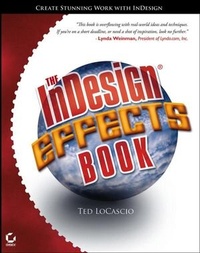
The InDesign Effects Book
1st Edition
Published on 13. December 2005
Book
Paperback/Softback
260 pages
978-0-7821-4445-1 (ISBN)
Description
Make Complex Effects a Snap
The strength of InDesign's layout and design capabilities already make it a top choice among professionals. But even experienced users will be amazed by the visual and text effects that are possible entirely within InDesign. Using step-by-step instructions and engaging examples, expert author Ted LoCascio shows you dozens of breathtaking effects that you can make a vital part of your everyday work, including:
* Making images pop out of their frames
* Creating 3D looks like spheres, shadows, and text wraps
* Designing cool effects with transparency and blending modes
* Using Feather to add highlights and shadows to InDesign illustrations
* Creating and applying custom gradients-even within text!
* Adding glow effects to editable text
* Jazzing up mundane layout elements such as sidebar heads and bursts
* Skewing type on a path
* And much more!
Includes Coverage of Effects Newly Possible With CS2
These stunning, easy-to-achieve effects will help users of every level tap the full creative potential of InDesign.
Visit this book's companion website (www.wiley.com/go/indesignfx) to download all the materials you'll need to complete the book's projects.
More details
Edition
1., Auflage
Language
English
Place of publication
New York
United States
Publishing group
John Wiley & Sons Inc
Target group
Professional and scholarly
Illustrations
col. Illustrations
Dimensions
Height: 25.3 cm
Width: 20.2 cm
Thickness: 14 mm
Weight
732 gr
ISBN-13
978-0-7821-4445-1 (9780782144451)
Schweitzer Classification
Other editions
Additional editions
Person
Ted LoCascio is a professional graphic designer and an expert in InDesign, Photoshop, Illustrator, and QuarkXPress. He served as senior designer at KW Media and the National Association of Photoshop Professionals (NAPP) for several years, and has created layouts and designs for many successful software training books, videos, and magazines. He is the author of InDesign CS2 at Your Fingertips, has contributed articles to Photoshop User magazine, and has taught at PhotoshopWorld.
Content
Introduction.
Chapter 1. Placed Image Effects.
Character Outline Frames.
Clipping Path Frames.
Popping Out of the Frame.
Pathfinder Frames.
Snapshot Frames.
Filmstrip Frames.
Table Frames Part 1.
Table Frames Part 2.
Transparent Image Outer Glow.
Duotone CD Art.
Chapter 2. Type Effects.
Outer Glow.
Inner Glow.
Perspective Type Shadow.
Grunge Type.
Metal Gradient.
Put Your Logo in Lights.
"Gel-ly" Type.
Neon Type.
Spray Stencil.
Type Around the World.
Chapter 3. Paragraph Effects.
Skewed Text Path.
Gradient Text Mask.
Text Inside Text.
Inverted Text Wrap.
Angled Margins.
Paragraph Rule Frame.
Vertical Side Heads.
Feathered Drop Cap.
Text Path Frame.
Chapter 4. Shape Effects.
Spot Color Burst Gone Wild!
Interlocking Objects.
Instant Flower Shapes.
Getting in Gear.
InDesign Snowflakes.
Photo-realistic 3D Sphere.
Gel Buttons.
Gel Sidebar Tabs.
Object Silhouettes.
Transparent background Frames.
Placing Shapes Around a Circle.
Index.