

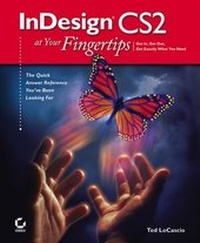
InDesign CS2 at Your Fingertips
1st Edition
Published on 2. September 2005
Book
Paperback/Softback
402 pages
978-0-7821-4420-8 (ISBN)
Description
If you're making the switch from QuarkXPress or PageMaker to Adobe InDesign or just starting out with page layout and design, InDesign CS2 at Your Fingertips is your ultimate reference. Its award-winning format gives you easy and instant access to all the tasks you'll want to perform. Author Ted LoCascio is a highly qualified instructor--he's the former senior designer for the National Association of Photoshop Professionals and an InDesign expert. With clear, accessible information and a full color section, this is the best value on the market.
More details
Other editions
Additional editions
Person
Ted LoCascio is a professional graphic designer and an expert in InDesign, Photoshop, Illustrator, and QuarkXPress. He was senior designer at the National Associate of Photoshop Professionals (NAPP) for several years, and has done layout and design work on a number of successful software training books. He has contributed articles to Photoshop User magazine and taught at PhotoshopWorld.
Content
Introduction.
WORKSPACE.
Chapter 1: Interface Overview.
Chapter 2: Menus.
Chapter 3: InDesign Tools.
Chapter 4: InDesign Palettes.
Chapter 5: Preferences and Presets.
PAGE BUILDING.
Chapter 6: Creating and Managing Documents.
Chapter 7: Frames and Shapes.
Chapter 8: Manipulating Objects.
TYPOGRAPHY.
Chapter 9: Working with Text.
Chapter 10: Formatting.
Chapter 11: Styles.
GRAPHICS.
Chapter 12: Placed Images.
Chapter 13: Combining Graphics with Text.
COLOR.
Chapter 14: Color and Transparency.
OUTPUT.
Chapter 15: Preflighting and Packaging.
Chapter 16: Printing.
Chapter 17: Exporting.
Chapter 18: Books and Other Large Documents.
Index.
WORKSPACE.
Chapter 1: Interface Overview.
Chapter 2: Menus.
Chapter 3: InDesign Tools.
Chapter 4: InDesign Palettes.
Chapter 5: Preferences and Presets.
PAGE BUILDING.
Chapter 6: Creating and Managing Documents.
Chapter 7: Frames and Shapes.
Chapter 8: Manipulating Objects.
TYPOGRAPHY.
Chapter 9: Working with Text.
Chapter 10: Formatting.
Chapter 11: Styles.
GRAPHICS.
Chapter 12: Placed Images.
Chapter 13: Combining Graphics with Text.
COLOR.
Chapter 14: Color and Transparency.
OUTPUT.
Chapter 15: Preflighting and Packaging.
Chapter 16: Printing.
Chapter 17: Exporting.
Chapter 18: Books and Other Large Documents.
Index.