

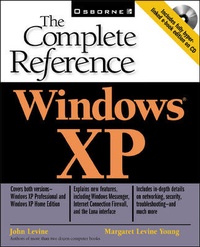
Windows XP: The Complete Reference
2nd Edition
Published on 16. October 2001
Book
Paperback/Softback
1111 pages
978-0-07-219297-1 (ISBN)
Description
Get up-to-date details on installing, running, and maximizing Microsoft's new operating system. This comprehensive reference explains how to connect to the Internet, design a LAN, share drives, printers, and much more. Covering both Windows XP Home and Windows XP Business, this one-top resource also includes tips on improving performance and troubleshooting techniques.
More details
Series
Edition
2nd edition
Language
English
Place of publication
United States
Publishing group
McGraw-Hill Education - Europe
Illustrations
450 illustrations
Dimensions
Height: 229 mm
Width: 175 mm
Thickness: 58 mm
Weight
1877 gr
ISBN-13
978-0-07-219297-1 (9780072192971)
Copyright in bibliographic data and cover images is held by Nielsen Book Services Limited or by the publishers or by their respective licensors: all rights reserved.
Schweitzer Classification
Other editions
New editions
Margaret Levine Young | John Levine
Windows(R) XP Home Edition: The Complete Reference
Book
11/2002
2nd Edition
McGraw-Hill Professional
€37.13
Article is exhausted; no reprint
Persons
John Levine (Trumansburg, NY) is an internationally acclaimed Internet authority, author, and the host of his own radio show. Hes the author of two dozen books ranging from Linkers and Loaders (OReilly) to The Internet for Dummies(Hungry Minds). He also runs online newsgroups and mailing lists, hosts a hundred Web sites, and consults on programming languages and Internet topics.
Margy Levine Young (Cornwall, VT) is the author of many computer books for beginners and intermediates, including The Internet for Dummies.
Margy Levine Young (Cornwall, VT) is the author of many computer books for beginners and intermediates, including The Internet for Dummies.
Content
<Part I: Working in Windows XPChapter 1. The Basics of Using Windows XP [BASICS]Chapter 2. Running Programs [RUNNING] Chapter 3. Installing Programs [INSTALLING]Chapter 4. Getting Help [HELP] Chapter 5. Copying, Moving, and Sharing Information Between Programs [SHAREDATA] Chapter 6. Sharing Your Computer [USERS] Part II: Managing Your FilesChapter 7. Using Files and Folders [FILES] Chapter 8. Managing Files and Folders [EXPLORING]Chapter 9. Backing Up Your Files [BACKUP] Part III: Configuring Windows for Your ComputerChapter 10. Setting up Your Start Menu and Taskbar [STARTTASK]:Chapter 11. Setting up Your Desktop [DESKTOP]. Chapter 12. Configuring Your Keyboard and Mouse [KEYMOUSE] Chapter 13. Adding and Removing Hardware [HARDWARE] Chapter 14. Setting up Printers, Fonts, and Faxing [PRINTING]: Chapter 15. Running Windows XP on Laptops [MOBILE]Chapter 16. Accessibility Options [ACCESS] Part IV: Working with Text, Numbers, Pictures, Sound, and VideoChapter 17. Working with Text and Numbers [DOCS]: Chapter 18. Working with Graphics [GRAPHICS]: Chapter 19: Working with Music, Speech, and Other Sound [AUDIO] Chapter 20. Working with Video [VIDEO] Part V: Windows XP on the InternetChapter 21. Configuring Windows to Work with Your Modem [PREPNET] Chapter 22. Connecting to the Internet [CONNECTING]: Chapter 23. E-mail and Newsgroups Using Outlook Express [EMAIL] Chapter 24. Browsing the World Wide Web with Internet Explorer [BROWSING]: Chapter 25. Conferencing over the Internet [CHATTING] Chapter 26. Using Other Internet Programs with Windows XP [WINSOCK] Part VI: Networking with Windows XPChapter 27. Designing a Windows-based Local Area Network [LANS] Chapter 28. Configuring Windows for a LAN [PEER2PEER] Chapter 29. Sharing Drives and Printers [SHAREHW] Chapter 30. Connecting Your LAN to the Internet [ICS] Chapter 31. Computer and Network Security [SECURITY]Part VII: Windows HousekeepingChapter 32. Formatting and Partitioning Disks [HARDDISKS] Chapter 33. Keeping Your Disk Safe Chapter 34. Tuning Windows XP for Maximum Performance [PERFORMANCE] Chapter 35. Troubleshooting Windows XP [TROUBLE] Chapter 36. Other Windows XP Resources [RESOURCES] Part VIII: Behind the Scenes: Windows XP InternalsChapter 37. Windows XP Configuration and Control Files [INTERNALS]: Chapter 38. Registering Programs and File Types [REGISTRY] Chapter 39. Running DOS Programs and Commands [DOS] Chapter 40. Automating Tasks with the Windows Scripting Host [SCRIPTING]Appendix. Installing or Upgrading to Windows XP [WININST]: Glossary [GLOSSARY] Last page: The Windows XP: The Complete Reference CD-ROM [CDROM]