

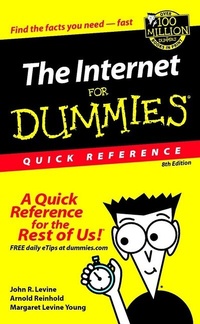
The Internet For Dummies
Quick Reference
8th Edition
Published on 29. March 2002
Book
Paperback/Softback
XXXII, 208 pages
978-0-7645-1645-0 (ISBN)
Description
This great guide to navigating the Web quickly covers the essentials of hooking up to the Internet and handling basic duties like sending and receiving email, finding information on the World Wide Web, and communicating with chat, instant messaging, and newsgroups. This book covers the newest versions of Internet Explorer and Netscape Web browsers, e-mail client software, and other basic Internet tools. This new edition now also includes help with building and posting a Web page.
More details
Edition
8., Auflage
Language
English
Place of publication
Foster City
United States
Publishing group
John Wiley & Sons Inc
Edition type
Revised edition
Illustrations
illustrations
Dimensions
Height: 21.6 cm
Width: 15.3 cm
Weight
257 gr
ISBN-13
978-0-7645-1645-0 (9780764516450)
Schweitzer Classification
Other editions
Previous edition

John R. Levine
The Internet for Dummies Quick Reference
Book
02/2000
6th Edition
Hungry Minds Inc,U.S.
€34.84
Article exhausted; check for reprint
Persons
John Levine (Trumansburg, NY), Arnold Reinhold (Fresh Pond, MA), and Margaret Levine Young (Cornwall, VT) are all part of the 'Internet Author's Cabal,' organized by John to develop and write technology books to help new PC users.
All the authors are full-time technology writers and teachers. John also lectures on technology issues, especially Internet privacy issues.
All the authors are full-time technology writers and teachers. John also lectures on technology issues, especially Internet privacy issues.
Content
Introduction.
PART I: GETTING TO KNOW THE INTERNET.
What Is the Internet?
What's So Great about the Internet?
What Services Does the Internet Provide?
Will the Internet Take All Your Free Time.
PART II: GETTING STARTED.
Hooking Up to the Internet with Broadband.
Hooking Up to the Internet Cheap.
Hooking Up to the Internet By Dial-Up.
Investing in a Computer for Internet Access.
Modems.
Selecting an Internet Service Provider (ISP).
Software for Internet Access.
PART III: ELECTRONIC MAIL.
ABCs of E-Mail.
Acronyms, Smileys, and Emoticons.
Addresses.
America Online and CompuServe Addresses.
Attachments.
Using America Online (AOL).
Using Eudora (Windows and Mac).
Using Netscape Mail (Windows, Mac, Linux, and UNIX).
Using OS X Mail (Mac).
Using Outlook Express (Windows and Mac).
Using Pine (Linux and UNIX).
PART IV: USENET NEWSGROUPS.
Frequently Asked Questions (FAQs).
Google Groups and Usenet Indexers.
Newsgroup Names.
Newsgroup Netiquette.
Posting Your First Article.
Ramping Up Your Own Newsgroup.
Reading Newsgroups at Google Groups.
Reading Newsgroups with a Newsreader.
PART V: MAILING LISTS.
Addresses Used with Mailing Lists.
Finding a Mailing List.
Getting On and Off a Mailing List.
Open and Closed Mailing Lists.
Receiving Digested Mailing Lists.
Sending Messages to a Mailing List.
Sending Special Requests to Mailing Lists.
Starting Your Own Mailing List.
Using Filters to Sort Your Mailing List Messages.
PART VI: THE WORLD WIDE WEB.
ABCs of the Web.
Bookmark or Save?
Finding Your Way around the Web.
Kids, Porn, and the Web.
Plug-Ins, Helper Programs, and ActiveX Controls.
Privacy, Security, and Cookies.
Problems and Error Messages.
Uniform Resource Locators (URLs).
Using AOL to Browse the Web.
Using Internet Explorer to Browse the Web.
Using Netscape Navigator to Browse the Web.
PART VII: FINDING AND USING RESOURCES ON THE INTERNET.
Directories, Search Engines, and Portals.
Excellent Surfing Ideas.
Free, Free, Free!
Information Sources.
Magazines and Literature.
Music Online.
Newspapers. Selling Online.
Shareware and Freeware Software.
Shopping Online from A to Z.
"Should I Give Out My Credit Card Number over the Internet?"
Telephone Directories.
Uncompressing and Decoding Retrieved Files.
Viruses.
PART VIII: LIVE ONLINE COMMUNICATION.
Chatting Online.
America Online (AOL) Chat Rooms.
AOL Instant Messenger (AIM).
ICQ.
Internet Relay Chat (IRC).
MUDs and MOOs.
Voice and Video over the Net.
Web-Based Chat.
Windows Messenger.
Adding voice, video, and conferencing.
Advanced features.
Yahoo Messenger.
Adding to your Friends List.
Starting a conversation.
Adding video.
Conference calls.
PART IX: ADVANCED TOPICS.
Encryption and Internet Security.
Cryptography.
Public-key cryptography.
The politics of cryptography.
How secure is public-key cryptography?
Key size.
Internet Explorer and Netscape Communicator.
Outlook Express and Netscape Messenger.
Pretty Good Privacy.
Obtaining a copy of PGP.
Getting started with PGP.
HushMail.
Public-key infrastructure.
Passwords and pass phrases.
Java and Network Computers.
Creating Your Own Web Home Page.
Why would you want your own home page?
Building your page.
Tips for effective Web pages.
Web page maintenance.
HTML editors.
Creating a home page on America Online.
Publicizing your page. Link exchanges and Webrings.
META tags.
Starting a Business on the Web.
PART X: CLASSIC INTERNET.
FTP.
About FTP programs.
Navigating files and directories.
Uploading and downloading files.
Windows XP Web Folders.
Telnet and SSH.
Choosing a telnet program.
Connecting to remote computers.
Disconnecting from remote computers.
UNIX and Linux commands.
Appendix: Internet Country Codes.
Glossary: Techie Talk.
Index.
Book Registration Information.
PART I: GETTING TO KNOW THE INTERNET.
What Is the Internet?
What's So Great about the Internet?
What Services Does the Internet Provide?
Will the Internet Take All Your Free Time.
PART II: GETTING STARTED.
Hooking Up to the Internet with Broadband.
Hooking Up to the Internet Cheap.
Hooking Up to the Internet By Dial-Up.
Investing in a Computer for Internet Access.
Modems.
Selecting an Internet Service Provider (ISP).
Software for Internet Access.
PART III: ELECTRONIC MAIL.
ABCs of E-Mail.
Acronyms, Smileys, and Emoticons.
Addresses.
America Online and CompuServe Addresses.
Attachments.
Using America Online (AOL).
Using Eudora (Windows and Mac).
Using Netscape Mail (Windows, Mac, Linux, and UNIX).
Using OS X Mail (Mac).
Using Outlook Express (Windows and Mac).
Using Pine (Linux and UNIX).
PART IV: USENET NEWSGROUPS.
Frequently Asked Questions (FAQs).
Google Groups and Usenet Indexers.
Newsgroup Names.
Newsgroup Netiquette.
Posting Your First Article.
Ramping Up Your Own Newsgroup.
Reading Newsgroups at Google Groups.
Reading Newsgroups with a Newsreader.
PART V: MAILING LISTS.
Addresses Used with Mailing Lists.
Finding a Mailing List.
Getting On and Off a Mailing List.
Open and Closed Mailing Lists.
Receiving Digested Mailing Lists.
Sending Messages to a Mailing List.
Sending Special Requests to Mailing Lists.
Starting Your Own Mailing List.
Using Filters to Sort Your Mailing List Messages.
PART VI: THE WORLD WIDE WEB.
ABCs of the Web.
Bookmark or Save?
Finding Your Way around the Web.
Kids, Porn, and the Web.
Plug-Ins, Helper Programs, and ActiveX Controls.
Privacy, Security, and Cookies.
Problems and Error Messages.
Uniform Resource Locators (URLs).
Using AOL to Browse the Web.
Using Internet Explorer to Browse the Web.
Using Netscape Navigator to Browse the Web.
PART VII: FINDING AND USING RESOURCES ON THE INTERNET.
Directories, Search Engines, and Portals.
Excellent Surfing Ideas.
Free, Free, Free!
Information Sources.
Magazines and Literature.
Music Online.
Newspapers. Selling Online.
Shareware and Freeware Software.
Shopping Online from A to Z.
"Should I Give Out My Credit Card Number over the Internet?"
Telephone Directories.
Uncompressing and Decoding Retrieved Files.
Viruses.
PART VIII: LIVE ONLINE COMMUNICATION.
Chatting Online.
America Online (AOL) Chat Rooms.
AOL Instant Messenger (AIM).
ICQ.
Internet Relay Chat (IRC).
MUDs and MOOs.
Voice and Video over the Net.
Web-Based Chat.
Windows Messenger.
Adding voice, video, and conferencing.
Advanced features.
Yahoo Messenger.
Adding to your Friends List.
Starting a conversation.
Adding video.
Conference calls.
PART IX: ADVANCED TOPICS.
Encryption and Internet Security.
Cryptography.
Public-key cryptography.
The politics of cryptography.
How secure is public-key cryptography?
Key size.
Internet Explorer and Netscape Communicator.
Outlook Express and Netscape Messenger.
Pretty Good Privacy.
Obtaining a copy of PGP.
Getting started with PGP.
HushMail.
Public-key infrastructure.
Passwords and pass phrases.
Java and Network Computers.
Creating Your Own Web Home Page.
Why would you want your own home page?
Building your page.
Tips for effective Web pages.
Web page maintenance.
HTML editors.
Creating a home page on America Online.
Publicizing your page. Link exchanges and Webrings.
META tags.
Starting a Business on the Web.
PART X: CLASSIC INTERNET.
FTP.
About FTP programs.
Navigating files and directories.
Uploading and downloading files.
Windows XP Web Folders.
Telnet and SSH.
Choosing a telnet program.
Connecting to remote computers.
Disconnecting from remote computers.
UNIX and Linux commands.
Appendix: Internet Country Codes.
Glossary: Techie Talk.
Index.
Book Registration Information.