

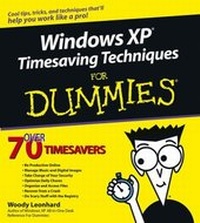
Windows XP Timesaving Techniques For Dummies
1st Edition
Published on 15. August 2003
Book
Paperback/Softback
608 pages
978-0-7645-3748-6 (ISBN)
Description
Microsoft's popular Windows XP operating system is loaded with rich media features and networking options previously available only in separate software packages, making it the most media-friendly release of Windows to date. This book breaks Windows XP into fast and easy-to-follow lessons, with plentiful screen captures and steps designed to take advantage of these enhancements and make Windows work faster and better.
Reviews / Votes
"...Windows For Dummies has long been the standard for Windows references...[now] to make Windows work faster have this title..." (Computer Business Review, September 2003)More details
Edition
1., Aufl.
Language
English
Place of publication
Foster City
United States
Publishing group
John Wiley & Sons Inc
Target group
Professional and scholarly
College/higher education
Illustrations
Illustrations
Dimensions
Height: 22.9 cm
Width: 20.6 cm
Thickness: 25 mm
Weight
907 gr
ISBN-13
978-0-7645-3748-6 (9780764537486)
Schweitzer Classification
Other editions
New editions
Woody Leonhard | Justin Leonhard
Windows XP Timesaving Techniques For Dummies
Book
01/2005
2nd Edition
Hungry Minds Inc,U.S.
€21.90
Article exhausted; check different version
Person
Woody Leonhard is a Windows guru and author of Windows XP All-in-One Desk Reference For Dummies. He publishes several e-mail newsletters, including Woody's Office Watch and Woody's Windows Watch.
Content
Introduction; Part I: Making Windows Lean and Clean; Technique 1: Getting Windows Running in a Flash; Technique 2: Making Windows Work Faster; Technique 3: Running the Activation Gauntlet; Technique 4: Saving Time (And Your Eyes) on the Screen; Technique 5: Stopping a Thief with Your Welcome Screen; Technique 6: Rapid Power Passwords; Technique 7: Windows Power Management; Technique 8: Retrieving Your Product Key; Technique 9: Keeping Programs from Starting Automatically; Technique 10: Removing and Reinstalling Programs; Part II: Convincing Windows to Work Your Way; Technique 11: Streamlining the Start Menu; Technique 12: Building a Power Desktop; Technique 13: Shut Down, Restart, and Switch Users Quickly; Technique 14: Tricking Out the Taskbar; Technique 15: Launching Your Most-Used Programs Quickly; Technique 16: Using Built-In Keyboard Shortcuts; Technique 17: Making Your Own Keyboard Shortcuts; Part III: Timesaving File Handling Techniques; Technique 18: Exploring Effectively; Technique 19: Finding the Files You Want Fast; Technique 20: Listing Files Quickly; Technique 21: Running Disk Chores While You Sleep; Technique 22: Keeping Your Hard Drive in Shape; Part IV: Making the Most of Your Internet Time; Technique 23: Customizing Internet Explorer; Technique 24: Saving Time with Google; Technique 25: Giving Pop-Ups the Brush-Off; Technique 26: Locating and Sharing Files on the Internet; Technique 27: Controlling Cookies Quickly; Technique 28: Keeping Windows Messenger in Line; Technique 29: Streamlining Outlook Express; Technique 30: Zapping Junk Mail; Technique 31: Protecting Your Kids; Part V: Ensuring Peak Network Performance; Technique 32: Installing a Small Network; Technique 33: Sharing an Internet Connection; Technique 34: Adding and Configuring a New User; Technique 35: Sharing Drives and Folders; Part VI: Fast Security Techniques; Technique 36: Protecting Your PC from Viruses While You Sleep; Technique 37: Fast, Easy, and Safe Online Shopping; Technique 38: Thwarting Internet Intruders; Technique 39: Checking Your Security Perimeter; Part VII: Keeping Your PC Alive; Technique 40: Running Periodic Maintenance; Technique 41: Keeping Windows Up-to-Date Automatically; Technique 42: Making Backups Fast; Technique 43: Requesting Remote Assistance; Technique 44: Getting Help Fast; Part VIII: Optimizing Your Musical Entertainment; Technique 45: Using Windows Media Player; Technique 46: No-Nonsense Music Gathering; Technique 47: Creating Your Own Music CDs; Technique 48: Transferring Music to MP3 Players; Technique 49: Tuning In the Radio; Part IX: Having Fun and Saving Time with Visual Media; Technique 50: Taking Snapshots with a Webcam; Technique 51: Recording Video with a Webcam; Technique 52: Editing Your Home Movies; Technique 53: Managing Pictures from a Digital Camera; Technique 54: Doing More with Your Pics; Technique 55: Decreasing Picture Download Times; Technique 56: Printing and Posting Pictures; Technique 57: Using a Scanner Effectively; Part X: Fast (Nearly Painless) Disaster Recovery; Technique 58: Getting Your PC to Boot When It Doesn't Want To; Technique 59: Restoring Your System after Calamitous Change; Technique 60: Recovering a Lost Password; Technique 61: Surviving the Blue Screen of Death; Technique 62: Creating a Startup Disk; Part XI: The Scary (Or Fun) Stuff; Technique 63: Changing the Registry without Getting Burned; Technique 64: Making Programs Run Your Way; Technique 65: Updating Drivers Safely; Technique 66: Using Program Compatibility Modes; Technique 67: Getting the Most from Windows Solitaire; Technique 68: Cracking Windows Minesweeper; Technique 69: Setting Winning Streaks in Spider Solitaire; Technique 70: Cheating at Hearts; Index.