

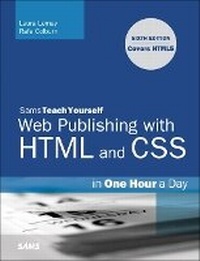
Sams Teach Yourself Web Publishing with HTML and CSS in One Hour a Day
Includes New HTML5 Coverage
6th Edition
Published on 2. September 2010
Book
Paperback/Softback
768 pages
978-0-672-33096-4 (ISBN)
Description
Sams Teach Yourself Web Publishing with HTML and CSS in One Hour a Day, Sixth Edition is the latest edition of the original worldwide bestseller. The entire book has been thoroughly revised and refined to include new detailed coverage of HTML5, the next major revision of the core language of the World Wide Web, HTML. Work on the HTML5 specification is still ongoing, but parts of HTML5 are already being implemented in new versions of Microsoft Internet Explorer, Mozilla Firefox, Safari and Opera.
More details
Edition
6th edition
Language
English
Place of publication
Indianapolis
United States
Publishing group
Pearson Education (US)
Dimensions
Height: 228 mm
Width: 181 mm
Thickness: 39 mm
Weight
1178 gr
ISBN-13
978-0-672-33096-4 (9780672330964)
Copyright in bibliographic data and cover images is held by Nielsen Book Services Limited or by the publishers or by their respective licensors: all rights reserved.
Schweitzer Classification
Other editions
New editions
Laura Lemay | Rafe Colburn | Jennifer Kyrnin
HTML, CSS & JavaScript Web Publishing in One Hour a Day, Sams Teach Yourself
Covering HTML5, CSS3, and jQuery
Book
01/2016
7th Edition
Sams Publishing
€42.50
Shipment within 10-20 days
Previous edition
Laura Lemay | Rafe Colburn
Sams Teach Yourself Web Publishing with HTML and CSS in One Hour a Day
Book
06/2006
5th Edition
Sams Publishing
€35.89
Article exhausted; check for reprint
Persons
Laura Lemay is the world's most popular author on HTML and web development topics. In addition to the best-selling Teach Yourself Web Publishing books, and she is also co-author of Teach Yourself Java in 21 Days and Teach Yourself Perl in 21 Days.Rafe Colburn is a programmer and author working in North Carolina. He is the author of Special Edition Using SQL and Sams Teach Yourself CGI in 24 Hours and co-author of Sams Teach Yourself Perl in 21 Days.
Content
Part I: Getting Started
1: Navigating the World Wide Web
2: Preparing to Publish on the Web
3: Introducing HTML5
4: Learning the Basics of HTML
Part II: Creating Simple Web Pages
5: Adding Links to Your Web Pages
6: Formatting Text with HTML and CSS
7: Adding Images, Color, Backgrounds
Part III: Doing More with HTML
8: Building Tables
9: Creating Layouts with CSS
10: Designing Forms
11: Integrating Multimedia: Sound, Video, More
Part IV: JavaScript and Ajax
12: Introducing JavaScript
13: Using JavaScript in your Pages
14: Using JavaScript Libraries and Ajax
15: Working with Frames and Linked Windows
Part V: Designing Effective Web Pages
16: Writing Good Web Pages: Do's and Don'ts
17: Designing for the Real World
18: Advanced CSS Techniques
Part VI: Going Live on the Web
19: Putting Your Site Online
20: Taking Advantage of the Server
21: Using Tools to Make Publishing Easier
1: Navigating the World Wide Web
2: Preparing to Publish on the Web
3: Introducing HTML5
4: Learning the Basics of HTML
Part II: Creating Simple Web Pages
5: Adding Links to Your Web Pages
6: Formatting Text with HTML and CSS
7: Adding Images, Color, Backgrounds
Part III: Doing More with HTML
8: Building Tables
9: Creating Layouts with CSS
10: Designing Forms
11: Integrating Multimedia: Sound, Video, More
Part IV: JavaScript and Ajax
12: Introducing JavaScript
13: Using JavaScript in your Pages
14: Using JavaScript Libraries and Ajax
15: Working with Frames and Linked Windows
Part V: Designing Effective Web Pages
16: Writing Good Web Pages: Do's and Don'ts
17: Designing for the Real World
18: Advanced CSS Techniques
Part VI: Going Live on the Web
19: Putting Your Site Online
20: Taking Advantage of the Server
21: Using Tools to Make Publishing Easier